EasyManua.ls Logo

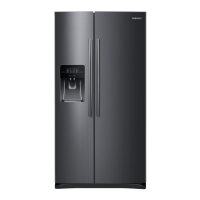
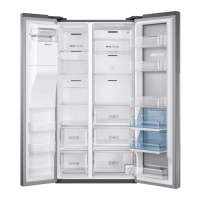
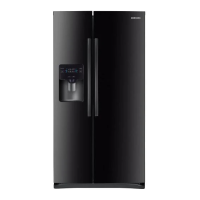
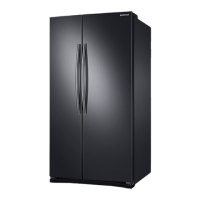
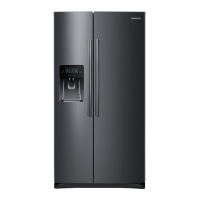
Samsung RS25H5111SR - User Manual

Samsung RS25H5111SR
12 pages
Print Icon
To Next Page IconTo Next Page
Loading...
quick start guide
RS25H5121**/RS25H5111**
English
Before using your new Samsung French Door Refrigerator, please read this manual thoroughly to ensure that you know
how to operate the features and functions that your new appliance offers safely and efficiently.
This appliance is not intended for use by persons (including children) with reduced physical, sensory, or mental
capabilities, or those who lack experience and knowledge, unless they have been given supervision or instruction
concerning the use of the appliance by a person responsible for their safety.
Because the following instructions cover various models, the characteristics of your refrigerator may differ slightly from
the refrigerator described in this manual.
If you have any question, contact us at 1-800-SAMSUNG or find help and information online at www.samsung.com.
WARNING
Hazards or unsafe practices that may result in severe personal injury or death.
CAUTION
Hazards or unsafe practices that may result in minor personal injury or property damage.
Important safety symbols and precautions:
Safety information
1. Safety Information
OTHER SYMBOLS USED
Do NOT attempt.
Do NOT disassemble.
Do NOT touch.
Follow directions carefully.
Unplug the power plug from the wall socket.
Make sure the machine is grounded to prevent electric shock.
Call the contact center for help.
Note.
These warning symbols are here to prevent injury to you and others.
Please follow them carefully.
After reading this section, keep it in a safe place for future reference.

Questions and Answers

  • L
    Laura RichardsonAug 13, 2025
    How to troubleshoot a Samsung Refrigerator that is not cooling?
    • V
      velliottAug 13, 2025
      First, ensure the power plug is properly connected. Then, check the temperature control on the display panel and set it to a lower temperature if needed. Also, check if the refrigerator is in direct sunlight or near a heat source. Make sure the back of the refrigerator has enough space for air to circulate. Finally, verify if the cooling off function is enabled, and if so, disable it.
  • M
    Mark NealAug 16, 2025
    What to do if the Samsung RS25H5111SR water dispenser is not working?
    • A
      Andrew LeonardAug 16, 2025
      Check if the water line is connected and the shut-off valve is open. Also, make sure the water supply line tubing isn't crushed or kinked, ensuring it's free of obstructions. If the water tank is frozen due to a low refrigerator temperature, select a warmer setting on the main display panel.
  • K
    Katie FernandezAug 20, 2025
    What to do if Samsung Refrigerator ice is not dispensing?
    • D
      Debra BensonAug 20, 2025
      Ensure that the water line is connected and the shut-off valve is open. Check if you waited 12 hours after installing the water supply line before making ice. Verify that the ice making function isn't manually stopped by ensuring 'Ice Type' is set to 'Cubed' or 'Crushed'. Check for any ice blocked within the ice maker bucket. If the freezer temperature is too warm, try setting it lower.
  • M
    Monica BrooksAug 25, 2025
    What to do if food is freezing in my Samsung Refrigerator?
    • L
      Lisa ShortAug 25, 2025
      To address this issue, verify the temperature control on the display panel and adjust to a warmer setting. Also, consider whether the room temperature is very low. Additionally, check if food with high water content is stored in the coldest part of the fridge.
  • L
    lrowlandAug 28, 2025
    Why does my Samsung RS25H5111SR make unusual noises?
    • A
      Audrey KhanAug 28, 2025
      First, check that the refrigerator is level and stable. If the refrigerator’s water supply line is not connected, and the ice maker is on, press the Ice Type button until the Ice icon lights up (at least 3 seconds) to turn off the ice maker. A 'ticking' sound is normal due to accessories contracting or expanding with temperature changes.
  • D
    Daniel TurnerAug 31, 2025
    How to eliminate a bad smell in my Samsung RS25H5111SR Refrigerator?
    • R
      Robert MasseyAug 31, 2025
      To get rid of the bad smell, check if any food has spoiled. Make sure strong smelling food, like fish, is wrapped airtight. Also, clean out your freezer regularly and discard any spoiled or questionable food.
  • J
    John JohnsonSep 4, 2025
    How to stop frost from forming on the walls of my Samsung RS25H5111SR Refrigerator freezer?
    • T
      Tiffany MelendezSep 4, 2025
      Check if the air vent is blocked and remove any obstructions to allow free air circulation. Allow sufficient space between stored foods for efficient air circulation. Ensure the freezer door is closed properly.
  • J
    Jeffrey HughesSep 8, 2025
    Why are the front corners of my Samsung RS25H5111SR hot and causing condensation?
    • J
      Jason RogersSep 8, 2025
      Some heat is normal because anti-condensators are installed to prevent condensation. Also, ensure the refrigerator door isn't ajar, as condensation can occur if left open for a long time.

Samsung RS25H5111SR Specifications

General IconGeneral
Typefreestanding
Styleside-by-side
Colorstainless steel
Number of Doors2
Total Capacity24.5 cubic feet
Refrigerator Capacity15.3 cubic feet
Freezer Capacity9.2 cubic feet
Humidity Controlled Crispersyes
Defrost Systemmanual
Quick Freezeyes
Number of Refrigerator Shelves4
Number of Refrigerator Door Binsyes
Temperature Controltouchpad
Interior Lightled
Dispenserice and water
Ice Makeryes
Water Filteryes
Door Alarmyes
Smart Homeno
Annual Energy Consumption634 kilowatt hours
Voltage115 volts
Weight and Dimensions IconWeight and Dimensions
Depth36 1/2 inches
Height69 7/8 inches
Width35 3/4 inches
Net Weight288.8 pounds

Videos

How to Ensure the Ice Maker is Activated in Your Samsung RS25H5111SR Fridge

Related product manuals