EasyManua.ls Logo

Samsung RS267TD series - User Manual

Samsung RS267TD series
72 pages
Print Icon
To Next Page IconTo Next Page
Loading...
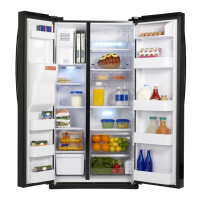
Refrigerator
user manual
imagine the possibilities
Thank you for purchasing this Samsung product.
To receive more complete service,
please register your product at
www.samsung.com/register
RS267TD**
RS265TD**
ENGLISH
Free Standing Appliance
SPANISH

Questions and Answers

  • K
    Kyle MurrayJul 26, 2025
    Why is my Samsung RS267TD not cooling?
    • H
      hayesmariahJul 26, 2025
      First, ensure the refrigerator's power plug is properly connected. Next, check the temperature control on the display panel and set it to a lower temperature if needed. Also, make sure the refrigerator isn't in direct sunlight or near a heat source. Ensure the back of the unit has enough space for air to circulate. Finally, check if the cooling off function is enabled and disable it if it is.
  • J
    Jessica SandovalJul 31, 2025
    Why is my Samsung RS267TD Refrigerator not dispensing ice?
    • A
      Amanda SimpsonJul 31, 2025
      Ensure you waited 12 hours after connecting the water supply line before trying to make ice. Verify that the water line is connected and the shut-off valve is open. Check if you've manually stopped the ice-making function; if so, set the Ice Type to Cubed or Crushed. Inspect the ice maker bucket for any ice blockage. Lastly, if the freezer temperature is too warm, try setting it lower.
  • G
    Gregory ButlerAug 5, 2025
    Why is the water dispenser not working on my Samsung Refrigerator?
    • M
      Maria RoyAug 5, 2025
      Check if the water line is connected and the shut-off valve is open. Also, inspect the water supply line tubing for any crushing or kinking that might obstruct water flow. If the water tank is frozen due to a low refrigerator temperature, select a warmer setting on the main display panel.
  • W
    Wendy CantuAug 10, 2025
    What to do if food is freezing in my Samsung RS267TD?
    • G
      Gregory AndersonAug 10, 2025
      First, make sure that the temperature control on the display panel is set to the correct temperature; try setting it to a warmer temperature. Also, consider whether the room temperature is very low. Finally, check if food with high water content is stored in the coldest part of the fridge.
  • L
    larrysimpsonAug 15, 2025
    Why does my Samsung RS267TD make unusual noises?
    • J
      Justin WheelerAug 15, 2025
      Ensure the refrigerator is level and stable. If the water supply line isn't connected, unusual noises may occur if the ice maker is on or the water dispenser lever is pushed. To stop these noises, turn off the ice maker by pressing the Ice Type button until the Ice Off icon appears (hold for at least 3 seconds). A ticking sound is normal due to accessories contracting or expanding with temperature changes.
  • M
    Melissa MillerAug 20, 2025
    Why are the front corners of my Samsung RS267TD hot and condensing?
    • J
      Jonathan ThompsonAug 20, 2025
      Some heat is normal because anti-condensates are installed in the front corners to prevent condensation. Condensation can also occur if the refrigerator door is left ajar for an extended period.

Summary

Features of Your Side-by-Side Refrigerator

Key Features of Your New Refrigerator

An overview of the innovative storage and energy-efficient features of the Samsung refrigerator.

Safety Information

Important Safety Symbols and Precautions

Explains warning symbols and precautions for safe refrigerator use.

Severe Warning Signs for Installation

Critical warnings and guidelines for safely installing the refrigerator to prevent hazards.

Caution Signs for Installation

Precautions for proper installation, including space, ventilation, and initial setup.

Severe Warning Signs for Using

Major warnings related to operating the refrigerator safely to avoid injury or damage.

Severe Warning Signs for Using (Continued)

Additional critical warnings for safe operation of the refrigerator.

Caution Signs for Using

Precautions for safe operation, covering food storage and appliance interaction.

Caution Signs for Cleaning

Precautions to take when cleaning the refrigerator to avoid electric shock or fire.

Severe Warning Signs for Disposal

Critical warnings regarding safe disposal of the refrigerator, especially child safety.

Setting Up Your Side-by-Side Refrigerator

Getting Ready to Install the Refrigerator

Guidance on selecting the best location and preparing for the refrigerator installation.

Setting Up the Refrigerator

Steps to complete after installation, including checking power, setting temperature, and assembling.

Installing the Handles

Instructions for attaching the refrigerator door handles.

Removing the Front Leg Cover

Procedure for removing the front leg cover to access internal components.

Separating Water Supply Line

Steps to disconnect the water line from the refrigerator before servicing.

Reattaching Water Supply Line

Instructions for correctly reconnecting the water supply line to prevent leaks.

Removing the Freezer Door

Detailed steps for safely removing the freezer door for installation or maintenance.

Reattaching the Freezer Doors

Instructions for reassembling the freezer door in reverse order.

Removing the Fridge Door

Detailed steps for safely removing the refrigerator door for installation or maintenance.

Reattaching the Fridge Door

Instructions for reassembling the refrigerator door in reverse order.

Leveling the Refrigerator

Guide to leveling the refrigerator to ensure proper door alignment and cooling system function.

Making Minor Door Adjustments

Steps to adjust door height and alignment for a perfectly even appearance.

Checking the Water Dispenser Line

Information on water pressure requirements and checking the water dispenser line installation.

Connecting to the Water Supply Line

Instructions for connecting the refrigerator to the household cold water supply.

Installing the Water Line

Detailed guide on connecting the water line using compression fittings and tubing.

Managing the Power Cord

Guidance on arranging the power cord after installation to prevent damage.

Removing Residual Matter from Water Line

Steps to flush the water system and remove air after filter installation.

Operating Your Side-by-Side Refrigerator

Checking the Control Panel

Overview of the refrigerator's control panel and its various functions and indicators.

Using the Control Panel

Detailed explanation of temperature adjustment, Power Freeze, Child Lock, Power Cool, and Energy Saver.

Using the Control Panel (Continued)

Explanation of filter indicator, water function, ice types, and canceling cooling off mode.

Using the Ice and Cold Water Dispenser

Instructions for dispensing water and selecting ice types from the external dispenser.

Storing Food

Guidance on utilizing refrigerator compartments for optimal food freshness and odor prevention.

Cleaning and Maintaining Your Side-by-Side Refrigerator

Removing Freezer;Fridge Accessories

Steps to remove door bins, shelves, and drawers for cleaning or access.

Cleaning the Interior

Instructions for cleaning the inside walls, drawers, and shelves with mild detergent.

Cleaning the Exterior

Guidance on cleaning the digital panel, display, doors, handles, and cabinet surfaces.

Cleaning Door Seals

How to clean rubber door seals to ensure proper closure and efficient operation.

Changing LED Type Lighting

Information on how to change LED lighting, advising to contact service center.

Changing the Water Filter

Step-by-step guide to replacing the water filter when the indicator turns red.

Appendix

Troubleshooting Common Issues

Solutions for common refrigerator problems like not working, frozen food, noises, and leaks.

Warranty Information

Limited Warranty Details

Details the one-year parts and labor warranty and five-year sealed system warranty.

Wiring Diagram

Circuit Diagram SSEDA BEST

Schematic representation of the refrigerator's electrical circuits for the SSEDA BEST model.

Circuit Diagram SSEDA BETTER

Schematic representation of the refrigerator's electrical circuits for the SSEDA BETTER model.

Ambient Room Temperature Limits

Correct Product Disposal

Guidelines for environmentally responsible disposal of the refrigerator as electronic waste.

Contact Samsung World Wide

Information on how to contact Samsung customer care for questions and service.

Samsung RS267TD series Specifications

General IconGeneral
Height70 inches
Ice MakerYes
Water DispenserYes
Energy Star RatedYes
Energy Star CompliantYes
TypeSide by Side
Width35.75 inches
Defrost TypeFrost Free
ColorStainless Steel

Related product manuals