EasyManua.ls Logo

Samsung RT35 Series - User Manual

Samsung RT35 Series
104 pages
Print Icon
To Next Page IconTo Next Page
Loading...
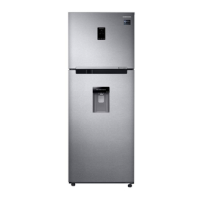
Refrigerator
User manual
RT38*/RT35*/RT32*/RT29*
Free Standing Appliance
Thai Samsung Electronics Co., LTD
Untitled-2 1 2016-09-22  11:43:00

Table of Contents

Questions and Answers

  • A
    Anne Roberson DVMAug 3, 2025
    Why is my Samsung Refrigerator not cooling?
    • K
      Kyle FrancisAug 3, 2025
      Your Samsung Refrigerator might not be cooling due to several reasons. Ensure the power cord is properly connected and the temperature control is correctly set. Also, keep the refrigerator away from direct sunlight or heat sources and ensure it has enough room from the rear and side walls. Avoid overfilling the refrigerator with food, as this can block ventilation.
  • T
    todd89Aug 7, 2025
    What to do if Samsung Refrigerator water dispenser not working?
    • M
      Megan McdanielAug 7, 2025
      If the water dispenser in your Samsung Refrigerator isn't working, check if the water tank is frozen; if so, select a higher fridge temperature. Also, ensure the water tank is filled, properly installed, and that the water filter is correctly installed.
  • J
    joshua66Aug 11, 2025
    How to stop food freezing in my Samsung RT35?
    • P
      Peter BushAug 11, 2025
      If food is freezing in your Samsung Refrigerator, check if the temperature control is set too low; if so, adjust it to a higher or optimal setting. Also, if the ambient temperature is too low, set the refrigerator temperature higher. Ensure that food with a high water content isn't placed in the coldest area or near the cooling vent; if it is, move it to another shelf.
  • D
    David BakerAug 16, 2025
    Why is my Samsung RT35 ice maker not making ice?
    • M
      michaelwashingtonAug 16, 2025
      If your Samsung Refrigerator's ice maker isn't producing ice, allow 12 hours for the ice maker to produce ice. Ensure the ice maker isn't stopped while making ice and that the freezer is set below 0 °C (or -5 °C in warm ambient air). Also, make sure the water tank is filled.
  • A
    Alicia JohnstonAug 20, 2025
    How to get rid of bad smell in Samsung Refrigerator?
    • R
      rsteeleAug 20, 2025
      To eliminate a bad smell from your Samsung Refrigerator, check for any spoiled food and remove it. Regular cleaning is recommended. Also, ensure strong-smelling food is wrapped up airtight.
  • J
    Jennifer KingAug 25, 2025
    What to do if frost forms on interior walls of Samsung RT35 Refrigerator?
    • A
      Adam DunnAug 25, 2025
      If frost is forming on the interior walls of your Samsung Refrigerator, make sure no food is blocking the vents. Arrange food items evenly for proper ventilation. Additionally, ensure the refrigerator door is closed properly.
  • M
    Matthew RangelAug 28, 2025
    Why does condensation form inside my Samsung RT35 Refrigerator?
    • K
      Kyle RobertsonAug 28, 2025
      Condensation inside your Samsung Refrigerator typically occurs when food containing a high portion of water is stored uncovered, or the door has been left open. Make sure food is covered or stored in sealed containers to prevent this.

Summary

Safety Information

Important Safety Symbols and Precautions

Explains warning and caution symbols for user safety.

Severe Warning Signs for Transportation and Site

Details warnings related to transporting and installing the appliance.

Critical Installation Warnings

Lists critical warnings for safe and correct refrigerator installation.

Installation Cautions

Provides cautions for installing the refrigerator correctly.

Critical Usage Warnings

Highlights critical warnings for operating the refrigerator safely.

Usage Cautions

Offers cautions for the safe and proper daily use of the refrigerator.

Cleaning Cautions

Provides important cautions for cleaning the refrigerator safely.

Critical Disposal Warnings

Details critical warnings for the environmentally safe disposal of the appliance.

Additional Tips for Proper Usage

Offers helpful tips for optimizing the refrigerator's usage and performance.

Saving Energy Tips

Provides recommendations for saving energy while using the refrigerator.

Instructions about the WEEE

Explains the proper disposal of electrical and electronic equipment.

Installation

Refrigerator at a Glance

Identifies and illustrates the main components of the refrigerator.

Step-by-step Installation

Provides a detailed guide for installing the refrigerator step-by-step.

Operations

Feature Panel

Describes the control panel features and operating modes of the refrigerator.

Special Features

Explains special features like ice making and water dispensing.

Maintenance

Handle and Care

Provides guidance on how to handle and care for refrigerator components.

Cleaning

Details the correct procedure for cleaning the refrigerator's interior and exterior.

Replacement

Explains how to replace parts like the deodorizer filter and lamps.

Troubleshooting

General

Addresses common operational issues and provides troubleshooting actions.

Samsung RT35 Series Specifications

General IconGeneral
BrandSamsung
ModelRT35 Series
CategoryRefrigerator
LanguageEnglish

Related product manuals