EasyManua.ls Logo

Samsung RT35 - User Manual

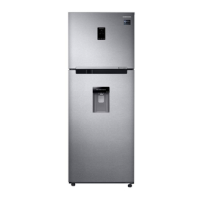
Samsung RT35
328 pages
Print Icon
To Next Page IconTo Next Page
Loading...
Refrigerator
User manual
Free Standing Appliance
Untitled-9 1 2023-04-03  3:06:36

Table of Contents

Other manuals for Samsung RT35

Questions and Answers

  • S
    Sierra BrennanSep 7, 2025
    How to fix unusual noises coming from my Samsung RT35?
    • J
      Julia JimenezSep 7, 2025
      If your Samsung Refrigerator is making unusual noises, first ensure it's installed on a stable, level floor. Check that the back of the appliance isn't too close to the wall and that no foreign objects have fallen behind or under it. Determine if the noise is coming from the compressor. A ticking sound inside the appliance is normal, caused by accessories contracting or expanding.
  • M
    Melissa PittmanAug 22, 2025
    Why is my Samsung Refrigerator not cooling?
    • S
      Sandra BarnesAug 22, 2025
      If your Samsung Refrigerator isn't operating or cooling, ensure the power cord is properly connected. Also, check that the temperature control is set correctly. Keep the refrigerator away from direct sunlight or heat sources, and ensure it has enough room from the rear and side walls or the cabinet. Avoid overfilling the refrigerator with food, as this can block ventilation.
  • J
    Jaclyn WilsonSep 5, 2025
    Why does frost form on the interior walls of my Samsung RT35?
    • M
      Marissa Wolf MDSep 5, 2025
      If frost is forming on the interior walls of your Samsung Refrigerator, make sure that food isn't blocking the vents and arrange food items evenly for proper ventilation. Also, ensure that the door is closed properly.
  • B
    butlerjosephSep 3, 2025
    What to do if Samsung Refrigerator water dispenser not working?
    • D
      Danny WilliamsSep 3, 2025
      If the water dispenser in your Samsung Refrigerator isn't working, check if the water tank is frozen; if so, select a higher fridge temperature. Also, make sure the water tank is filled with water and installed properly, and ensure the water filter is installed correctly.
  • T
    Tiffany HamiltonSep 2, 2025
    How to fix a Samsung Refrigerator ice maker that is not working?
    • H
      hterrySep 2, 2025
      If the ice maker in your Samsung Refrigerator isn't making ice, please wait 12 hours for the refrigerator to produce ice. Ensure that the ice maker is not stopped during operation and that the freezer is set below 0 °C (or -5 °C in warm ambient air). Also, make sure the water tank is filled with water.
  • P
    Peter AlexanderSep 1, 2025
    Why is the food in my Samsung RT35 frozen?
    • M
      Monica LaneSep 1, 2025
      If food in your Samsung Refrigerator is freezing, check if the temperature control on the front panel is set to the coldest setting. Also, consider whether the surrounding temperature is too low. Another factor could be storing food with a high water content in the coldest part of the fridge.
  • N
    nhintonAug 30, 2025
    Why is my Samsung RT35 Refrigerator water dispenser not functioning?
    • C
      Christopher SandersAug 30, 2025
      If the water dispenser on your Samsung Refrigerator isn't working, it could be due to a few reasons. The water tank might be frozen because the fridge temperature is too low; try selecting a warmer setting on the digital display. Also, make sure you've filled the water tank with water and that the water tank is correctly fitted.
  • P
    Paula HallAug 29, 2025
    What to do if my Samsung RT35 Refrigerator Ice Maker is not producing ice?
    • J
      Jessica WoodsAug 29, 2025
      If your Samsung Refrigerator's ice maker isn't producing ice, consider these possible causes: Ensure you waited 12 hours after installation before expecting ice. Check if you manually stopped the ice-making function. The freezer temperature might be too warm, so try setting it lower. Also, verify that you filled the water tank and fitted it correctly.
  • T
    tgrahamAug 27, 2025
    Why is my Samsung RT35 Refrigerator not operating or the temperature too high?
    • J
      Jeffery MartinezAug 28, 2025
      There could be several reasons why your Samsung Refrigerator isn't working properly. First, ensure the power plug is correctly connected. Next, check if the temperature control on the front panel is correctly set. Also, consider whether direct sunlight shines on the appliance or if there are heat sources nearby. Finally, make sure the back of the appliance isn't too close to the wall.
  • P
    Phyllis WilliamsAug 27, 2025
    How to fix ice maker not working on Samsung Refrigerator?
    • J
      James RobertsonAug 27, 2025
      If the ice maker in your Samsung Refrigerator isn't making ice, allow 12 hours for ice production to begin. Ensure the ice maker isn't stopped and that the freezer is set below 0 °C (or -5 °C in warm ambient air). Make sure the water tank is filled with water.

Summary

Safety Information

Important Safety Symbols and Precautions

Explains safety symbols like WARNING, CAUTION, and NOTE used in the manual for user guidance.

Severe Warning Signs for Transportation and Site

Warnings related to handling and placing the appliance during transport and installation to prevent damage or injury.

Critical Installation Warnings

Critical warnings to follow during the installation process to avoid electrical shock or fire hazards.

Installation Cautions

Cautions to be followed during the installation process for safety and proper function, including space and leveling.

Critical Usage Warnings

Critical warnings for safe and proper operation of the refrigerator, covering electrical safety and handling.

Usage Cautions

Cautions to follow during the normal usage of the refrigerator to prevent food contamination and damage.

Cleaning Cautions

Cautions to follow when cleaning the refrigerator to avoid damage, electrical shock, or fire.

Critical Disposal Warnings

Warnings and guidelines for the safe and environmentally friendly disposal of the appliance and its components.

Additional Tips for Proper Usage

Tips to ensure the refrigerator is used correctly, efficiently, and safely, including during power outages.

Saving Energy Tips

Recommendations for optimizing energy consumption and reducing costs through proper installation and usage.

Intended Use Applications

Defines the intended use and similar applications for which the appliance is designed.

Instructions About the WEEE

Information on the correct disposal of Waste Electrical and Electronic Equipment (WEEE) for environmental protection.

Installation

Refrigerator at a Glance

Provides an overview of the refrigerator's main components and parts with diagrams.

Secure Freezer Storage

Tips on maximizing storage space within the freezer compartment by removing optional accessories.

Load Limit Indicator

Explains the function and importance of the load limit indicator in the freezer compartment.

Select a Site

Requirements and guidelines for selecting an appropriate installation location for the refrigerator.

Clearance Requirements

Details required space and dimensions around the refrigerator for proper ventilation and installation.

Spacing for Ventilation

Instructions for attaching spacers to ensure proper ventilation behind the unit for energy efficiency.

Flooring Preparation

Guidelines for preparing the floor surface and protecting it during refrigerator installation.

Adjusting Levelling Feet

Instructions for leveling the refrigerator using its adjustable feet for stability and proper operation.

Initial Settings After Installation

Steps to follow after installation to set up and start the refrigerator for the first time.

Final Installation Check

Checklist to confirm correct installation and initial setup before using the refrigerator.

Operations

Main Panel Overview

Overview of the refrigerator's digital control panel and its various functions and indicators.

Power Cool and Ice On;Off

Explains how to use the Power Cool function and manage ice making operations.

Network Connection (SmartThings)

Details on connecting the refrigerator to the SmartThings app via Wi-Fi for smart features.

AI Energy Mode

Information on activating and using the AI Energy Mode for optimized energy saving.

Fridge Analogue Temperature Control

How to operate the refrigerator's temperature settings using an analogue dial.

Freezer Analogue Temperature Control

Instructions for adjusting freezer temperature settings using an analogue dial.

SmartThings App Installation

Guide to installing and setting up the SmartThings mobile application for smart refrigerator control.

Samsung Account Setup

Steps to create or use a Samsung account required for app integration and smart features.

Refrigerator App Features

How to use the refrigerator's mobile app for monitoring and remote control of functions.

Special Features Overview

Overview of unique functionalities specific to certain refrigerator models, like ice making.

Ice Making Operation

Step-by-step guide on how to use the twist ice maker and its related components.

Auto Ice Maker Water Tank

Instructions on how to fill and maintain the water tank for the automatic ice maker.

Auto Ice Maker Functionality

Information on the automatic ice maker's operation, diagnosis, and tips for optimal performance.

Optimal Fresh Zone Usage

Details on using and adjusting the temperature of the Optimal Fresh Zone compartment.

Water Dispenser Operation

How to fill the water tank for the water dispenser and prepare it for use.

Maintenance

Handle and Care for Shelves and Drawers

Instructions for safely removing and handling shelves and drawers during cleaning or rearrangement.

Removing Refrigerator Shelves

How to remove and reinsert refrigerator and freezer shelves correctly to avoid damage.

Removing Vegetable Drawer

Guidance on how to properly remove and handle the vegetable drawer for cleaning.

Removing Vegetable Shelf

Instructions for removing and handling the vegetable shelf from the refrigerator.

Removing Door Bins

How to safely remove the door bins from the refrigerator for cleaning or access.

Cleaning the Refrigerator

Step-by-step guide for cleaning the interior and exterior of the refrigerator using appropriate methods.

Part Replacement Information

Information on replacing user-serviceable parts like the deodorizer filter and notes on non-serviceable components.

Deodorizer Filter Replacement

Instructions for replacing the deodorizer filter in applicable models to maintain freshness.

Non-User-Serviceable Lamps and Filters

Notes that lamps and active fresh filters are not user-serviceable and require professional assistance.

Troubleshooting

General Temperature Issues

Troubleshooting common problems like the fridge/freezer not operating or incorrect temperatures.

Over-cooling and Interior Wall Temperature

Addresses issues with the refrigerator over-cooling or the interior wall feeling hot due to heat-proof piping.

Refrigerator Odors

Solutions for issues related to the refrigerator emitting odors, such as spoiled food or strong-smelling items.

Interior Condensation

Explains causes and solutions for condensation forming on interior walls, often due to door opening frequency.

Ice Maker Water;Ice Issues

Troubleshooting steps for issues with the ice maker not producing ice, including cold air outlets and water lines.

Abnormal Refrigerator Sounds

Identifies common sounds produced by the refrigerator and explains if they are normal operational noises.

SmartThings App Troubleshooting

Troubleshooting common issues related to the SmartThings app connectivity, operation, and user accounts.

Appendix

General Safety Instruction

General safety guidelines for efficient and proper use of the appliance, including fitting placement.

Install Instruction and Climate Class

Information on climate classes and their effect on refrigerator performance at different ambient temperatures.

Recommended Temperature Settings

Recommended temperature settings for optimal food storage in the refrigerator and freezer compartments.

Best Preservation Food Storage Tips

Tips for storing various foods to maximize freshness, retain moisture, and prevent odors.

Food Placement Guidelines

Guidance on where to store different types of food within the refrigerator and freezer for optimal preservation.

Refrigerator & Freezer Storage Chart

A chart indicating the recommended storage duration for various food products in the refrigerator and freezer.

Meat Storage Recommendations

Storage recommendations for different types of meat in the refrigerator and freezer.

Poultry and Eggs Storage

Storage advice for poultry and eggs in the refrigerator and freezer.

Fish and Seafood Storage

Storage recommendations for fresh, cooked, and dried fish/seafood in the refrigerator and freezer.

Fruit Storage Guidelines

Storage guidelines for various types of fruits to maintain freshness.

Vegetable Storage Recommendations

Storage recommendations for different types of vegetables to maintain quality.

Model and Spare Parts Information

Details on how to find model information and order spare parts for the appliance.

Open Source Announcement

Contact SAMSUNG WORLD WIDE

Samsung RT35 Specifications

General IconGeneral
Cooling TechnologyAll-Around Cooling
Noise Level39 dB
Adjustable ShelvesYes
Ice TrayYes
Compressor TypeDigital Inverter
ColorSilver
Defrost SystemFrost Free
Shelves MaterialTempered Glass

Related product manuals