English 33
Operations
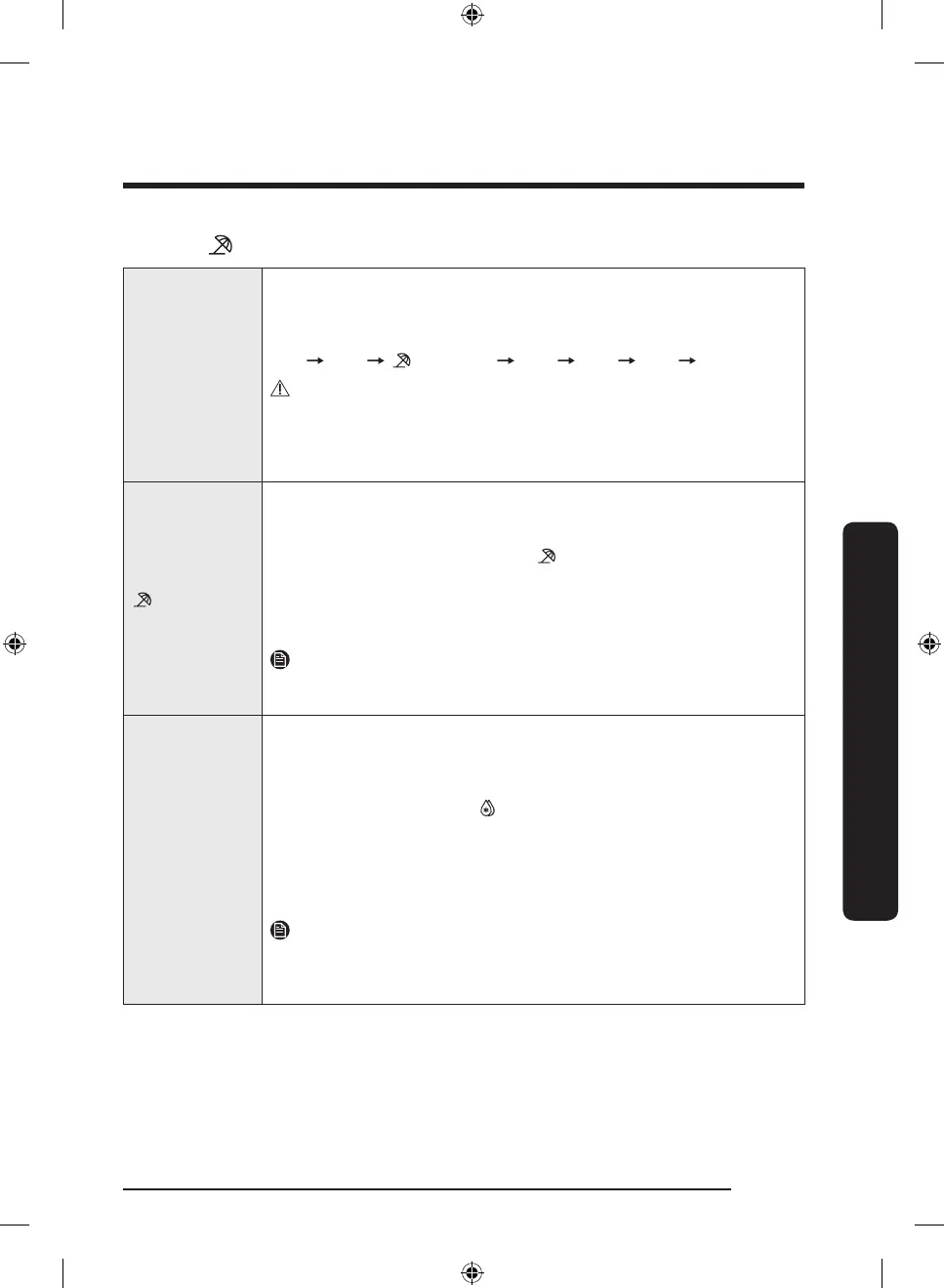
03 Fridge, (Vacation) / Power Cool
Fridge
The Fridge button can be used to set the fridge temperature between
1 °C and 7 °C.
Each time you press the button, the temperature changes in this
sequence:
2 °C 1 °C (Vacation) 7 °C 4 °C 3 °C 2 °C
CAUTION
• In winter, do not set the temperature control to 1 °C. This may
cause problems with the cooling performance.
• In summer, do not set the temperature control to 5-7 °C. This may
also cause problems with the cooling performance.
(Vacation)
If you are going on vacation or a business trip, or if you do not intend
to use the fridge for an extended time, use the Vacation mode.
• To activate Vacation mode, press Fridge with the 1 °C indicator
selected. The vacation indicator ( ) turns on while the display
of the fridge temperatures will turn off. The fridge temperature
will be controlled under 17 °C, but the freezer remains active as
previously set.
• To deactivate Vacation mode, press Fridge again.
NOTE
It is strongly recommended to empty the fridge compartment and
make sure the door is closed.
Power Cool
Power Cool speeds up the cooling process at maximum fan speed. The
fridge keeps running at full speed for several hours and then returns
to the previous temperature.
• To activate Power Cool, press and hold Fridge for 3 seconds. The
corresponding indicator ( ) lights up, and the refrigerator will
speed up the cooling process for you.
• To deactivate Power Cool, press and hold Fridge again for 3
seconds. The fridge returns to the previous temperature setting.
• To cool large amounts of food completely, make sure you have
activated Power Cool at least 24 hours in advance.
NOTE
Using Power Cool increases energy consumption. Make sure you turn
it off and return to the previous temperature if you don’t intend to use
it.
Untitled-1 33 2023-10-11 10:46:30



 To Next Page