EasyManua.ls Logo

Samsung RT58 - User Manual

Samsung RT58
128 pages
Print Icon
To Next Page IconTo Next Page
Loading...
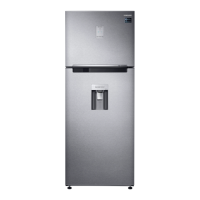
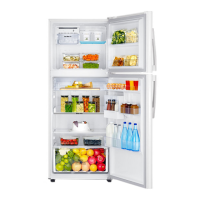
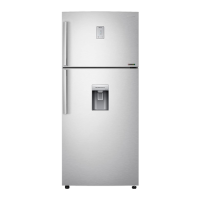
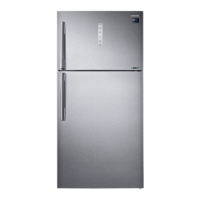
Refrigerator
User manual
Free Standing Appliance
Untitled-1 1 2016-03-16  2:48:36

Table of Contents

Questions and Answers

  • K
    Keith SmithAug 20, 2025
    How to fix a Samsung Refrigerator that does not operate or cool?
    • D
      David HendersonAug 20, 2025
      To ensure your Samsung Refrigerator operates correctly, verify that the power cord is properly connected, the temperature control is set correctly, and the refrigerator is not exposed to direct sunlight or heat. Also, make sure there's enough space around it and avoid overfilling it with food to allow proper ventilation.
  • J
    jellisonAug 22, 2025
    Why is food freezing in my Samsung RT58 Refrigerator?
    • J
      Joseph OsborneAug 22, 2025
      If food is freezing in your Samsung Refrigerator, the ambient temperature might be too low, so try setting the temperature higher. Also, ensure the temperature control isn't set to the lowest setting; adjust it to a higher or optimal level. Lastly, check if food with high water content is near the cooling vent and relocate it to another shelf.
  • T
    Teresa ParkerAug 25, 2025
    What to do if the water dispenser is not functioning in my Samsung Refrigerator?
    • L
      lopezloriAug 25, 2025
      If your Samsung Refrigerator's water dispenser isn't working, first check if the water tank is frozen and, if so, select a higher fridge temperature. Also, ensure the water tank is filled with water and properly installed, along with the water filter.
  • B
    Brian PrinceAug 26, 2025
    Why is my Samsung RT58 Refrigerator ice maker not making ice?
    • K
      Kenneth HamiltonAug 26, 2025
      If your Samsung Refrigerator's ice maker isn't producing ice, allow 12 hours for ice production to begin. Ensure the ice maker isn't stopped during operation and that the freezer is set below 0 °C (or -5 °C in warm environments). Also, verify the water tank is filled with water.
  • R
    Rachel CalhounAug 28, 2025
    How to prevent frost from forming on the interior walls of my Samsung Refrigerator?
    • R
      Rachel ParkerAug 28, 2025
      If frost is forming on the interior walls of your Samsung Refrigerator, make sure that food isn't blocking the vents and arrange food items evenly for proper ventilation. Also, check that the door is closing properly.
  • M
    Mary BlairAug 30, 2025
    Why is there condensation on the interior walls or around vegetables in my Samsung RT58?
    • L
      Larry SolomonAug 30, 2025
      To address condensation on the interior walls or around vegetables in your Samsung Refrigerator, ensure food is covered or stored in sealed containers. This issue often occurs when food with high water content is stored uncovered or when the door is left open for extended periods.
  • L
    Lee DavisSep 1, 2025
    Why do the front corners and sides of my Samsung Refrigerator become warm and form condensation?
    • H
      hgrahamSep 1, 2025
      If the front corners and sides of your Samsung Refrigerator become warm and form condensation, it's because the refrigerator has heat-proof piping in the front corners to prevent condensation, especially when the ambient temperature rises. This is not a system failure. Condensation can also form if humid air contacts the cool surface.
  • J
    Jessica PriceSep 3, 2025
    What to do if an error message appears when I try to register my Samsung RT58?
    • M
      Mackenzie MeyerSep 3, 2025
      If an error message appears when you try to register your Samsung Refrigerator, it may be due to the distance from your access point or electrical interference. Wait a moment and try again.
  • R
    Rita CarrilloSep 5, 2025
    How to get rid of a bad smell in my Samsung RT58 Refrigerator?
    • S
      sara14Sep 5, 2025
      To address bad smells from your Samsung Refrigerator, inspect for any spoiled food and remove it. Regularly clean the refrigerator, and ensure strong-smelling foods are properly wrapped and sealed airtight.
  • B
    bryan72Sep 7, 2025
    What to do if Samsung Smart Home app is connected to my Samsung RT58 Refrigerator but does not run?
    • J
      James SmithSep 7, 2025
      If your Samsung Smart Home app is successfully connected to your refrigerator but isn't running, try exiting and restarting the app or disconnecting and reconnecting the router. Additionally, remove the Smart Home Dongle and reconnect it properly before trying again.

Summary

Safety Information

Important Safety Symbols and Precautions

Explains the meaning of warning symbols like WARNING and CAUTION.

Severe Warning Signs for Transportation and Site

Details warnings related to moving and positioning the appliance.

Critical Installation Warnings

Lists essential safety precautions for installing the refrigerator correctly.

Critical Usage Warnings

Highlights essential safety rules for operating the appliance.

Installation

Step-by-Step Installation

Guides the user through the process of installing the appliance.

WiFi Connection Setup

Details how to connect the appliance to a Wi-Fi network.

Initial Settings and Startup

Steps to perform initial configuration and power-up of the refrigerator.

Operations

Freezer and Power Freeze Functions

Details how to use the freezer and activate the Power Freeze function.

Freezer Convert Mode

Explains how to change the freezer mode (Fridge, Off, Freezer).

Fridge and Power Cool Modes

Covers fridge temperature adjustment and the Power Cool function.

Cool Select+; Cool Select Zone

Explains the Cool Select+ and Cool Select Zone features.

Troubleshooting

Samsung Smart Home Troubleshooting

Troubleshooting for smart home app connectivity and operation issues.

Samsung RT58 Specifications

General IconGeneral
BrandSamsung
ModelRT58
CategoryRefrigerator
LanguageEnglish

Related product manuals