EasyManua.ls Logo

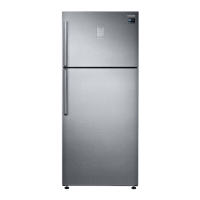
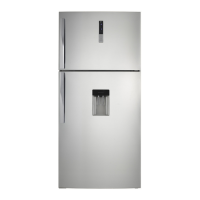
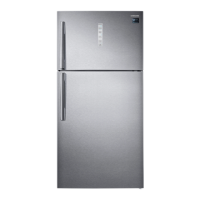
Samsung RT58 - User Manual

Samsung RT58
128 pages
Print Icon
To Next Page IconTo Next Page
Loading...
Refrigerator
User manual
Free Standing Appliance
Untitled-1 1 2016-03-16  2:48:36

Table of Contents

Questions and Answers

  • I
    Ian Cook DVMSep 9, 2025
    How to reduce noise coming from my Samsung Refrigerator?
    • J
      Jessica FergusonSep 9, 2025
      To resolve noises from your Samsung Refrigerator, ensure it is installed on a stable, flat surface with enough space from the rear and side walls or cabinet. Also, keep the refrigerator free from impurities or foreign objects inside or underneath. Note that a ticking sound may occur due to the contraction or expansion of removable parts, which isn't a system failure.
  • R
    Ruth HillSep 12, 2025
    Why could not find 'Samsung Smart Home' on the app market for my Samsung RT58?
    • M
      michelethompsonSep 12, 2025
      If you couldn’t find 'Samsung Smart Home' on the app market, note that the app is compatible with smartphones running Android 4.0 (ICS) or higher, or iOS 7.0 or higher.
  • T
    Timothy ThompsonSep 13, 2025
    Why does the Samsung Smart Home app fail to operate with my Samsung RT58 Refrigerator?
    • A
      andrew35Sep 13, 2025
      If the Samsung Smart Home app fails to operate, note that it is available on applicable models only. Also, the old Samsung Smart Refrigerator app cannot connect with Samsung Smart Home models.
  • J
    Jordan ComptonSep 15, 2025
    Why could not log into the app for my Samsung Refrigerator?
    • S
      Susan ReedSep 15, 2025
      If you are unable to log into the app for your Samsung Refrigerator, ensure you are using your Samsung account. If you don’t have one, follow the app’s instructions to create one.
  • L
    Lance FordSep 18, 2025
    Why is the Samsung Smart Home app installed but not connected to my Samsung RT58 Refrigerator?
    • T
      Tina MitchellSep 18, 2025
      If the Samsung Smart Home app is installed but not connected to your Samsung Refrigerator, ensure you're logged into your Samsung account and that your router is operating normally. Also, make sure the Smart Home Dongle is inserted properly. If the Wi-Fi icon is off, use the app to connect and register your refrigerator to your house's access point.

Summary

Safety Information

Important Safety Symbols and Precautions

Explains the meaning of warning symbols like WARNING and CAUTION.

Severe Warning Signs for Transportation and Site

Details warnings related to moving and positioning the appliance.

Critical Installation Warnings

Lists essential safety precautions for installing the refrigerator correctly.

Critical Usage Warnings

Highlights essential safety rules for operating the appliance.

Installation

Step-by-Step Installation

Guides the user through the process of installing the appliance.

WiFi Connection Setup

Details how to connect the appliance to a Wi-Fi network.

Initial Settings and Startup

Steps to perform initial configuration and power-up of the refrigerator.

Operations

Freezer and Power Freeze Functions

Details how to use the freezer and activate the Power Freeze function.

Freezer Convert Mode

Explains how to change the freezer mode (Fridge, Off, Freezer).

Fridge and Power Cool Modes

Covers fridge temperature adjustment and the Power Cool function.

Cool Select+; Cool Select Zone

Explains the Cool Select+ and Cool Select Zone features.

Troubleshooting

Samsung Smart Home Troubleshooting

Troubleshooting for smart home app connectivity and operation issues.

Samsung RT58 Specifications

General IconGeneral
BrandSamsung
ModelRT58
CategoryRefrigerator
LanguageEnglish

Related product manuals