EasyManua.ls Logo

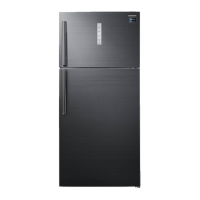
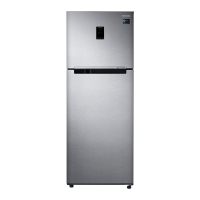
Samsung RT62 - User Manual

Samsung RT62
128 pages
Print Icon
To Next Page IconTo Next Page
Loading...
Refrigerator
User manual
Free Standing Appliance
Untitled-1 1 2016-03-16  2:48:36

Table of Contents

Questions and Answers

  • C
    Charles WaltersAug 20, 2025
    How to fix a Samsung RT62 that does not operate or cool?
    • C
      Carol CarterAug 20, 2025
      To ensure your Samsung Refrigerator operates correctly, verify that the power cord is properly connected, the temperature control is set correctly, and the refrigerator is not exposed to direct sunlight or heat. Also, make sure there's enough space around it and avoid overfilling it with food to allow proper ventilation.
  • P
    Phillip DavisAug 21, 2025
    Why is food freezing in my Samsung Refrigerator?
    • N
      nleeAug 22, 2025
      If food is freezing in your Samsung Refrigerator, the ambient temperature might be too low, so try setting the temperature higher. Also, ensure the temperature control isn't set to the lowest setting; adjust it to a higher or optimal level. Lastly, check if food with high water content is near the cooling vent and relocate it to another shelf.
  • R
    Robin WebsterAug 25, 2025
    What to do if the water dispenser is not functioning in my Samsung Refrigerator?
    • P
      Paul SmithAug 25, 2025
      If your Samsung Refrigerator's water dispenser isn't working, first check if the water tank is frozen and, if so, select a higher fridge temperature. Also, ensure the water tank is filled with water and properly installed, along with the water filter.
  • J
    John AndrewsAug 26, 2025
    Why is my Samsung RT62 ice maker not making ice?
    • T
      tdanielAug 26, 2025
      If your Samsung Refrigerator's ice maker isn't producing ice, allow 12 hours for ice production to begin. Ensure the ice maker isn't stopped during operation and that the freezer is set below 0 °C (or -5 °C in warm environments). Also, verify the water tank is filled with water.
  • J
    Joshua PetersAug 28, 2025
    How to prevent frost from forming on the interior walls of my Samsung RT62?
    • M
      Maria HernandezAug 28, 2025
      If frost is forming on the interior walls of your Samsung Refrigerator, make sure that food isn't blocking the vents and arrange food items evenly for proper ventilation. Also, check that the door is closing properly.
  • R
    Ricky WebsterAug 30, 2025
    Why is there condensation on the interior walls or around vegetables in my Samsung RT62?
    • R
      Robert DickersonAug 30, 2025
      To address condensation on the interior walls or around vegetables in your Samsung Refrigerator, ensure food is covered or stored in sealed containers. This issue often occurs when food with high water content is stored uncovered or when the door is left open for extended periods.
  • M
    Matthew AllenSep 1, 2025
    Why do the front corners and sides of my Samsung Refrigerator become warm and form condensation?
    • A
      Adam ArnoldSep 1, 2025
      If the front corners and sides of your Samsung Refrigerator become warm and form condensation, it's because the refrigerator has heat-proof piping in the front corners to prevent condensation, especially when the ambient temperature rises. This is not a system failure. Condensation can also form if humid air contacts the cool surface.
  • M
    mcdowellsamanthaSep 3, 2025
    What to do if an error message appears when I try to register my Samsung Refrigerator?
    • J
      Jessica ChapmanSep 3, 2025
      If an error message appears when you try to register your Samsung Refrigerator, it may be due to the distance from your access point or electrical interference. Wait a moment and try again.
  • A
    Anita VillegasSep 5, 2025
    How to get rid of a bad smell in my Samsung Refrigerator?
    • G
      Gregory MunozSep 5, 2025
      To address bad smells from your Samsung Refrigerator, inspect for any spoiled food and remove it. Regularly clean the refrigerator, and ensure strong-smelling foods are properly wrapped and sealed airtight.
  • K
    Katherine BoyerSep 7, 2025
    What to do if Samsung Smart Home app is connected to my Samsung RT62 Refrigerator but does not run?
    • W
      William BarberSep 7, 2025
      If your Samsung Smart Home app is successfully connected to your refrigerator but isn't running, try exiting and restarting the app or disconnecting and reconnecting the router. Additionally, remove the Smart Home Dongle and reconnect it properly before trying again.

Summary

Safety Information

Important Safety Symbols and Precautions

Explains warning symbols and general safety guidance for users.

Transportation and Site Safety

Covers critical safety advice related to moving and installing the appliance.

Installation Safety

Details essential safety precautions during the installation process.

Usage Safety

Outlines important safety rules for operating the refrigerator correctly.

Cleaning and Disposal Safety

Provides safety guidelines for cleaning the appliance and its proper disposal.

Energy Saving and WEEE Instructions

Offers tips for saving energy and instructions regarding WEEE disposal.

Installation Guide

Refrigerator at a Glance

Identifies the main components of the refrigerator.

Step-by-Step Installation

Guides users through the entire installation procedure.

WiFi Connection

Details how to connect the refrigerator to a wireless network.

Flooring and Levelling

Covers site preparation and adjusting levelling feet for proper placement.

Initial Settings and Final Check

Instructions for initial settings and final verification after installation.

Operations

Feature Panel Operation

Explains the function of buttons and indicators on the control panel.

Samsung Smart Home Connectivity

Instructions for connecting and using the Smart Home app.

Special Features

Highlights unique functions like ice making and water dispensing.

Maintenance

Handle and Care

Provides guidance on removing and handling shelves and door guards.

Cleaning Procedures

Details the correct methods for cleaning the refrigerator's interior and exterior.

Component Replacement

Information on replacing the deodorizer filter and notes on user-serviceable parts.

Troubleshooting

General Troubleshooting

Addresses common issues like non-operation, freezing, and noises.

Smart Home Troubleshooting

Solves problems related to the Samsung Smart Home app and connectivity.

Samsung RT62 Specifications

General IconGeneral
BrandSamsung
ModelRT62
CategoryRefrigerator
LanguageEnglish

Related product manuals