EasyManua.ls Logo

Samsung RT65 Series - User Manual

Samsung RT65 Series
52 pages
Print Icon
To Next Page IconTo Next Page
Loading...
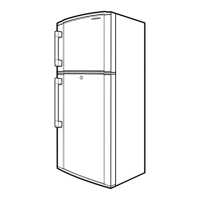
Refrigerator
User manual
RT65*/RT62*/RT61*/RT58*
Free Standing Appliance
Untitled-2 1 2018-08-30  2:35:11

Questions and Answers

  • Z
    Zachary BergJul 30, 2025
    What to do if food freezes in Samsung Refrigerator?
    • M
      Michael CastilloJul 30, 2025
      If food is freezing in your Samsung Refrigerator, it might be due to the temperature control being set too low. Adjust it to a higher or optimal setting. Also, low ambient temperatures can cause freezing, so increase the temperature setting. Avoid placing foods with high water content in the coldest areas or near cooling vents; instead, move them to other shelves.
  • A
    alexanderlawrenceAug 13, 2025
    How to reduce noise from Samsung RT65 Refrigerator?
    • A
      anita18Aug 14, 2025
      If your Samsung Refrigerator is emitting noises, ensure it's installed on a stable, flat surface and has enough space from the rear and side walls. Remove any impurities or foreign objects from inside or underneath the refrigerator. A ticking sound may occur due to the contraction or expansion of removable parts, which is normal.

Summary

Safety Information

Important Safety Symbols and Precautions

Explains warning symbols and general safety advice for appliance use.

Severe Warning Signs for Transportation and Site

Details critical safety warnings related to moving and placing the appliance.

Critical Installation Warnings

Lists essential safety warnings for a safe and correct installation process.

Critical Usage Warnings

Highlights essential safety warnings for operating the refrigerator.

Critical Disposal Warnings

Provides critical safety information regarding the disposal of the refrigerator.

Installation

Site Selection and Requirements

Guides on choosing a suitable location and necessary site conditions for installation.

Operations

Freezer and Power Freeze Settings

Explains how to adjust freezer temperature and use Power Freeze.

Fridge, Power Cool, and Vacation Modes

Details how to manage fridge temperature, activate Power Cool, and use Vacation mode.

Troubleshooting

General Troubleshooting Guide

Provides solutions for common operational issues and symptoms.

Samsung RT65 Series Specifications

General IconGeneral
DefrostFrost Free
RefrigerantR600a
Digital Inverter CompressorYes
Number of Doors2
Cooling TechnologyTwin Cooling Plus™
Shelves MaterialTempered Glass

Related product manuals