EasyManua.ls Logo

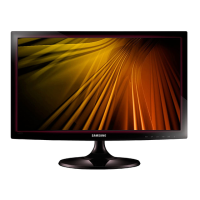
Samsung S19C300F - User Manual

Samsung S19C300F
156 pages
Print Icon
To Next Page IconTo Next Page
Loading...
BN46-00311A-02
User manual
S19C300B
S19C300F
S19C300N
S20C300BL
S20C300FL
S20C300NL
S22C300B
S22C300F
S22C300H
S22C300N
S24C300HL
The color and the appearance may differ depending on
the product, and the specifications are subject to
change without prior notice to improve the performance.

Table of Contents

Questions and Answers

  • J
    Jade ThomasAug 21, 2025
    Why is there no image on my Samsung Monitor screen and the power LED blinks?
    • J
      Justin JonesAug 22, 2025
      If there is no image on the screen and the power LED on your Samsung Monitor blinks every 0.5 to 1 second, the monitor is likely in power-saving mode. Press any key on the keyboard or move the mouse to return to normal operating mode.
  • S
    Shaun RhodesSep 4, 2025
    How to fix a Samsung Monitor with distorted images?
    • B
      brandiwilliamsSep 4, 2025
      If the images on your Samsung Monitor screen look distorted, check the cable connection to the product.
  • D
    Donna SmithSep 2, 2025
    How to fix a Samsung Monitor with unstable and shaky screen?
    • M
      Michael HowardSep 3, 2025
      If your Samsung Monitor screen appears unstable and shaky, verify that the resolution and frequency for the PC are within the range compatible with the monitor. If needed, change the settings.
  • J
    Jose AvilaSep 1, 2025
    What to do if the Samsung S19C300F Monitor displays the message Check Signal Cable?
    • K
      Kevin KingSep 1, 2025
      If the message 'Check Signal Cable' appears on your Samsung Monitor, ensure the cable is properly connected to the product and that the device connected to the monitor is powered on.
  • E
    Elizabeth SalazarAug 30, 2025
    Why is my Samsung Flat Panel TV power LED off and the screen won't switch on?
    • M
      Michael KingAug 31, 2025
      If the power LED on your Samsung Flat Panel TV is off and the screen won't switch on, check that the power cable is connected properly.
  • C
    Cassandra MyersAug 29, 2025
    What to do if there is no image on Samsung Flat Panel TV and the power LED blinks?
    • W
      williamswansonAug 29, 2025
      If there is no image on your Samsung Flat Panel TV screen and the power LED blinks every 0.5 to 1 second, the TV might be in power-saving mode. Press any key on the keyboard or move the mouse to return to normal operating mode.
  • W
    William ClarkAug 27, 2025
    What to do if the Samsung Flat Panel TV screen keeps switching on and off?
    • B
      Brooke DicksonAug 27, 2025
      If your Samsung Flat Panel TV screen keeps switching on and off, check the cable connection between the TV and your PC, ensuring all connectors are securely locked.
  • A
    amandaliAug 27, 2025
    How to troubleshoot a Samsung S19C300F Monitor when the power LED is off and the screen will not switch on?
    • A
      Amanda RomeroAug 27, 2025
      If the power LED is off and the screen will not switch on for your Samsung Monitor, check that the power cable is connected properly.
  • D
    daniel91Aug 25, 2025
    What to do if Samsung S19C300F screen is not clear or blurry?
    • T
      Timothy GarciaAug 25, 2025
      If your Samsung Monitor screen is not clear or appears blurry: * Adjust the Coarse and Fine settings. * Remove any accessories such as video extension cables and try again. * Set the resolution and frequency to the recommended level.
  • A
    andrewflemingAug 23, 2025
    How to fix a Samsung S19C300F screen that is too bright or too dark?
    • R
      rhonda67Aug 23, 2025
      If your Samsung Monitor screen is too bright or too dark, adjust the Brightness and Contrast settings.

Samsung S19C300F Specifications

General IconGeneral
BrandSamsung
ModelS19C300F
CategoryMonitor
LanguageEnglish

Related product manuals