EasyManua.ls Logo

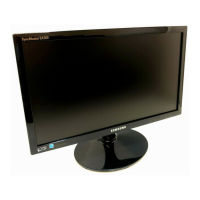
Samsung SyncMaster S19C450BW - User Manual

Samsung SyncMaster S19C450BW
115 pages
Print Icon
To Next Page IconTo Next Page
Loading...
Great user manuals database on UserManuals.info
User manual
SyncMaster
S19C450BW S19C450MW
S19C450BR S19C450MR
S20C450B S22C450B
S22C450M S22C450BW
S22C450MW S23C450B
S23C450M S24C450BL
S24C450B S24C450M
S24C450BW S24C450MW
S27C450B
The color and the appearance may differ depending on
the product, and the specifications are subject to
change without prior notice to improve the performance.
BN46-00294A-04

Table of Contents

Questions and Answers

  • L
    Lee BeckAug 11, 2025
    Why does my Samsung Monitor screen keep switching on and off?
    • J
      Joshua WiseAug 12, 2025
      If your Samsung Monitor screen keeps switching on and off, check the cable connection between the monitor and your PC, making sure the connectors are securely locked.
  • T
    tiffany54Aug 22, 2025
    What to do if the power LED is off and the screen will not switch on my Samsung Monitor?
    • R
      Rick LewisAug 22, 2025
      If the power LED is off and the screen of your Samsung Monitor will not switch on, ensure that the power cable is connected properly.
  • D
    Darlene EvansSep 1, 2025
    What to do if the message "Check Signal Cable" appears on my Samsung Monitor?
    • M
      Melissa BradleySep 1, 2025
      If the message "Check Signal Cable" appears on your Samsung Monitor, first, ensure that the cable is properly connected to the product. Second, verify that the device connected to the monitor is powered on.

Samsung SyncMaster S19C450BW Specifications

General IconGeneral
Screen Size19 inches
Panel TypeTN
Brightness250 cd/m²
Contrast Ratio1000:1
Response Time5 ms
Viewing Angle (H/V)170° / 160°
Resolution1366 x 768
Aspect Ratio16:9
Color Support16.7 Million
ConnectivityD-Sub, DVI
Power Consumption0.3 W (standby)
Weight3.2 kg

Related product manuals