
 Need help?
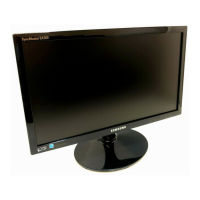
Do you have a question about the Samsung SyncMaster S19A300N and is the answer not in the manual?
Essential safety warnings, cautions, and guidelines for electrical and physical hazards.
Instructions on how to connect the monitor to a computer using various cables.
Guide to setting the monitor to its optimal resolution for the best picture quality.
Guide to navigating and adjusting monitor settings via the On-Screen Display menu.
Procedure to diagnose monitor issues using the built-in self-diagnosis function.
Checklist of common issues and solutions before contacting customer support.
 General
| Screen Size | 18.5 inches |
|---|---|
| Resolution | 1366 x 768 |
| Panel Type | TN |
| Brightness | 250 cd/m² |
| Contrast Ratio | 1000:1 |
| Response Time | 5 ms |
| Connectivity | VGA |
| Aspect Ratio | 16:9 |
| Viewing Angle (Horizontal/Vertical) | 170° / 160° |
| Color Support | 16.7 million colors |
| Weight | 2.8 kg |
| Dynamic Contrast Ratio | Mega ∞ DCR |





 To Next Page