Contents
Features
Mobile continuity| Biometric security| Dark mode
Getting started
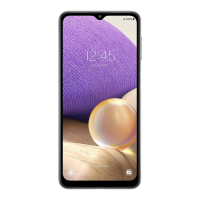
Device layout: Galaxy A32 5G
Set up your device: Charge the battery
Start using your device: Turn on your device| Use the Setup Wizard| Transfer data from
an old device| Lock or unlock your device| Accounts| Set up voicemail| Navigation|
Navigation bar| Customize your home screen| Digital wellbeing and parental controls|
Biometric security| Mobile continuity| Multi window| Edge panels| Enter text| Emergency
mode
Customize your home screen: App icons| Wallpaper| Themes| Icons| Widgets| Home
screen settings| Easy mode| Status bar| Notification panel
Camera and Gallery
Camera: Navigate the camera screen| Configure shooting mode| AR Zone| Record videos|
Camera settings
Gallery: View pictures| Edit pictures| Play video| Edit video| Share pictures and videos|
Delete pictures and videos| Group similar images | Take a screenshot| Screen recorder
Mobile continuity
Link to Windows| Continue apps on other devices
2
SAM_A326_EN_UM_TN_UB9_032521_FINAL


 To Next Page