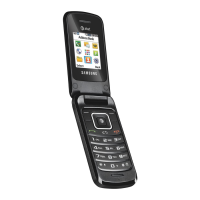
The Samsung SGH-S307 is a mobile phone equipped with a WAP (Wireless Application Protocol) browser, designed to provide access to web-based interactive information services and applications directly from the device. This WAP browser acts as a gateway to the mobile data world, offering a universal standard for accessing specially designed text versions of popular Internet sites such as Yahoo!®, CNN MobileSM, and The Weather Channel®.
Function Description:
The primary function of the SGH-S307's WAP browser is to enable users to access the Wireless Web. This involves connecting to a service provider's network to retrieve and display web content optimized for mobile devices. Unlike traditional desktop web browsing, the WAP browser on the SGH-S307 focuses on delivering critical aspects of websites with minimal graphics to conserve data and optimize display on a small screen. The device establishes a network connection each time the WAP browser is started, indicated by a service indicator icon on the display. This connection allows for real-time access to information, although users should be aware that billing rates may vary depending on their service option. The browser is designed to manage network connections efficiently, automatically reconnecting as needed after periods of inactivity to minimize billing.
Usage Features:
- Accessing the WAP Browser: Users can access the WAP Browser menu from the idle screen by pressing the Menu soft key, then navigating to the "Funbox" option, and finally selecting "WAP Browser." Alternatively, direct access keys are available for quicker navigation.
- Starting the WAP Browser: Once in the WAP Browser menu, selecting "Home" connects the phone to the network and loads the Wireless Web service provider's homepage. This can also be initiated from the idle screen using specific key combinations.
- Navigating the WAP Browser:
- Soft Keys: The device features two soft keys at the bottom of the display whose functions change depending on the WAP Browser application in use. These keys execute browser commands displayed in a bar above them.
- Scrolling and Selecting: Users can scroll through browser items using the navigation keys (up/down arrows) until a pointer symbol indicates the desired item, then press the OK soft key to confirm. Numbered items can be selected directly by pressing the corresponding numeric key.
- Returning to Previous/Home Pages: The "Back" soft key or a specific key allows users to return to the previous page. To return to the startup homepage from any screen within the WAP Browser, the "Home" menu option can be selected.
- Entering Text, Numbers, or Symbols: The SGH-S307 supports various input modes for entering information into the browser:
- Alphabetical Mode (A/a): Allows entry of letters by pressing the corresponding key repeatedly until the desired letter appears.
- Numeric Mode (1): Allows entry of numbers.
- Symbol Entry: Symbols can be entered by pressing a specific key until the required symbol displays.
- Editing Text: Users can set the cursor to the right of characters to be corrected, use a specific key to delete, and then enter the correct characters.
- WAP Browser Menus: A variety of menu options are available for enhanced browsing:
- Accessing Menus: Menus are accessed by pressing and holding a specific key, then navigating with the up/down keys and selecting with the "Select" soft key.
- Reload: This option reloads the current web page.
- Home: Returns the user to the Wireless Web service provider's homepage.
- Go to URL: Allows manual entry of a specific URL address to navigate directly to a web page.
- Show URL: Displays the URL of the currently connected site and provides options to declare it as the startup homepage or set it as a bookmark.
- Edit Home: Enables manual modification of the startup homepage URL.
- Inbox: Provides access to messages received from the web server.
- Exiting the WAP Browser: The browser can be exited at any time by pressing a specific key or by pressing and holding another designated key.
Maintenance Features:
- Clear Cache: This option allows users to clear the information stored in the phone's temporary memory (cache), which is used to store recently accessed Web pages. This can help free up memory and potentially improve browser performance.
- Push Message Settings: Users can configure whether they receive Web messages from the server and manage (read or delete) the messages received.
Technical Specifications (Configuration):
- WAP Browser Settings: The device allows for extensive configuration of WAP browser settings, which may vary by service provider.
- Proxy Server Selection: Users can select a proxy server and enter required parameters.
- Profile Name: A user-defined name for the HTTP proxy server.
- Homepage URL: The address of the startup homepage, which can be customized.
- Security: Data transmission mode can be set to "Secure" for protection against unauthorized access or "Non-Secure."
- IP Address: The WAP gateway address required for Internet connection.
- Bearer: Specifies the type of network address accessed (GPRS or Data).
- GPRS Bearer Settings:
- User Name: User ID for GPRS network connection.
- Password: Password for GPRS network connection.
- APN (Access Point Name): Used for the address of the GPRS network gateway.
- Data Bearer Settings:
- Login Name: PPP server login ID.
- Password: PPP server password.
- Dial-up Number: PPP server phone number.
- Data Call Type: Can be set to "Analogue" or "ISDN."
After configuring these settings, users confirm their input with the OK soft key and exit the configuration menu using designated keys. The manual emphasizes contacting the service provider for specific details regarding WAP Browser settings.

 Need help?
 General

 To Next Page
