
 Need help?
Do you have a question about the Samsung SGH-S275 and is the answer not in the manual?
Explains the manual's structure, safety information, and navigation conventions.
Covers initial phone setup, including battery and SIM card installation procedures.
Provides instructions on how to charge the phone's battery using the travel adapter.
Details the procedure for powering the mobile phone on and off.
Explains how to set up and listen to voicemail messages on the phone.
Lists and briefly describes the key features and capabilities of the Samsung SGH-S275.
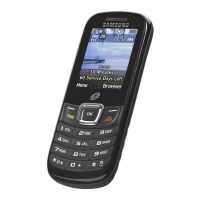
Illustrates and identifies the main physical components and buttons of the phone.
Explains the different areas of the phone's display screen and icons.
Describes the function and operation of the left and right soft keys.
Details how to use the navigation keys for menu browsing and other functions.
Provides instructions for initiating phone calls, including international calls.
Explains the different methods for answering an incoming call.
Describes how to view, manage, and interact with the call history log.
Covers functions available while a call is in progress, like holding or switching calls.
Explains how to manage incoming calls when already on a call.
Details how to conduct calls with multiple participants.
Guides users on how to navigate through the phone's menu system.
Explains how to use shortcut keys for faster menu access.
Describes how to locate contacts within the address book.
Provides steps for creating and saving new contact entries.
Explains options for managing contact storage and display.
Instructions for composing and sending SMS messages.
Guide on creating and sending MMS messages with attachments.
Details how to configure various messaging service options.
Step-by-step guide on how to capture still images using the phone's camera.
Explains how to adjust camera settings for optimal photo quality.
Instructions on how to access and manage saved photos.
Guide on how to record video clips using the phone's camera.
Instructions on how to open the web browser application.
Explains how to navigate web pages and use browser functions.
Introduction to the Organizer suite, including calendar, alarms, and tasks.
How to use the calendar to schedule events and manage appointments.
Instructions for setting and managing alarms.
How to manage downloaded files, photos, and videos on the phone.
How to use voice commands for phone operations.
Guide to using the built-in calculator for basic computations.
Customizing phone settings like sound profiles and display.
Adjusting screen brightness, wallpaper, and backlight settings.
Configuring phone-specific options like airplane mode and security.
Setting up phone lock, passwords, and PIN codes for protection.
Activating and managing Bluetooth connections and devices.
Configuring call answering modes, call forwarding, and call barring.
Accessing and configuring network and internet connection settings.
How to reset phone settings to default or factory values.
 General
| Brand | Samsung |
|---|---|
| Model | SGH-S275 |
| Category | Cell Phone |
| Language | English |


 To Next Page