10
Memory Card
Your phone supports the use of an optional, removable
microSD™ and microSDHC™ memory card of up to 32GB
capacity (not included). You can store music or pictures you
download to your phone, and other files, on the memory card.
When you insert a memory card, default storage of all files
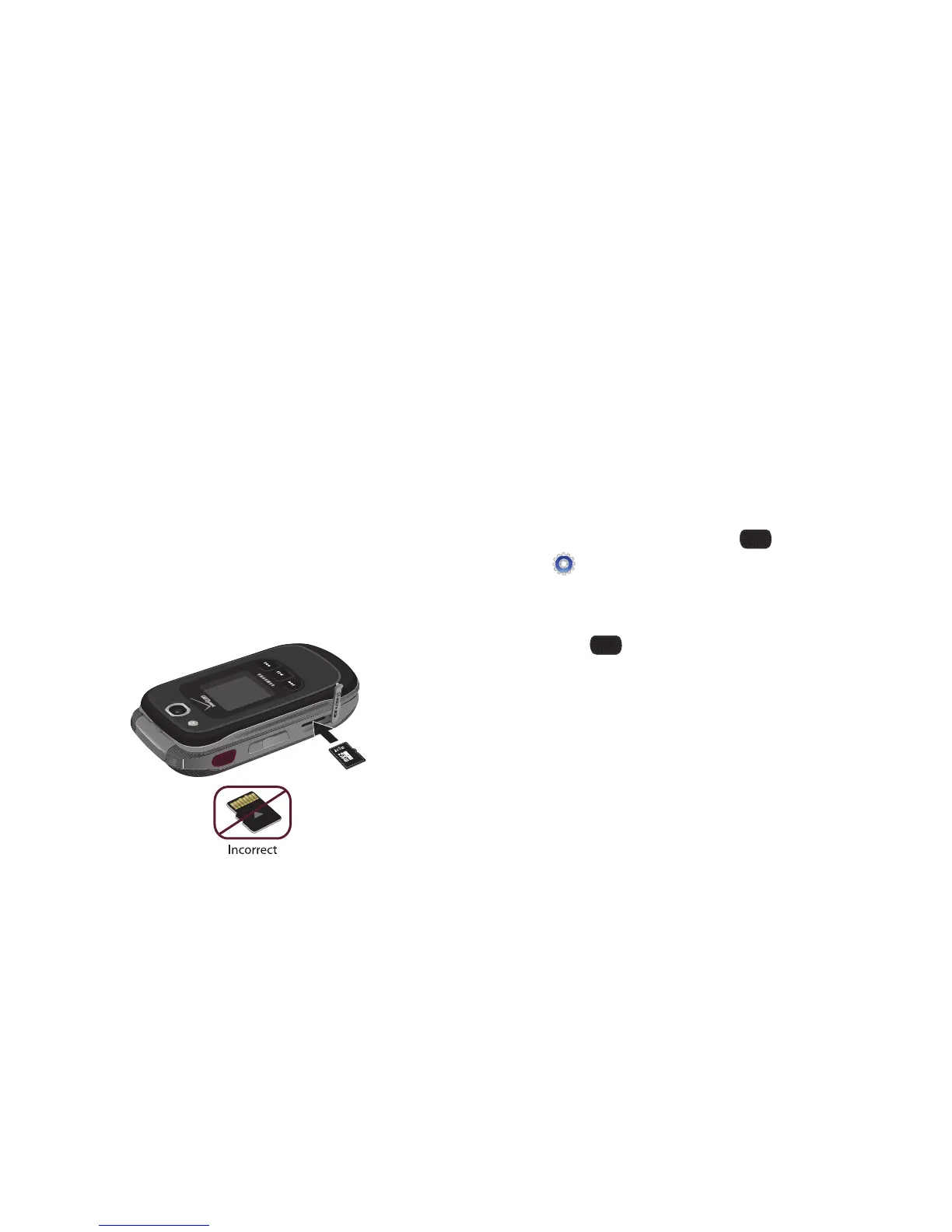
Inserting a Memory Card
1. Lift the memory card cover out and turn it to expose the
card slot.
2. Push the memory card into the slot until it locks into place.
3. Replace the memory card cover.
Removing a Memory Card
1. Lift the memory card cover out and turn it to expose the
card slot.
2. Press on the memory card to release the lock, then remove
the card from the slot.
3. Replace the memory card cover.
Formatting a Memory Card using your Phone
1. From the Home screen, select
MENU
➔
Settings & Tools
➔
Memory
➔
Card Memory
➔
Format Card
.
2. At the prompt, highlight
Yes
to confirm the formatting, then
press
OK
to format the card.














 To Next Page