Music 87
Creating a Playlist
1. From the Home screen, select
MENU
➔
Media Center
➔
Music & Tones
➔
My Music
➔
Playlists
.
2. Press the
Left Soft Key
New
to create the first
playlist.
– or –
Press the
Right Soft Key
Options
➔
Create New
to
create additional lists.
3. Enter a name for the playlist, then press
OK
.
Adding Songs to a Playlist
1. From the Home screen, select
MENU
➔
Media Center
➔
Music & Tones
➔
My Music
➔
Playlists
.
2. Press the
Left Soft Key
New
to open the playlist, then
highlight songs and press
MARK
to select them.
3. Press the
Left Soft Key
Done
.
Note:
To add songs to playlists while playing music, press
Options
➔
Add To
Playlist
, then select a playlist.
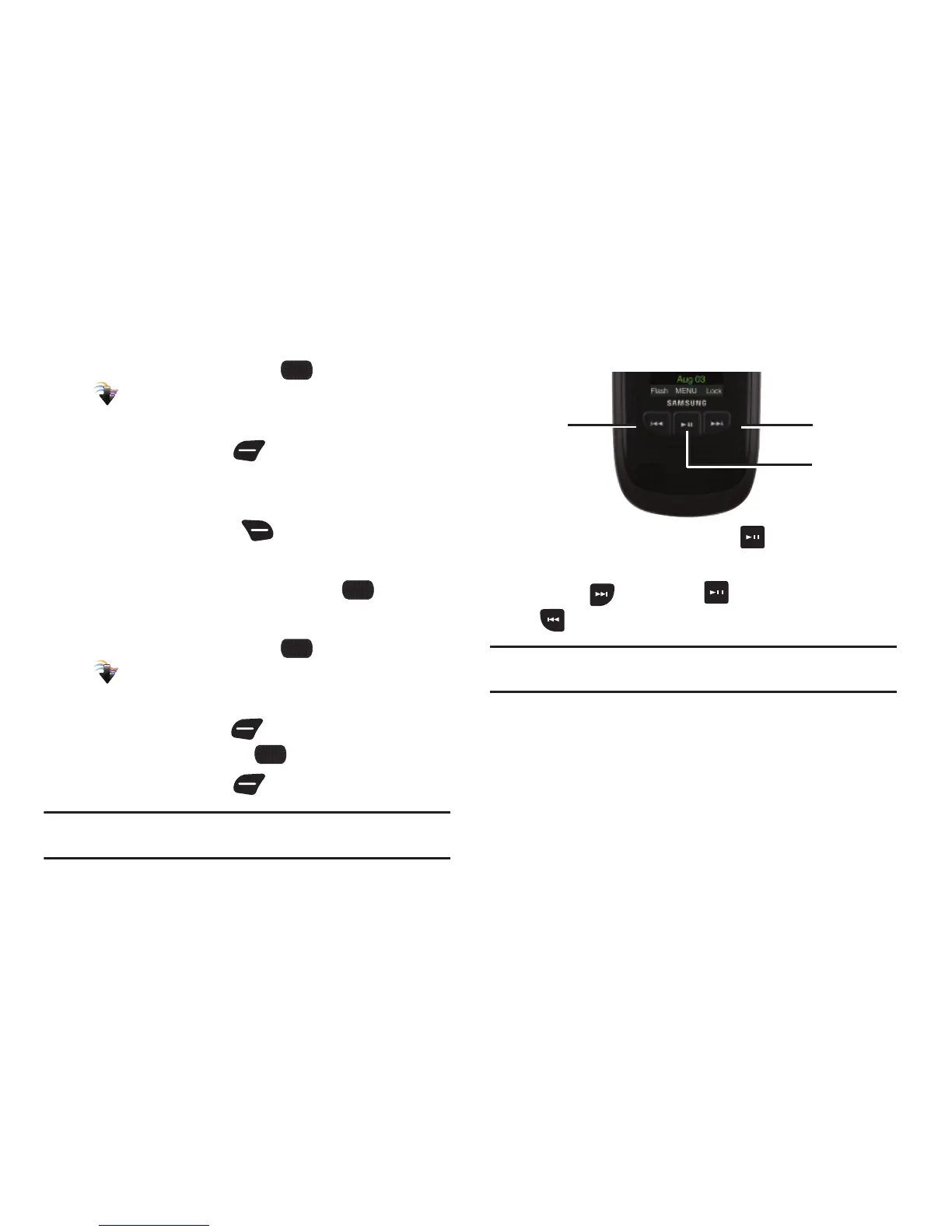
Playing Music with the Phone Closed
1. With the phone closed, press the
Play/Pause Key
, then
select
My Music
.
2. Use the
Forward
Key
,
Play/Pause Key,
and
Rewind
Key
to control playback.
Note:
To stop playback and close My Music, open the phone and press the
Power/End Key.














 To Next Page