Samsung Electronics1-4
Alignment and Adjustment
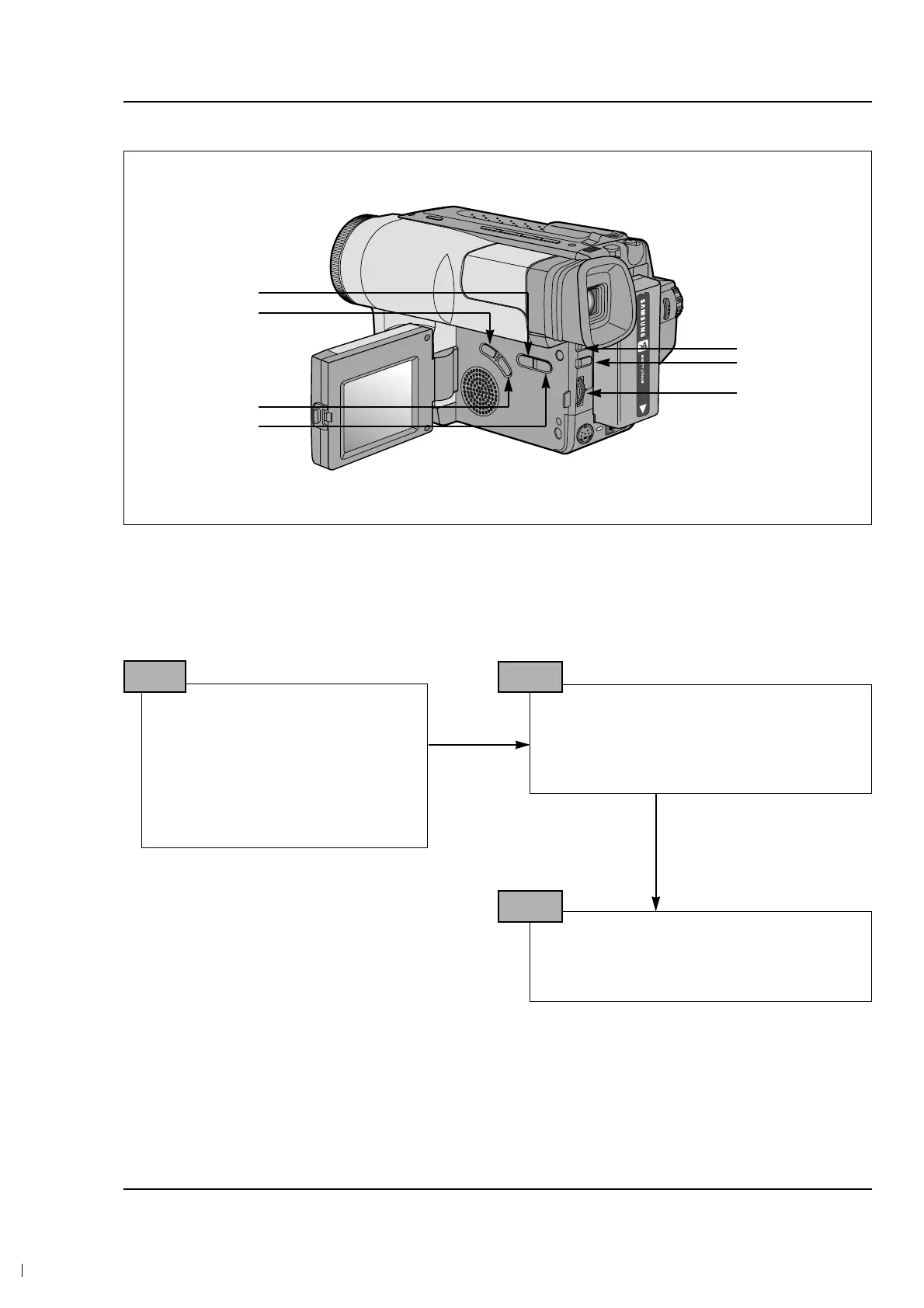
Some buttons are changed for Service Adjustment.
Note : In service adjustment mode, button names are different from those in customer camera function
control mode. EX) ENTER button is the same as confirm.
5. How to get into service “ADJUST” mode
1. Remove the lithium battery from the
camcorder.
2. Connect the power source (battery/
DC cable).
3. Eject the tape if it is in the unit.
4. Set the power switch of the
camcorder to “CAMERA” position.
STEP 1
1. Press and hold the “EJECT” button and
DATE/TIME button on the camcorder at the
same time for more than 5 seconds.
Then unit goes into service mode.
STEP 2
Note : When “XX XX” is shown in service adjustment procedures, this indicates variable values.
0DF.
ERR : A0 EVR : A0
STEP 3
DATA DOWN
MODE DOWN
MODE UP
DATA UP
MODE ‘100’ UP
CONFIRM
FOCUS
NEAR/FAR



 To Next Page