Get started
12
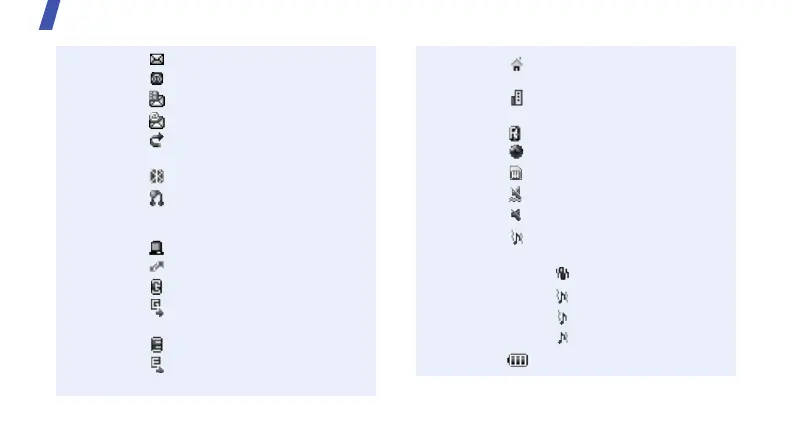
New text message
New voicemail
New multimedia message
New e-mail
Call diverting feature active
p. 109
Bluetooth active
p. 51
Bluetooth headset or
hands-free car kit
connected
Synchronised with a PC
Connected to PC via USB
GPRS network
Transfering data in GPRS
network
EDGE network
Transfering data in EDGE
network
Home Zone, if registered
for the appropriate service
Office Zone, if registered
for the appropriate service
Roaming network
Browsing Internet
Memory card inserted
Silent mode (Vibration)
Silent mode (Mute)
Ringer type
p. 107
• None: Melody
•: Vibration
• : Melody and vibration
•: Vibration then melody
• : Melody then vibration
Battery power level
1. Depending on your country or service provider, the
icons shown on the display may vary.
E250-1.fm Page 12 Wednesday, August 16, 2006 11:01 PM



 To Next Page