Step outside the phone
30
• Keep cards away from small
children or pets.
• Do not expose cards in a
place subject to
electro-static discharge
and/or electrical noise.
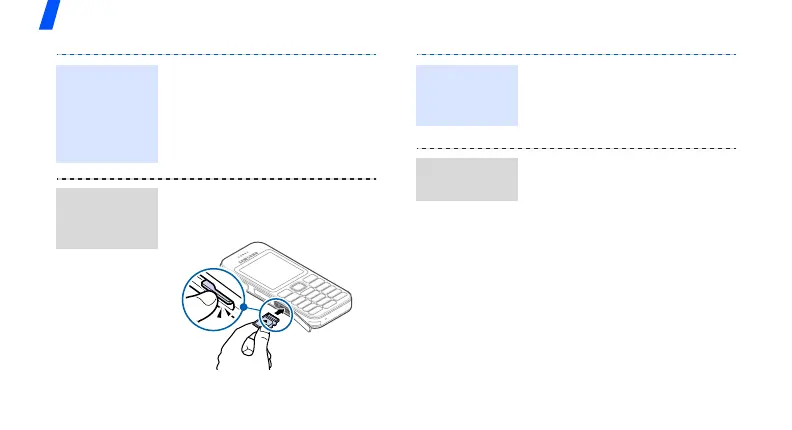
1. Slide the card into the card
slot, with the label side face
up.
2. Press the card until it locks
into place.
Important
memory
card
information
(continued)
Insert a
memory
card
1. Press the card so that it is
disengaged from the phone.
2. Slide the card out of the
slot.
Using a card adapter and a
USB card reader/writer, you
can read the card on a PC.
1. Insert a memory card into a
card adapter, and then the
adapter into a card reader/
writer.
2. Plug the USB connector of
the card reader/writer into
the USB port on your PC.
3. Access the appropriate
memory disk and copy to
and from the card.
Remove the
memory
card
Use a card
adapter



 To Next Page