10
Get started
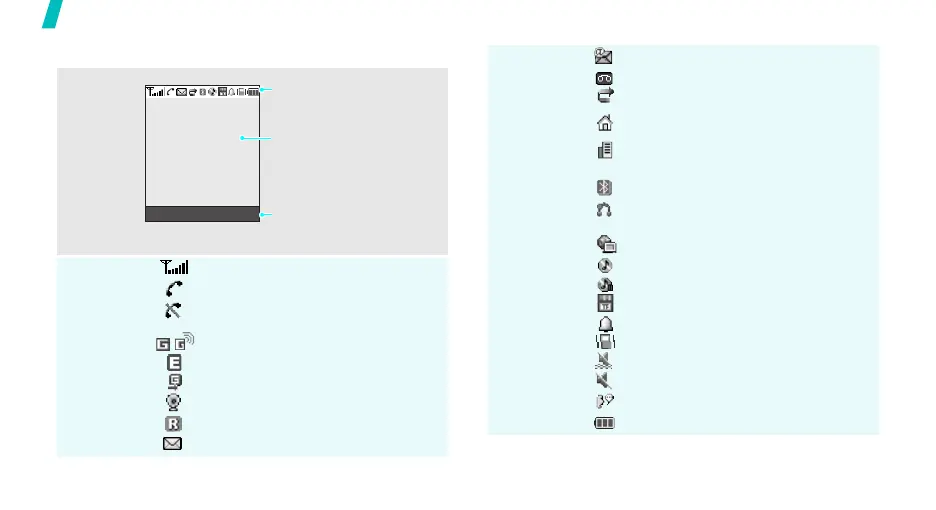
Display
Layout
Icons
*
Received signal strength
Call in progress
Out of your service area; you cannot
make or receive calls
GPRS network
EDGE network
Connecting to GPRS network
Connected to Internet
Roaming network
New message
Text and graphics
display messages,
instructions, and
information you enter.
Soft key function
indicators
show the current functions
assigned to the soft keys.
Menu Contacts
Icons
display various icons.
New e-mail
New voicemail
Call diverting feature active
Home Zone, if registered for the
appropriate service
Office Zone, if registered for the
appropriate service
Bluetooth active
Connected to Bluetooth hands-free
car kit or headset
Synchronised with PC
MP3 playback in progress
MP3 playback paused
Memory card inserted
Alarm set
Call ringer set to vibrate
Quiet mode (Vibration)
Quiet mode (Mute)
Mute mode, during a call
Battery power level
* Depending on your country or service provider, the
icons shown on the display may vary.



 To Next Page