9
Get started
Keys and display
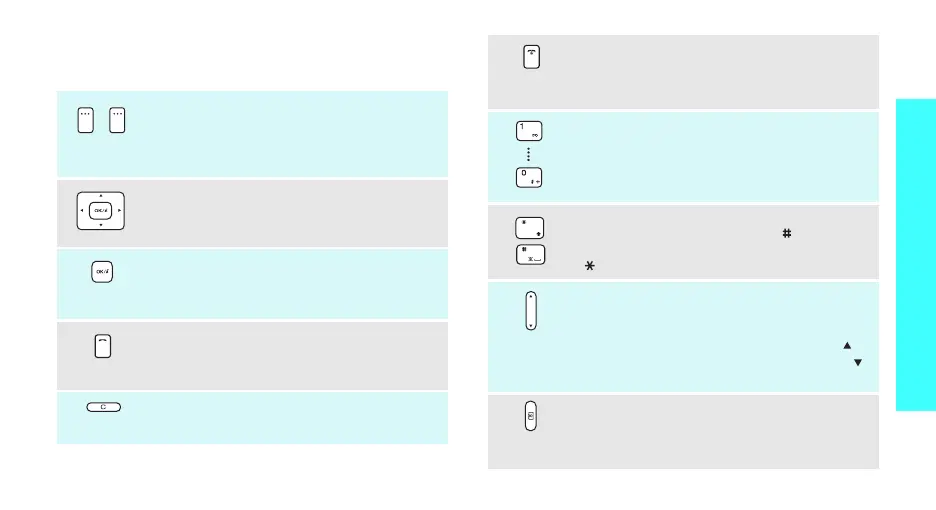
Keys
Perform the function indicated on the bottom
line of the display.
In Idle mode, press and hold the left soft key
to initiate a menu search. Press and hold the
right soft key to initiate a name search.
In Idle mode, access your favourite menus
directly.
p. 84
In Menu mode, scroll through menu options.
In Idle mode, launch the web browser.
In Menu mode, select the highlighted menu
option or confirm input.
Make or answer a call.
In Idle mode, retrieve numbers recently
dialled, missed, or received.
Delete characters from the display, or an
item in an application.
End a call.
Press and hold to switch the phone on or off.
In Menu mode, cancel input and return the
phone to Idle mode.
Enter numbers, letters, and some special
characters.
In Idle mode, press and hold
[1]
to access
your voicemail server. Press and hold [
0
] to
enter an international call prefix.
Enter special characters.
In Idle mode, press and hold [ ] to activate
or deactivate Quiet mode. Press and hold
[ ] to enter a pause between numbers.
Adjust the phone volume.
In Idle mode, with the phone open, adjust
the keypad tone volume.
With the phone closed, press and hold [ ] to
get a verbal time check. Press and hold [ ]
to turn on the external display or flashlight.
In Idle mode, press and hold to turn on the
camera.
In Camera mode, take a photo or record a
video.



 To Next Page