SAMSUNG Proprietary-Contents may change without notice
Exploded View and Parts List
7-7
This Document can not be used without Samsung's authorization
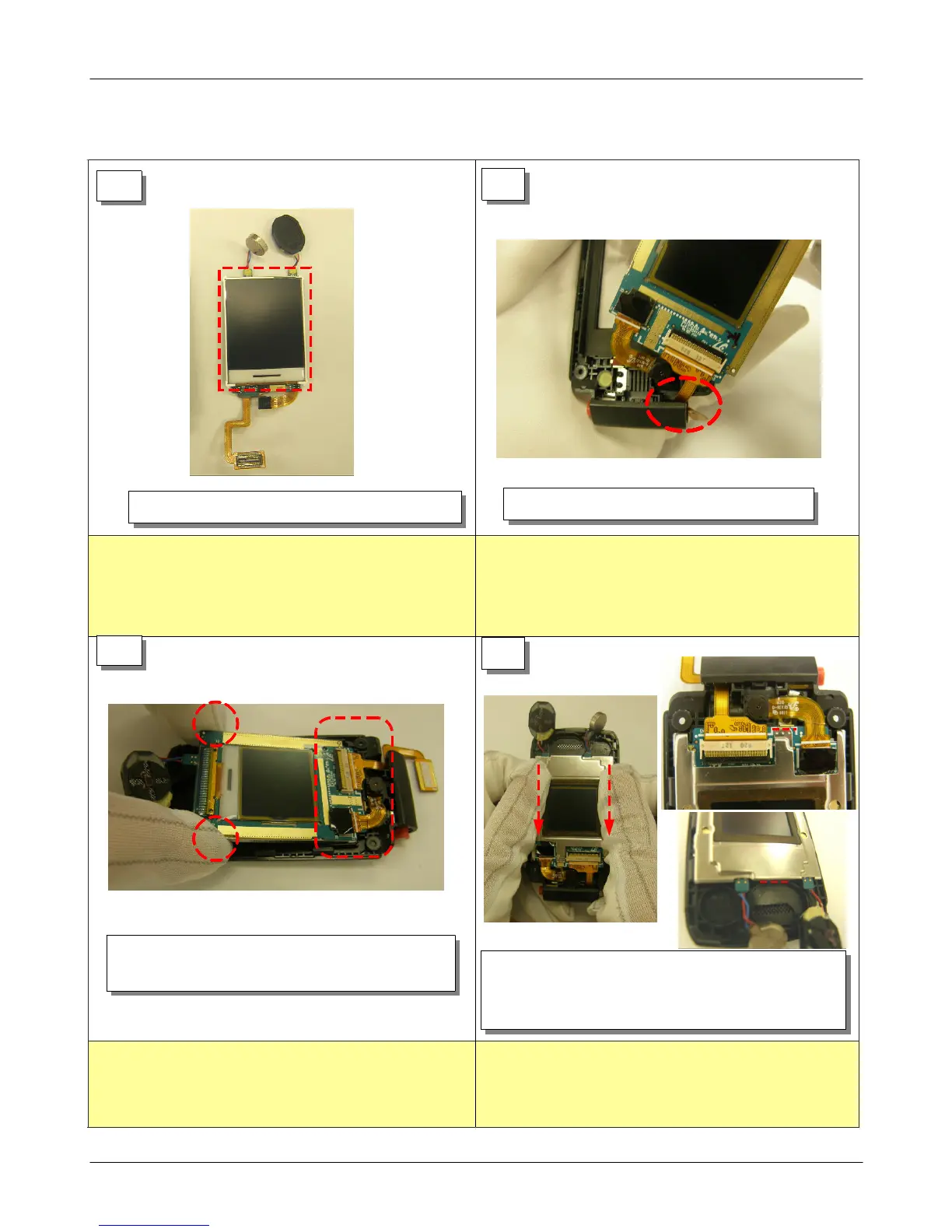
1) Be careful not to remain stem or fingerprint in
MAIN LCD.
1) When insert the LCD CON TO CON, beware to crack.
1) Be careful not to remain stem or fingerprint in LCD.
1) Be careful not to inflow stem in SUB LCD.
2) Assembly to base line again if was not assembled
to base line.
7-2.
Assembly
1
2
1) Catches LCD Ass' y left/right side and puts
in Lower.
1) Insert LCD CON TO CON in the Lower hall.
1) LCD Ass'y
3
4
1) Drop to lower LCD bracket,assembly to Lower.
2) Confirm again whether assembled according to
base line with right side picture after conclusion.







 To Next Page