Selecting the Automatic Operating Mode
E-9
ENGLISH
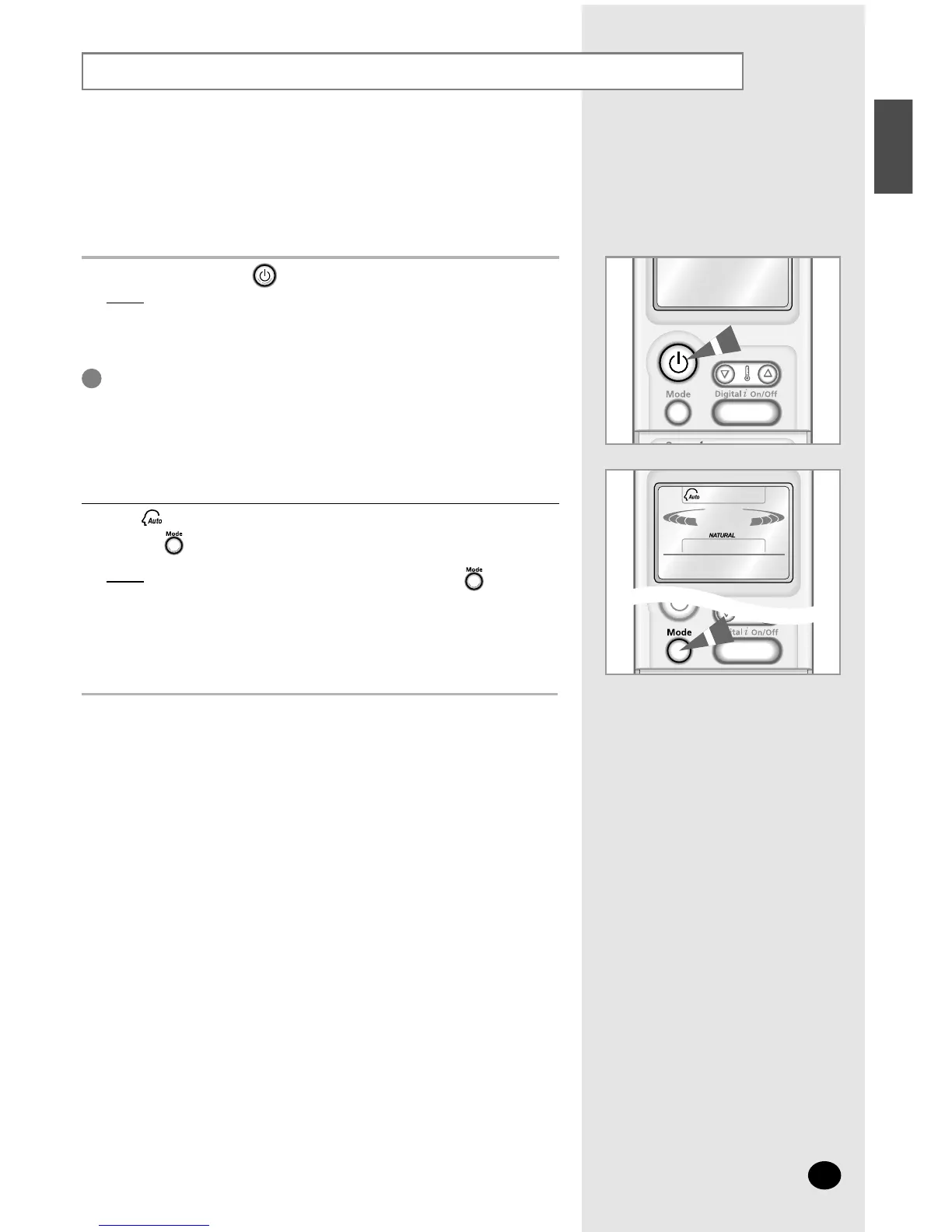
You can start the air conditioner in Automatic mode from your remote
control. In the Automatic mode, the optimum temperature and the fan
speed is selected automatically.
1
If the is not displayed at the top of the remote control,
press the button on the remote control one or more times until it
appears.
Result
: ◆ The indoor unit beeps each time you press the button.
◆ The air conditioner runs in AUTO mode.
2
You can change modes at any time.
If necessary, press the (On/Off) button.
Result: ◆ The operation indicator on the indoor unit lights up.
◆ The air conditioner starts up in the mode selected
when the unit was last used.
◆ The indoor unit beeps.
The air conditioner is fitted with a protection mechanism to
prevent the unit from being damaged when it is started
immediately after being:
◆ Plugged in
◆ Stopped
lt will start up normally after three minutes.
IMPORTANT
NN
NN
oo
oo
tt
tt
ee
ee



 To Next Page