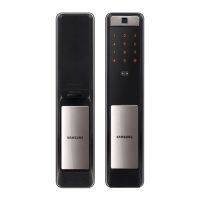
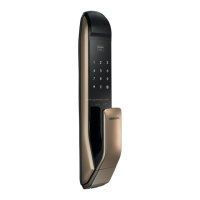
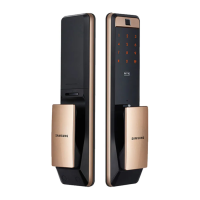
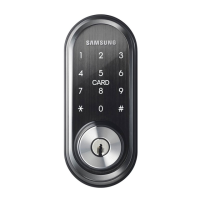
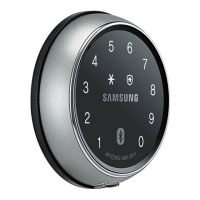
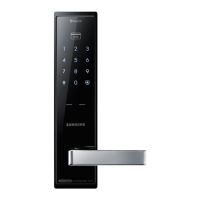
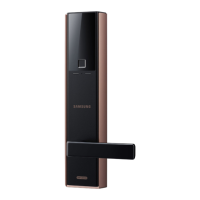
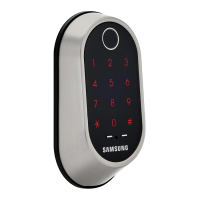
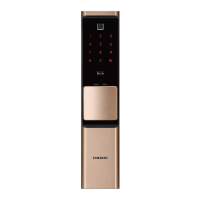
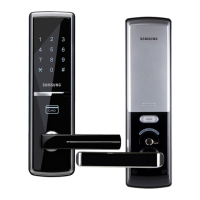
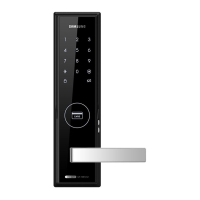
The Samsung SDS SHP-DP920 is a Z-Wave Plus enabled door lock designed for enhanced security and smart home integration. It functions as a security-enabled Z-Wave Plus product, capable of communicating with other security-enabled Z-Wave Plus products using encrypted messages. The lock must be used with a Security Enabled Z-Wave Controller to fully utilize all its implemented functions. It can be included and operated in any Z-Wave network with other Z-Wave certified devices from various manufacturers and applications. Non-battery operated nodes within the network will act as repeaters to increase network reliability.
Technical Specifications:
- Dimensions:
- Exterior Unit: 87.5mm (W) × 391.8mm (H) × 64.5mm (D)
- Interior Unit: 88.5mm (W) × 357.6mm (H) × 69.3mm (D)
- Power:
- Voltage: 4 AA Alkaline 1.5V Batteries (LR6) (6V)
- Emergency Power Source: 9V Battery (6LF22) (Separately sold)
- Battery Life: Approximately 10 months (based on an average of 6 uses per day)
- Card Standard: ISO14443A (Mifare®)
- Z-Wave Specifications:
- Device Type: Door Lock – Keypad (SPECIFIC_TYPE_SECURE_KEYPAD_DOOR_LOCK)
- Role Type: LSS (Listening Sleeping Slave)
- Z-Wave Plus Version: 02
- Z-Wave Protocol Library Type: 03
- Z-Wave Protocol Version: 04
- Firmware 0 Version: 01
- Hardware Version: 01
- Supported Users: Up to 130 pin codes (4-10 digits), 20 user cards (Key Tags), 100 fingerprints, and Bluetooth.
- ID Range: Numbers 1-130, Card (Key Tag) 1-20, Bluetooth 21-30, Fingerprint 31-130.
- Manufacturer ID: 0x022E (Samsung SDS)
Exterior Parts:
The exterior unit features a number pad (unlighted and lighted versions shown), a fingerprint reading panel with an open fingerprint cover button, a card reader, and a proximity sensor. The lighted number pad includes specific indicators for "Entry Complete/Silent Mode," "Away Security Setup," "Emergency Alert Light," "Double Lock Light," and "Battery Replacement Time Alert." It also has an external power/reset switch and an emergency keyhole.
Interior Parts:
The interior unit houses the battery cover, a battery cover release button, 1.5V AA batteries, a sound control switch, a built-in wireless module (optional), an auto/manual locking switch, a registration button, and a close button.
Mortise:
The mortise assembly includes a deadbolt, a latch bolt, and an open-door sensor.
Usage Features:
- Factory Reset: Deletes all registered Master/User data, sets the Master PIN Code to '1234', and removes the lock from the Z-Wave network. This is initiated by pressing the [REG] button for 3 seconds, then pressing the [*] button after entering [4560852580]. This procedure should only be used if the network primary controller is missing or inoperable.
- Changing Master PIN Code: Only one Master PIN Code can be registered. Changing it deletes all User PIN Codes. Press the [REG] button, then enter the new 4-12 digit Master PIN Code and press [*].
- Registering User Card: Up to 20 user cards (ISO14443 A Type) can be registered. Press the [REG] button, then place the card on the exterior body's card reader. Additional cards can be registered within 20 seconds, or press [REG] to quit.
- Registering Fingerprint: Up to 100 fingerprints can be registered. Press the [REG] button. When the LED on the fingerprint reading panel lights up, touch the panel with the fingerprint three times. Press [REG] on the inner body to end registration.
- Registering Bluetooth: Press the [REG] button, then enter [88] + []. Enter the Password + []. Obtain a pairing number from the Smart Door Lock App on your smartphone, then enter the Pairing number + [*].
- Inclusion/Exclusion into Z-Wave Network:
- Inclusion: Click [Add] in the Z-Wave PC Controller Program. Press the [REG] button for 3 seconds, then press [*] after pressing [00].
- Exclusion: Click [Remove] in the Z-Wave PC Controller Program. Press the [REG] button for 3 seconds, then press [*] after pressing [00].
- Opening the Door:
- With PIN Code: Touch the [Touchscreen], enter the PIN Code, and press [*].
- With Card: Place the card on the Card Reader.
- With Fingerprint: Press the [Open Fingerprint Cover] button, touch the Fingerprint Reading Panel with the registered fingerprint, then push the door handle.
- With Bluetooth: Access the door lock from outside or touch its number pad. The number pad will light up. A push message is sent to the smartphone. Press the push message icon from the smartphone, then push the door handle.
- Bluetooth Mode Activation/Deactivation: Open the battery cover, press [REG] briefly. Press [11] + [] to activate, or [00] + [] to deactivate. Bluetooth mode is activated by default.
- Privacy Mode Function: Press and hold the [CLOSE] button for more than three seconds. This provides a secure lock from the inside, preventing unlocking from the outside.
- Security Function: Prevents intrusion when you are out. When the door is closed, the [] button on the exterior body's number pad lights up. Press the [] button within 3 seconds while the door is locked to activate. If the door is opened from the inside while this function is on, an alarm sounds, and the emergency alert light flashes.
- Lockout Mode: If there are more than 5 failed authentication attempts with unregistered PIN Codes/Cards, an alarm sounds, and the lock is deactivated for 3 minutes.
Maintenance Features:
- Intrusion Detection Function: This is a basic function and cannot be disabled. If the Interior Unit is forcibly detached while the door is locked, the door open/close sensor detects it, and an alarm sounds.
- Sound Setting: The sound generated by button presses, locking, and unlocking can be adjusted. The [Sound Control] switch on the interior unit has settings for [0] Mute, [1] Normal, and [2] Loud.
- Additional Function Mode: Accessed via the [REG] button, this mode allows configuration of:
- Welcome function: ON/No Alarm ON/OFF
- Double Authorization: ON/OFF
- Multi-leveled Security Code: ON/OFF
- Lock time: 1-9 (presumably seconds for auto-lock)
Z-Wave Command Class Support/Control:
- Mandatory CC support: Z-Wave plus info (V2), Manufacturer Specific (V2), Security (V1), Device Reset Locally (V1), Battery (V1), Power Level (V1), Version (V2), Door Lock (V2), User Code (V1), Association (V2), Association Group Information (V1).
- Recommended CC support: Notification (V4), Configuration (V1), Firmware update meta data (V2), Schedule Entry Lock (V3), Time Parameters (V1), Time (V2).
Configuration Parameters (V1):
- Security Function (0x01): 1-byte parameter. 0x00 (Disable - Default), 0x01 (Enable), 0x02 (System Disable), 0x03 (System Enable), 0x04 (Request for Enable), 0x05 (Fail). System Disable/Enable and Request for Enable/Fail values are used when connected to the Samsung SDS platform.
- Privacy Mode (0x02): 1-byte parameter. 0x00 (Disable - Default), 0x01 (Enable).
- Registered User ID (0x03): 1-byte parameter, value 1-130. Indicates the number of registered user codes. This parameter is supported for 'Configuration Get Command' only.
- Platform (0x0A): 1-byte parameter. 0x00 (Common - Default), 0x01 (Samsung SDS). This value is set by the platform after the device connects to the Samsung SDS platform.
Door Lock (V2) Command:
- Supports Unsecure (0x00) and Secure (0xFF) operations.
- When using 'Operation_Set' command, the lock executes 'Unsecure(0x00)' and performs 'Auto Re-lock' if the door is not open.
- 'Operation_Get' command provides a response after 'Operation_Set' (takes about 2 seconds).
User Code (V1) Command:
- Accepts a maximum of 130 pin codes, 4-10 digits in length.
- User Types: Number, Card (Key Tag), Fingerprint, Bluetooth. Card, Fingerprint, and Bluetooth cannot be registered through Z-Wave.

 Need help?
 General

 To Next Page