Need help?
Do you have a question about the Samsung SDS SHP-DH538 and is the answer not in the manual?
Avoid installation in wet areas, with wet hands, or if product is damaged. Do not install in improperly closed doors.
Covers opening, welcome, authentication, and security functions for the digital door lock.
Details the product components, including inner and outer bodies, and associated parts.
Explains the mortise component, including the latch bolt and deadbolt.
Instructions for opening the door from the inside using the lock mechanism.
Instructions for closing the door from the inside, including locking.
Step-by-step guide to register cards or key tags for door access.
Procedure for removing registered cards or key tags from the system.
Instructions for setting a new password for the door lock.
Steps to change the existing password on the door lock.
Adjusts the delay between door closing and deadbolt engagement.
Activates an alarm sound and light for approximately 5 minutes.
Tightens the internal handle to prevent bypass attempts.
Generates an alarm if the door is forcefully opened while locked.
Indicates when batteries need replacement via a melody.
Instructions for replacing all batteries within a week of the first alarm.
Activates an alarm for invalid card or password attempts, deactivating the lock.
Procedure to release the lock from the alarm-induced inactive mode.
Generates alarm and automatically opens door when fire is detected.
Specifies battery requirements: AA Alkaline 1.5V (4EA or 8EA) and 9V.
Lists the physical dimensions of the outer and inner bodies.
Enables door lock access via registered Bluetooth smartphone.
Disables door lock access via registered Bluetooth smartphone.
Requires both card and password to open the door for enhanced security.
Prevents the door from being opened from the outside when someone is inside.
Disables the at-home security mode, allowing external access.
Guides on pairing up to eight compatible smartphones with the door lock.
Allows adjustment of button press, lock/unlock sounds.
Procedure to release the lock from the alarm-induced inactive mode.
Automatically activates authorization standby mode when a user approaches.
Enables setting security modes for password-based door access.
Configures automatic door locking after closing or manual locking.
Instructions for using a 9V battery to operate the lock when main batteries are depleted.
This document describes the SHP-DH525, a digital door lock designed for security and convenience. It offers various methods for unlocking, managing access, and maintaining the device.
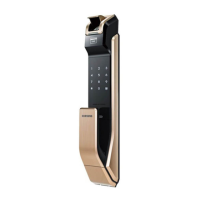
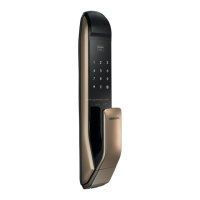
The SHP-DH525 is a digital door lock that provides multiple ways to secure and access your home. It integrates a keypad for PIN entry, a card reader for RFID cards or key tags, and a fingerprint scanner for biometric authentication. The lock also supports Bluetooth connectivity for smartphone control and a mechanical key for emergency override.
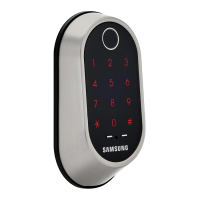
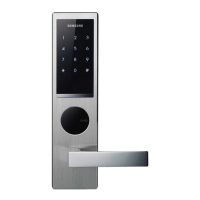
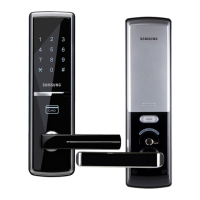
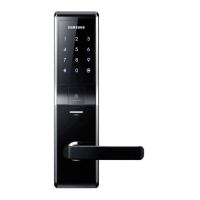
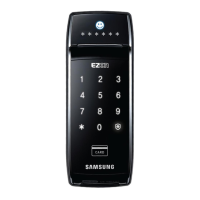
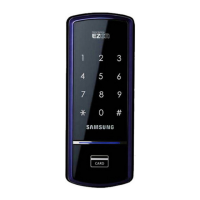
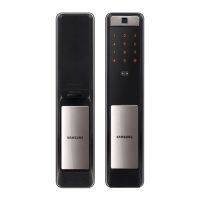
The outer body of the lock features a numeric keypad for entering PINs, a card reader for RFID cards or key tags, and a fingerprint sensor for biometric access. It also includes a status indicator to show the lock's status (e.g., locked, unlocked, error), a battery indicator to warn of low battery, and a double lock light. For emergency situations, there's a mechanical key override.
The inner body contains the main control unit, the battery compartment, and the registration button. It also includes a manual open and close lever for quick manual operation from inside. The registration button is used for setting up new PINs, cards, fingerprints, and other lock settings.
The mortise is the part of the lock that fits into the door itself. It includes the latch bolt, which retracts to open the door, and the deadbolt, which provides additional security when locked. The SHS-AML220 and SHS-AML200 are examples of compatible mortise types.
The SHP-DH525 offers a wide range of features to enhance security and ease of use.
There are several ways to open the door from the outside:
The door automatically locks 1 second after it is closed. This automatic locking feature can be enabled or disabled through the settings.
This mode allows you to register and manage various access methods.
When setting up the lock for the first time, you will need to register a master PIN. This PIN is crucial for accessing the lock's settings and managing other user credentials. You can also register Bluetooth devices, cards, and key tags during the initial setup.
The password can be a 4-12 digit number. Only one password can be registered. To change the password, enter the current master PIN, then follow the prompts to enter and confirm the new password.
You can delete registered PINs, cards, or key tags individually or all at once. To delete, enter the master PIN, then select the appropriate option from the menu.
Bluetooth mode can be activated or deactivated through the settings menu. When activated, the lock can be controlled via a smartphone app.
Double authorization mode requires both a card and a PIN to unlock the door, or a fingerprint and a PIN. This adds an extra layer of security. You can enable or disable this mode through the settings.
At-home security mode prevents opening of the door from outside while the door is locked. This feature can be activated or deactivated through the settings.
When security assurance mode is activated, the door cannot be opened from the outside using any registered credential. Only the mechanical key can open the door in this mode.
The SHP-DH525 can be paired with a smartphone via Bluetooth. This allows for remote unlocking and management of the lock through a dedicated app. The pairing process involves entering a specific code on the lock and confirming it on the smartphone.
The sound setting allows you to adjust the volume of the lock's various sounds, such as button presses and lock/unlock confirmations. You can also mute the sounds if desired.
The welcome function is a convenient feature that automatically activates the keypad light when someone approaches the door. This can be enabled or disabled through the settings.
This mode allows you to enter random numbers before or after your actual PIN to prevent others from guessing your PIN by observing finger smudges on the keypad.
The lock can be set to automatically lock after a short delay once the door is closed, or it can be set to manual locking, requiring you to manually engage the deadbolt.
The SHP-DH525 includes various functions that can be toggled on or off. These include the automatic locking function, the welcome function, and the sound settings.
This feature allows you to set the duration for which the door remains unlocked after a successful authentication. This is useful for situations where you need the door to stay open for a longer period.
The intrusion detection function triggers an alarm if the door is forced open or if there are multiple failed attempts to enter the PIN or scan a card/fingerprint. This helps deter unauthorized access.
This function triggers an alarm if the door is opened from the inside while the security assurance mode is active, or if the door is forced open. This acts as a deterrent against unauthorized entry.
The lock is powered by AA batteries. When the battery level is low, a warning indicator will light up, and an audible alarm will sound. It is recommended to replace all batteries at once when this warning appears.
The anti-bypass function is designed to prevent tampering with the lock. If an attempt is made to bypass the lock's security mechanisms, an alarm will sound.
These functions can be configured through the settings menu. The intrusion alarm will sound if unauthorized entry is detected, and the anti-unlock function prevents the lock from being opened by external means when activated.
If the batteries are completely drained, the lock can be temporarily powered using a 9V emergency battery. This allows you to enter your PIN or use a card/fingerprint to open the door and replace the main batteries.
This section provides an overview of the device's technical specifications, including power source, operating temperature, and dimensions. These details are important for proper installation and maintenance.
The manual includes important notes regarding the safe use and maintenance of the device. These notes cover topics such as battery replacement, cleaning instructions, and troubleshooting tips. Adhering to these guidelines ensures the longevity and optimal performance of the lock.
 General
| Type | Digital Door Lock |
|---|---|
| User Capacity (PIN) | Up to 100 |
| Power Source | 4 x AA Batteries |
| Access Methods | PIN code, RFID card/tag, Mechanical key |
| Emergency Power | 9V Battery |
| Material | Plastic |
| Operation Humidity | 20% to 80% |
| Features | Auto/Manual Locking |

 To Next Page