EasyManua.ls Logo

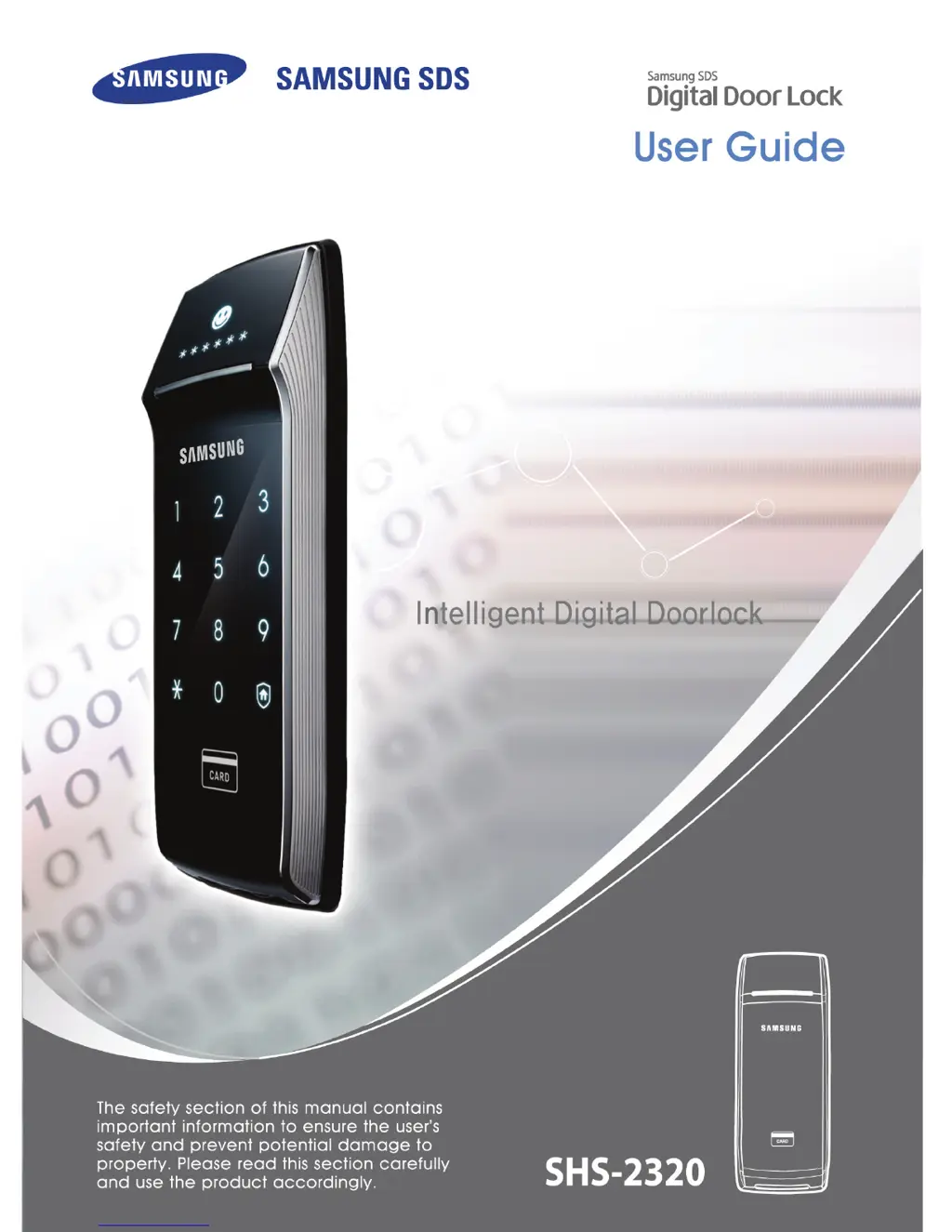
Samsung SHS-2320 - User Manual

Samsung SHS-2320
40 pages
Print Icon
To Next Page IconTo Next Page
Loading...

Questions and Answers

  • B
    bennettwendyJul 31, 2025
    Why can't I change the password on my Samsung SHS-2320?
    • J
      Jennifer BrownJul 31, 2025
      If you're having trouble changing the password on your Samsung Door locks, make sure the light on the [number pad] is on while you're changing the password. You need to enter the next number within 10 seconds after entering the first one. Also, replace the batteries if they are discharged.
  • C
    Cynthia GreenAug 4, 2025
    Why can't I open my Samsung SHS-2320 Door locks using the password or card/key tag?
    • S
      sydneywigginsAug 4, 2025
      You cannot open your Samsung Door locks with a password, card, or key tag if the double lock system is activated. Touching the [Number Pad] will trigger a warning sound when the double lock system is on.
  • B
    Brent CarrilloAug 9, 2025
    What to do if my Samsung SHS-2320 Door locks won't lock automatically after closing the door?
    • R
      rebeccasullivanAug 9, 2025
      If your Samsung Door locks are not locking automatically, first verify that the system is in auto-lock mode. If it is and the door still doesn't lock, the door lock might not have been installed properly. Also, the auto-locking function will not work when the battery is completely discharged.
  • M
    Melinda PerryAug 13, 2025
    How to fix Samsung SHS-2320 Door locks when it won't open with a card or key tag?
    • J
      Justin PerryAug 13, 2025
      If your Samsung Door locks won't open with a card or key tag, it could be that the card isn't registered or isn't being read correctly. Try re-registering the card or key tag and then attempt to open the door again. Also, ensure that the card or key tag is properly placed on the sensor.
  • H
    halepeterAug 17, 2025
    What to do if Samsung SHS-2320 Door locks number pad is not responding?
    • J
      johnsonnicoleAug 17, 2025
      If the number pad on your Samsung Door locks is not responding, there is a hole on the right side of the emergency power supply. Press it with a pin.
  • H
    howelllisaAug 22, 2025
    What to do if my Samsung SHS-2320 are not turning on?
    • C
      Charles HopkinsAug 22, 2025
      If your Samsung Door locks are not turning on, please check to make sure the battery is functional and placed in the correct position. Check if the battery is inserted correctly or if it is completely discharged.
  • S
    Sarah FrancisAug 27, 2025
    What does it mean when my Samsung SHS-2320 play Fur Elise continuously?
    • E
      espinozastaceyAug 27, 2025
      If your Samsung Door locks are playing the melody 'Fur Elise' continuously, this sound indicates that the batteries need to be changed. Please replace the batteries within a week.

Summary

Product Features

Double Claw Bolt Ensures Robust and Safe Lock

Describes the double claw bolt mechanism for preventing forced intrusion and ensuring safety.

User-friendly Graphic Interface Allows You to Check the Status of the Doorlock

Highlights the intuitive interface icons for checking doorlock status, enhancing user convenience.

With Infrared Ray Sensor, Security Is Stronger

Explains the infrared ray sensor's role in preventing unauthorized entry by detecting movement.

Anti-theft Function Ensures Worry Free Trip

Details the anti-theft function that sounds a warning when the doorlock is tampered with.

Multi-leveled Security Code Entry Mode Is More Secure

Describes a security feature where random numbers precede password entry to prevent fingerprint exposure.

Double Authentication Function Is More Secure

Explains the dual security of requiring both password and card authentication.

Precautions

Meaning of Warning, Caution, and Reference

Explains the different warning symbols and their significance in the manual.

Meaning of Each Symbol

Defines the symbols used to convey warnings, cautions, and references.

Cautions Regarding the Installation

Caution While in Use

Cautions Regarding Repair and Maintenance

Product Components

Outer Body Part Names

Inner Body Part Names

How to Replace Batteries

How to Use Emergency Battery

Basic Functions

How to Reset (Password, Card, Key Tag)

Details the process for resetting all data, including password, card, and key tag information.

How to Register and Change Password

How to Register Card and Key Tag

How to Delete Card or Key Tag

How to Open Door from the Outside (Password)

How to Open Door from the Outside (Card, Key Tag)

How to Open and Close the Door from Inside

Additional Functions

How to Set up Multi-leveled Security Code Entry Mode

Explains how to enable a security mode using two random numbers and a password.

How to Set up Infrared Ray Sensor

How to Set up Double Authentication Mode

How to Set up Auto;Manual Lock

How to Set up and Turn off Sound

Warning Alarm; Emergency Alarm

When the Alarm Sounds (Tempering-prevention function)

Describes the alarm triggered by card/password errors or tampering attempts.

How to Turn off the Alarm

Provides steps for deactivating the warning or emergency alarm.

How to Set up Anti-theft Function

Intruder Detection Function

How to Turn off Emergency Alarm

Built-in Fire Detection Feature

How to Use Double Lock

Troubleshooting

Power

Lists problems related to power issues and their troubleshooting steps.

Password;Card;Key Tag

Covers troubleshooting for password, card, and key tag related problems.

Auto-lock

Warning Alarm

Malfunction

Summary of Usage

Product Specifications

LIMITED PRODUCT WARRANTY

Samsung SHS-2320 Specifications

General IconGeneral
Quantity1
Lock typeCode, RF card
Product typeSmart door lock
Product colorBlack, Stainless steel
Volume controlDigital
Anti-theft functionYes
Battery typeAA
Battery voltage1.5 V
Number of batteries included4 pc(s)

Related product manuals