EasyManua.ls Logo

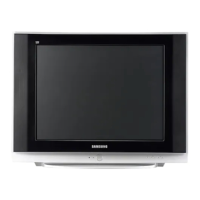
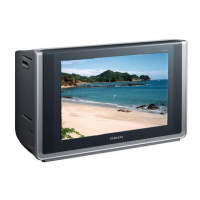
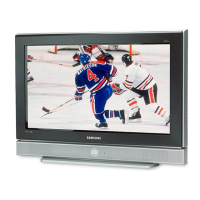
Samsung SlimFit TX S3080WH - User Manual

Samsung SlimFit TX S3080WH
52 pages
Print Icon
To Next Page IconTo Next Page
Loading...
Owner’s
Instructions
COLOR TELEVISION
TX-S3079WH
TX-S3080WH
Register your product at www.samsung.com/global/register

Table of Contents

Question and Answer IconNeed help?

Do you have a question about the Samsung SlimFit TX S3080WH and is the answer not in the manual?

Summary

Important Warranty Information Regarding Television Format Viewing

General Information

List of Features

Details the various features and capabilities of the television.

Accessories

Lists the items included with the TV and those sold separately.

Viewing the Control Panel

Buttons on the Lower-Right Part of the Panel

Describes the function of buttons located on the lower-right side of the TV.

Viewing the Connection Panel

Rear Panel Jacks

Details the A/V connection ports on the rear of the TV.

Side Panel Jacks

Details the A/V connection ports on the side of the TV.

Remote Control

Installing Batteries in the Remote Control

Connecting VHF and UHF Antennas

Connecting Cable TV

Connecting a VCR

Connecting an S-VHS VCR

Instructions for connecting an S-VHS VCR for better picture quality.

Connecting a Second VCR to Record from the TV

Connecting a Camcorder

Connecting a DVD Player;Set-Top Box

Connecting a DVD Player;Set-Top Box via HDMI

Connecting a Digital Audio System

Connecting an Amplifier;DVD Home Theater

Operation

Turning the TV On and Off

Instructions on how to power the TV on and off using the remote or TV.

Plug & Play Feature

Describes the initial setup process for language, channels, and time.

Changing Channels

Using the Channel Buttons

How to change channels using the CH +/- buttons.

Using the Number Buttons

How to tune directly to a channel using the numeric keypad.

Adjusting the Volume

Using Mute Button

How to mute and unmute the TV sound.

Viewing the Display

Viewing the Menus

Memorizing the Channels

Selecting the Video Signal-source

How to specify the TV's signal source (Air or Cable).

Storing Channels in Memory (Automatic Method)

Step-by-step guide for automatically memorizing TV channels.

Setting Up Your Remote Control

Setting Up the Remote control to Operate Your VCR

Guide to program the remote to control a VCR.

Setting Up the Remote control to Operate Your Cable Box

Guide to program the remote to control a cable box.

Setting Up the Remote control to Operate Your DVD

Setting Up the Remote control to Operate Your Set Top Box

Remote Control Codes VCR

VCR

Lists remote control codes for various VCR brands.

Remote Control Codes CABLE BOX

Remote Control Codes SAMSUNG SET-TOP BOX

Remote Control Codes SET-TOP BOX

Remote Control Codes SAMSUNG DVD

Remote Control Codes DVD

To Select the Source

To Edit the Input Source Name

Picture Control

Using Automatic Picture Settings

How to select preset picture modes like Dynamic, Standard, Movie, Custom.

Changing the Screen Size

Tilt

Setting the Film Mode

Sound Control

Using Automatic Sound Settings

How to select preset sound modes like Standard, Music, Movie, Speech, Custom.

Customizing the Sound

Setting the SRS TruSurround XT

Automatic Volume Control

Choosing a Multi-Channel Sound (MTS) track - Digital

Choosing a Multi-Channel Sound (MTS) track - Analog

Setting the On;Off Melody

Channel Control

Selecting the Antenna

How to select the antenna source (Air or Cable).

Adding and Erasing Channels

How to add or delete channels from the TV's memory.

To set-up Your Favorite Channels

Viewing the Channel Lists

Setting the Default Channel List Mode

Labeling Channels

Fine Tuning Analog Channels

Checking the Digital-Signal Strength

Using the R.Surf Feature

Time Setting

Option 1: Setting the Clock Manually

Step-by-step guide to manually set the TV's clock.

Option 2: Setting the Clock Automatically

Setting the On;Off Timer

Setting the Sleep Timer

Function Description

Selecting a Menu Language

How to choose the display language for the TV menus.

Using the V-Chip

Guides on setting up the V-Chip for parental controls.

How to Enable;Disable the V-Chip

How to Set up Restrictions Using the “TV Parental Guidelines

How to Set up Restrictions Using the MPAA Ratings: G, PG, PG-13, R, NC-17, X, NR

How to Set up Restrictions Using the ‘Canadian English

How to Set up Restrictions Using the ‘Canadian French

Using the V-Chip for Digital channel

Viewing Closed Captions(On-Screen Text Messages) - Digital

Viewing Closed Captions(On-Screen Text Messages) - Analog

Menu Transparency Level

Setting the Blue Screen Mode

Setting the Function Help

Appendix

Identifying Problems

Lists common TV problems and their solutions.

Specifications

Technical details and specifications of the TV models.

Contact SAMSUNG WORLD-WIDE

Samsung SlimFit TX S3080WH Specifications

General IconGeneral
Display TechnologyCRT
Aspect Ratio16:9
Audio OutputStereo
Speakers2
InputsComponent, Composite, S-Video, RF
Screen Size30 inches
HDTV CompatibilityYes
Comb Filter3D Digital Comb Filter

Related product manuals