
 Need help?
Do you have a question about the Samsung SM-A325F and is the answer not in the manual?
Essential safety and usage guidelines before starting the device.
Explains causes and remedies for device overheating situations.
Identifies and describes the physical buttons, ports, and components.
Provides instructions on how to charge the device safely and efficiently.
Details touchscreen gestures, navigation bar, and screen elements.
Guides on how to manage applications on your device.
Instructions for making and receiving voice and video calls.
Guides on taking pictures and recording videos with various modes.
Steps to set up and use the mobile payment service.
Managing wellness and fitness tracking features.
Connecting to and managing Wi-Fi networks.
Pairing and using Bluetooth devices.
Customizing screen brightness, theme, and other visual aspects.
Setting up screen lock methods and security options.
Configuring fingerprint and face recognition for device security.
Managing accounts and backing up device data.
Optimizing device performance and battery life.
Solutions for common device problems and error messages.
 General
| Category | Cell Phone |
|---|---|
| Display Type | Super AMOLED |
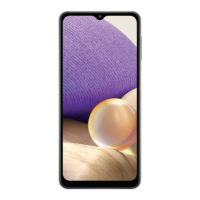
| Display Size | 6.4 inches |
| Display Resolution | 1080 x 2400 pixels |
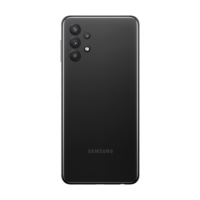
| Rear Camera | 64 MP (wide) + 8 MP (ultrawide) + 5 MP (macro) + 5 MP (depth) |
| Front Camera | 20 MP |
| Battery | 5000 mAh |
| Network | GSM / HSPA / LTE |
| SIM | Single SIM (Nano-SIM) or Dual SIM (Nano-SIM, dual stand-by) |
| Main Camera Features | LED flash, panorama, HDR |
| Selfie Camera Video | 1080p@30fps |
| Loudspeaker | Yes |
| 3.5mm jack | Yes |
| Bluetooth | 5.0, A2DP, LE |
| NFC | Yes (market/region dependent) |
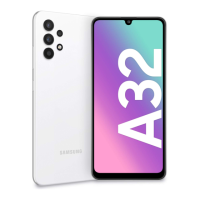
| Colors | Awesome Black, Awesome White, Awesome Blue, Awesome Violet |
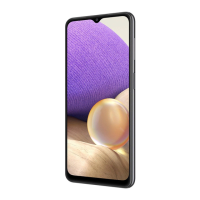
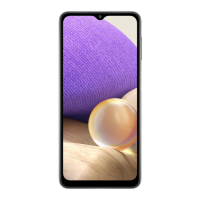
| Model | SM-A325F |
| Processor | MediaTek Helio G80 |
| RAM | 4GB, 6GB, 8GB |
| Internal Storage | 64GB, 128GB |
| Expandable Storage | microSDXC |
| Operating System | Android 11, upgradable to Android 13, One UI 5 |
| Weight | 184 g |
| WLAN | Wi-Fi 802.11 a/b/g/n/ac, dual-band, Wi-Fi Direct |
| GPS | GPS, GLONASS, GALILEO, BDS |
| USB | USB Type-C 2.0 |
| Sensors | Fingerprint (under display, optical), accelerometer, gyro, compass |
| Main Camera Video | 1080p@30fps |


 To Next Page