EasyManua.ls Logo

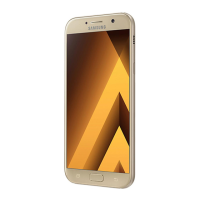
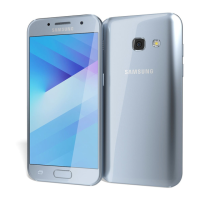
Samsung SM-A320F - User Manual

Samsung SM-A320F
167 pages
Print Icon
To Next Page IconTo Next Page
Loading...
www.samsung.com
User Manual
English. 12/2016. Rev.1.0
SM-A320F
SM-A320Y/DS
SM-A720F
SM-A320F/DS
SM-A520F
SM-A720F/DS
SM-A320Y
SM-A520F/DS

Table of Contents

Other manuals for Samsung SM-A320F

Questions and Answers

Summary

Basics

Read Me First

Important initial information and guidelines for using the device safely and properly.

Battery Management

SIM and Memory Card Management

Installing SIM;USIM Cards

Step-by-step guide for inserting SIM/USIM cards.

Lock Screen and Security

Screen Lock Methods

Setting up pattern, PIN, password, or fingerprint for screen security.

Secure Folder

Secure Folder Setup and Usage

How to create, secure, and manage content within Secure Folder.

Data Transfer and Backup

Transferring Data and Backing Up

Methods for transferring data and backing up device information.

Emergency Mode

Using Emergency Mode

How to activate and use emergency mode for battery conservation.

Applications Overview

Installing and Uninstalling Apps

Guide to downloading, installing, and removing applications.

Phone Operations

Making and Receiving Calls

Steps for making, receiving, and managing phone calls.

Contacts Management

Adding and Importing Contacts

How to add, import, and manage contact information.

Messages

Sending and Viewing Messages

How to compose, send, view, and block messages.

Email

Email Setup and Management

Steps to set up, send, and read emails.

Camera Usage

Shooting Modes and Settings

Guide to camera modes, shooting techniques, and settings.

Samsung Pay

Setup and Payments

Steps to set up Samsung Pay and make payments.

Game Launcher

Using Game Launcher and Tools

How to organize games and use game-specific tools.

Calendar

S Health

S Voice

Voice Recorder

Settings Overview

Sounds and Vibration

Notifications

Advanced Features

Device Maintenance

Cloud and Accounts

General Management and Software Update

Appendix and Troubleshooting

Removing the Battery

Summary

Basics

Read Me First

Important initial information and guidelines for using the device safely and properly.

Battery Management

SIM and Memory Card Management

Installing SIM;USIM Cards

Step-by-step guide for inserting SIM/USIM cards.

Lock Screen and Security

Screen Lock Methods

Setting up pattern, PIN, password, or fingerprint for screen security.

Secure Folder

Secure Folder Setup and Usage

How to create, secure, and manage content within Secure Folder.

Data Transfer and Backup

Transferring Data and Backing Up

Methods for transferring data and backing up device information.

Emergency Mode

Using Emergency Mode

How to activate and use emergency mode for battery conservation.

Applications Overview

Installing and Uninstalling Apps

Guide to downloading, installing, and removing applications.

Phone Operations

Making and Receiving Calls

Steps for making, receiving, and managing phone calls.

Contacts Management

Adding and Importing Contacts

How to add, import, and manage contact information.

Messages

Sending and Viewing Messages

How to compose, send, view, and block messages.

Email

Email Setup and Management

Steps to set up, send, and read emails.

Camera Usage

Shooting Modes and Settings

Guide to camera modes, shooting techniques, and settings.

Samsung Pay

Setup and Payments

Steps to set up Samsung Pay and make payments.

Game Launcher

Using Game Launcher and Tools

How to organize games and use game-specific tools.

Calendar

S Health

S Voice

Voice Recorder

Settings Overview

Sounds and Vibration

Notifications

Advanced Features

Device Maintenance

Cloud and Accounts

General Management and Software Update

Appendix and Troubleshooting

Removing the Battery

Samsung SM-A320F Specifications

General IconGeneral
BrandSamsung
ModelSM-A320F
CategoryCell Phone
LanguageEnglish

Related product manuals