EasyManua.ls Logo

Samsung SM-A346B/DSN - User Manual

Samsung SM-A346B/DSN
163 pages
Print Icon
To Next Page IconTo Next Page
Loading...
https://tehnoteka.rs
Uputstvo za upotrebu (EN)
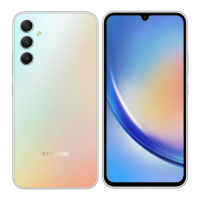
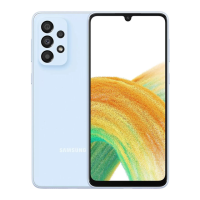
SAMSUNG Galaxy A34 5G 6/128GB Lime
Tehnoteka je online destinacija za upoređivanje cena i karakteristika bele tehnike,
potrošačke elektronike i IT uređaja kod trgovinskih lanaca i internet prodavnica u Srbiji.
Naša stranica vam omogućava da istražite najnovije informacije, detaljne karakteristike
i konkurentne cene proizvoda.
Posetite nas i uživajte u ekskluzivnom iskustvu pametne kupovine klikom na link:
https://tehnoteka.rs/p/samsung-galaxy-a34-5g-6128gb-lime-akcija-cena/
1 / 163

Table of Contents

Question and Answer IconNeed help?

Do you have a question about the Samsung SM-A346B/DSN and is the answer not in the manual?

Summary

Getting Started

Device Layout and Functions

Identifies external buttons, ports, and sensors on the device.

Charging the Battery

Instructions for wired and quick charging, including tips and precautions.

Turning the Device On and Off

Step-by-step guide on powering the device on, off, and forcing a restart.

Initial Setup Process

Guides users through the initial configuration process after turning on the device.

Core Device Features

Phone Calls and Messaging

Covers making and receiving calls, managing contacts, and sending messages.

Camera Operations

Details on taking pictures, videos, camera modes, settings, and features.

Screen Capture and Recording

Instructions on how to take screenshots and record the device screen.

Data Transfer with Smart Switch

Guide on migrating data from an old device to the new phone.

Device Settings and Management

Network Connections

Configuration for wireless connectivity like Wi-Fi, Bluetooth, and mobile networks.

Display and Screen Settings

Options for customizing screen brightness, refresh rate, color modes, and font settings.

Battery Management

Information on power saving, battery usage limits, charging settings, and battery status.

Security and Privacy

Manages device security, app permissions, biometric data, and privacy settings.

Device Care and Optimization

Tools for optimizing performance, managing storage, memory, and battery health.

Software Updates

Procedures for updating the device's operating system and security patches.

Safety, Usage, and Troubleshooting

Device Usage Precautions

General safety guidelines and important considerations for proper device operation.

Overheating and Environmental Safety

Explains causes of overheating and steps to resolve them.

Troubleshooting Common Issues

Solutions for common device problems, error messages, and operational failures.

Removing the Battery

Information and warnings regarding battery removal or replacement procedures.

Summary

Getting Started

Device Layout and Functions

Identifies external buttons, ports, and sensors on the device.

Charging the Battery

Instructions for wired and quick charging, including tips and precautions.

Turning the Device On and Off

Step-by-step guide on powering the device on, off, and forcing a restart.

Initial Setup Process

Guides users through the initial configuration process after turning on the device.

Core Device Features

Phone Calls and Messaging

Covers making and receiving calls, managing contacts, and sending messages.

Camera Operations

Details on taking pictures, videos, camera modes, settings, and features.

Screen Capture and Recording

Instructions on how to take screenshots and record the device screen.

Data Transfer with Smart Switch

Guide on migrating data from an old device to the new phone.

Device Settings and Management

Network Connections

Configuration for wireless connectivity like Wi-Fi, Bluetooth, and mobile networks.

Display and Screen Settings

Options for customizing screen brightness, refresh rate, color modes, and font settings.

Battery Management

Information on power saving, battery usage limits, charging settings, and battery status.

Security and Privacy

Manages device security, app permissions, biometric data, and privacy settings.

Device Care and Optimization

Tools for optimizing performance, managing storage, memory, and battery health.

Software Updates

Procedures for updating the device's operating system and security patches.

Safety, Usage, and Troubleshooting

Device Usage Precautions

General safety guidelines and important considerations for proper device operation.

Overheating and Environmental Safety

Explains causes of overheating and steps to resolve them.

Troubleshooting Common Issues

Solutions for common device problems, error messages, and operational failures.

Removing the Battery

Information and warnings regarding battery removal or replacement procedures.

Samsung SM-A346B/DSN Specifications

General IconGeneral
ModelSM-A346B/DSN
Network TechnologyGSM / HSPA / LTE / 5G
SIMDual SIM (Nano-SIM, dual stand-by)
IP ratingIP67 dust/water resistant (up to 1m for 30 mins)
Display TypeSuper AMOLED, 120Hz, 1000 nits (HBM)
Display Resolution1080 x 2340 pixels, 19.5:9 ratio (~390 ppi density)
ProtectionCorning Gorilla Glass 5
OSAndroid 13, One UI 5.1
Card slotmicroSDXC (uses shared SIM slot)
Internal Memory128GB 6GB RAM, 128GB 8GB RAM, 256GB 8GB RAM
Main Camera50 MP, f/1.8, (wide), PDAF, OIS
Macro Camera5 MP, f/2.4, (macro)
Main Camera FeaturesLED flash, panorama, HDR
Selfie Camera13 MP, f/2.2, (wide)
Selfie Camera FeaturesHDR
Selfie Camera Video4K@30fps, 1080p@30fps
LoudspeakerYes
3.5mm jackNo
WLANWi-Fi 802.11 a/b/g/n/ac, dual-band, Wi-Fi Direct
Bluetooth5.3, A2DP, LE
PositioningGPS, GLONASS, GALILEO, BDS
NFCYes
RadioNo
USBUSB Type-C 2.0, OTG
Virtual proximity sensingYes
Battery TypeLi-Po 5000 mAh, non-removable
Charging25W wired
Weight199 g
BuildGlass front, plastic back, plastic frame
Display Size6.6 inches
CPUOcta-core (2x2.0 GHz Cortex-A55)
GPUMali-G68
Ultrawide Camera8 MP, f/2.2, 123˚ (ultrawide)
Main Camera Video4K@30fps, 1080p@30/60fps
Sensorsaccelerometer, gyro, compass
ColorsLime, Violet
SAR0.69 W/kg (head)

Related product manuals