
 Need help?
Do you have a question about the Samsung SM-T260 and is the answer not in the manual?
Contact Samsung support via phone for assistance.
Find nearby Samsung service centers.
Transfer data from old phone using Samsung Smart Switch.
Tips to prevent damage and maintain dust/water resistance.
How AGPS aids emergency responders with location.
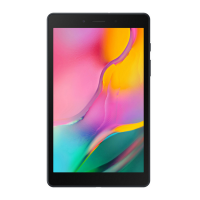
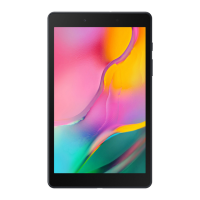
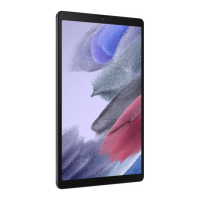
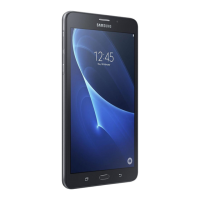
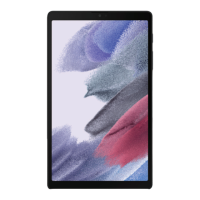
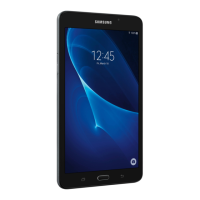
This document serves as a Quick Reference Guide for the SM-T260 tablet, outlining its terms and conditions, device layout, support information, and important legal and safety notices.
The SM-T260 is a tablet device manufactured by Samsung. It is designed for various mobile device operations, including accessing information, running applications, and connecting to networks. The device supports location-based applications through GPS and Assisted Global Positioning System (AGPS), which can improve GPS performance by utilizing cellular network information. It also features Wireless Emergency Alerts (WEA) as part of the US emergency system, capable of delivering warnings for weather conditions, missing children, and other critical situations. The tablet is equipped with Samsung Knox, a security platform, which may require additional licensing fees for enterprise use.
The device is water-resistant based on an IP68 rating, meaning it can withstand submersion in fresh water deeper than 1.5 meters for up to 30 minutes. It is crucial to ensure all compartments are tightly closed to maintain this resistance. The device uses a Multipurpose jack (USB Type-C) for charging and data transfer. For optimal charging, the charger should remain close to an easily accessible electric socket. The device's wireless functions can be disabled by activating "Flight mode," which allows for non-network services only. The operating temperature range for foldable devices (which may apply to this tablet if it has a foldable design) is -10°C / 14.0°F to 50°C / 122°F. Prolonged exposure to temperatures outside this range can damage the device. The device complies with FCC Part 15 rules for digital devices, covering both intentional radiators (Bluetooth and Wi-Fi) and unintentional radiators.
To power on the device, users need to press and hold the Side key for a few seconds. The device features a touchscreen for interaction. Users can personalize their tablet by accessing the "Settings" menu. Data transfer from other devices (iOS or Android) is simplified using Samsung Smart Switch. This involves backing up the old phone, then on the new Galaxy device, navigating to Settings > Accounts and backup > Smart Switch, tapping "Receive data," selecting the old device type, and finally choosing "Cable (Android)" or "Wireless (Android and iOS)" to connect and follow prompts. Emergency calls are possible, but users should be aware that certain network services or device features (like call blocking) might need to be deactivated first. The device may cause TV or radio interference if used in close proximity to receiving equipment, and the FCC may require users to stop using the mobile device if such interference cannot be eliminated.
To maintain dust and water resistance, it is important to keep all compartments tightly closed. If the device is exposed to fresh water, it should be thoroughly dried with a clean, soft cloth. If exposed to liquids other than fresh water, it should be rinsed with fresh water and dried as directed. Devices with accessible compartments or ports should have them sealed or closed tightly to prevent liquid entry. If the device has been immersed in water or if the microphone or speaker is wet, sound clarity during calls may be affected; it should be thoroughly dried before use. The device should not be exposed to water at high pressure. Dropping the device or subjecting it to impact may compromise its water and dust resistant features. Liquid other than fresh water can enter the device faster, and failure to rinse and dry as instructed can lead to operability or cosmetic issues. In case the device feels hot to the touch due to prolonged usage or certain applications, users should discontinue use, close applications, or turn off the device until it cools. Adequate ventilation and airflow are essential to prevent heat trapping and redirection back to the device. Batteries should never be disposed of in fire, disassembled, crushed, punctured, heated, burned, or reused. For battery and cell phone recycling, users can visit call2recycle.org or call 1-800-822-8837. For general recycling information, users can visit www.samsung.com/recycling or call 1-800-SAMSUNG.


 To Next Page
 General