Basics
23
Notification panel
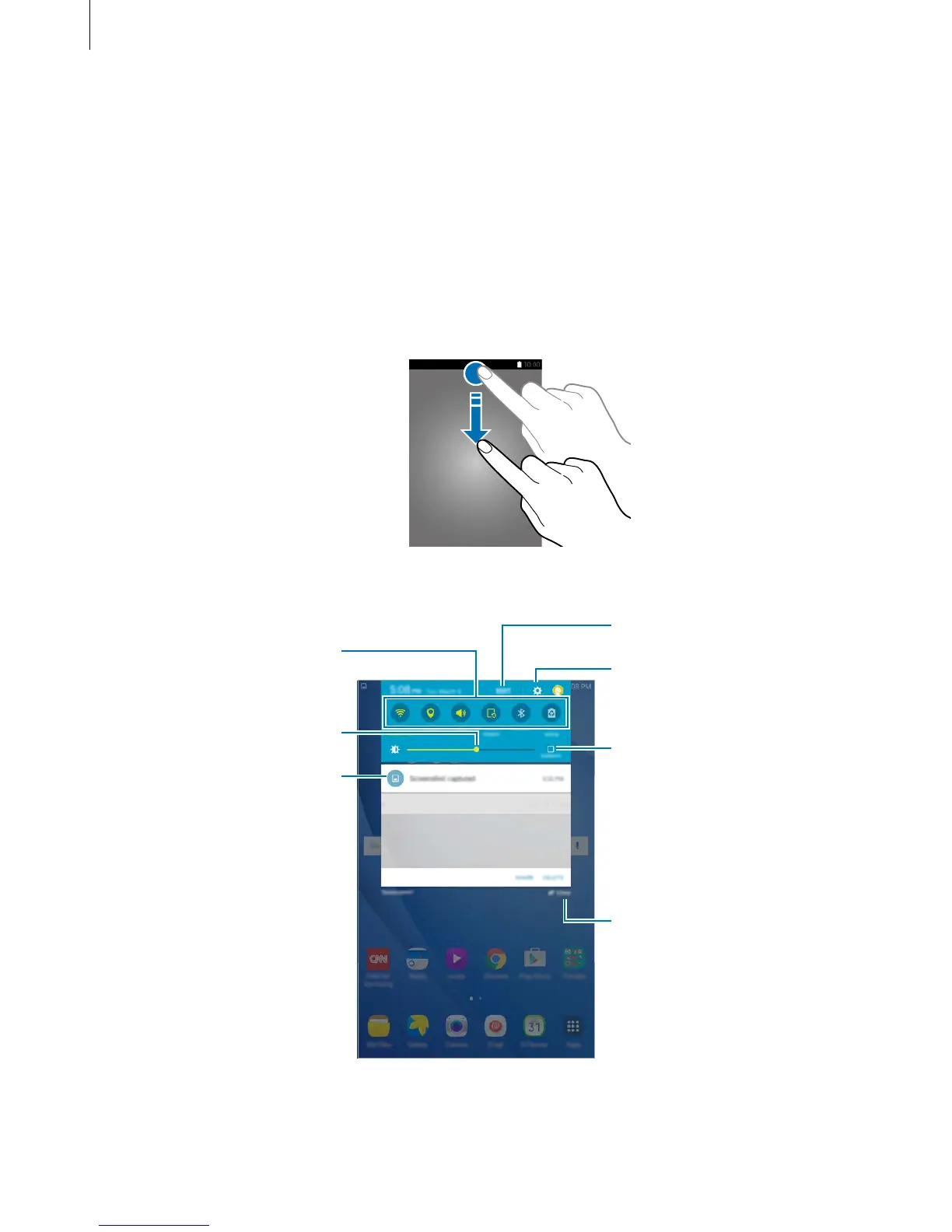
Using the notification panel
When you receive new notifications, indicator icons appear on the status bar. To see more
information about the icons, open the notification panel and view the details.
To open the notification panel, drag the status bar downwards. To close the notification panel,
swipe upwards on the screen.
You can use the following functions on the notification panel.
Launch Settings.
Tap a notification and perform
various actions.
Clear all notifications.
Adjust the brightness.



 To Next Page