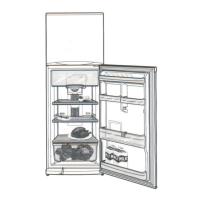
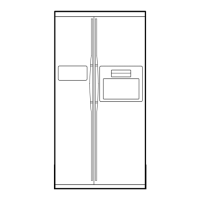
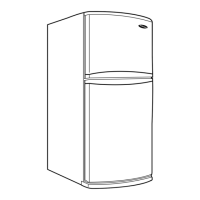
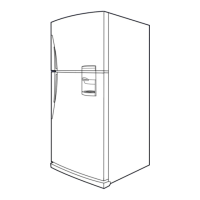
This is a user manual for a Samsung Refrigerator, specifically a Free Standing Appliance. The manual provides comprehensive information on safety, installation, operation, maintenance, and troubleshooting.
Function Description:
The Samsung Refrigerator is designed for household and similar applications, primarily for storing food. It features a freezer compartment and a fridge compartment, with some models offering a "Twin Cooling Plus" system. The appliance is frost-free, eliminating the need for manual defrosting. Certain models include an ice maker and a water dispenser, allowing for chilled water and ice without opening the fridge door. The refrigerator also has a "Freezer Convert" function on applicable models, which allows the freezer compartment to be used in different modes, including a "Fridge" mode or to be turned "Off". A "Vacation" mode is available to maintain a controlled temperature in the fridge while the freezer remains active, ideal for extended periods away.
Important Technical Specifications:
- Refrigerant: Uses either R-600a (flammable gas) or R-134a. The specific type is indicated on the compressor label or rating label.
- Room Size for R-600a: For R-600a refrigerant, the room must be at least 1 m³ for every 8 g of refrigerant.
- Power: The refrigerator should be plugged into its own individual electrical outlet with a voltage rating matching the refrigerator's rating plate.
- Temperature Range: Designed to operate in ambient air temperatures between 10 °C and 43 °C.
- Freezer Temperature Settings: Adjustable between -15 °C and -23 °C (default: -19 °C).
- Fridge Temperature Settings: Adjustable between 1 °C and 7 °C (default: 3 °C).
- Vacation Mode Temperature (Fridge): Controlled under 17 °C.
- Water Dispenser Capacity (applicable models): Water tank capacity up to 5 liters (or 2.3 liters depending on the model).
- Load Limit Indicator (applicable models): Located on the top right side of the freezer compartment to prevent overloading.
Usage Features:
- Temperature Control:
- Freezer: A dedicated "Freezer" button allows setting temperatures from -15 °C to -23 °C.
- Power Freeze: Press and hold the "Freezer" button for 3 seconds to activate Power Freeze, which speeds up the freezing process at maximum fan speed for several hours.
- Freezer Convert (applicable models): Press and hold "Freezer Convert" for 3 seconds to switch the freezer mode between "Fridge," "Off," and "Freezer."
- Fridge: A "Fridge" button allows setting temperatures from 1 °C to 7 °C.
- Power Cool: Press and hold the "Fridge" button for 3 seconds to activate Power Cool, which speeds up the cooling process in the fridge at maximum fan speed for several hours.
- Vacation Mode: Activate by selecting 1 °C on the fridge temperature control and pressing "Fridge" (button type) or by turning the fridge dial to "Vacation" (dial type). This sets the fridge temperature to under 17 °C while keeping the freezer active.
- Ice Making (applicable models):
- Twist Ice Maker: Fill the ice tray with potable water up to the maximum level, slide it back, and turn the handle to dispense ice cubes into the storage bin.
- Auto Ice Maker: For first-time use, allow 1-2 days for ice production and discard the first 1-2 buckets of ice. A "Test" button is available to check operation.
- Water Dispenser (applicable models):
- Fill the water tank with potable water.
- Push the dispenser lever for 10 seconds for first-time use to emit air.
- Discard the first six glasses of water for first-time use to remove impurities.
- Gently push the dispenser lever with a glass to dispense water. Ensure the water dispenser is unlocked.
- Food Storage:
- Do not overfill the refrigerator.
- Wrap food properly or place it in airtight containers.
- Allow warm food to cool before placing it inside.
- Do not block air vents.
- Do not store glass bottles or carbonated beverages in the freezer.
- Do not store volatile or flammable substances.
- Do not store pharmaceutical, scientific, or temperature-sensitive products.
- Remove all protective plastic film before initial use.
Maintenance Features:
- Cleaning:
- Regularly clean the power plug terminals and contact points with a dry cloth.
- Unplug the refrigerator before cleaning.
- Use a moistened soft lint-free cloth or paper towel to clean the interior and exterior. Dry thoroughly.
- Do not spray water directly on the appliance or display.
- Do not use benzene, thinner, Clorox, or Chloride for cleaning.
- If any foreign substance or water enters the appliance, unplug it and contact service.
- Wipe excess moisture from the inside and leave doors open to prevent odor and mold.
- Shelf and Door Guard Removal: Shelves and door guards can be removed for cleaning.
- Deodorizer Filter (applicable models): The deodorizer filter can be replaced by unlocking and removing its case.
- Lamps: The lamps are not user-serviceable; contact a Samsung service center for replacement.
- Power Cord: If the power cord is damaged, it must be replaced by the manufacturer or service agent.
- Fuse: The fuse must be changed by a qualified technician or service company.

 Need help?
 General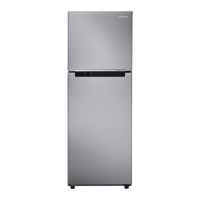

 To Next Page