Installation
English34
Installation
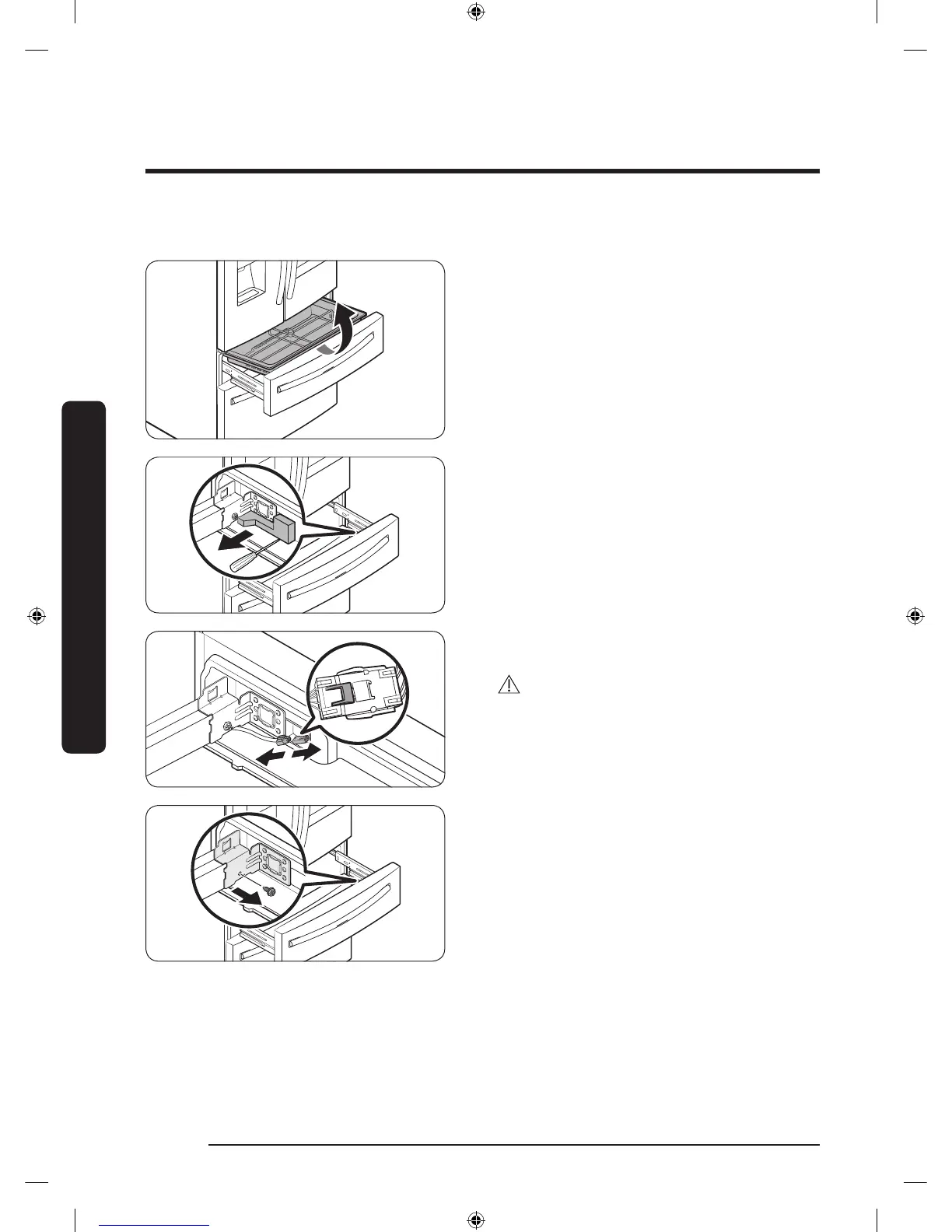
Detach the Cool Select+ (FlexZone) drawer
1. Lift up to remove the Cool Select+
(FlexZone) basket.
2. Remove the wire cover along with the
connector harness using a at-head
screwdriver.
3. Press the locking tab to disconnect the
wire connector.
CAUTION
When relocking the tab, make sure to fully
connect the wire connector. Otherwise, the
Cool Select+ (FlexZone) will not operate.
4. Remove the hex-head bolt on each side
of the drawer using a 10 mm socket
wrench.
Untitled-1 34 2018-03-21 3:06:26













 To Next Page