EasyManua.ls Logo

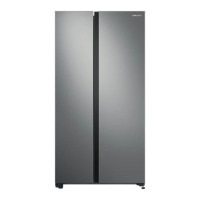
Samsung SRS583NLS - User Manual

Samsung SRS583NLS
22 pages
Print Icon
To Next Page IconTo Next Page
Loading...
Refrigerator
user manual
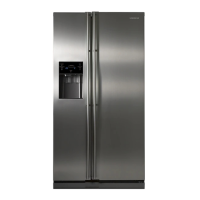
RS554NRUA**
RS552NRUA**
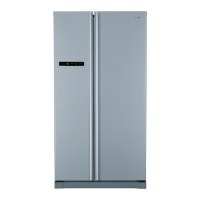
SRS583NLS
SRS582WW
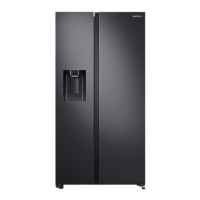
SRS603HLS
imagine the possibilities
Thank you for purchasing a Samsung product.
To receive a more complete service,
please register your product at
www.samsung.com/register
Free Standing Appliance
English
DA68-02556B-10

Questions and Answers

  • N
    Nicholas JohnsonAug 14, 2025
    What to do if food is freezing in my Samsung SRS583NLS?
    • W
      William CarlsonAug 14, 2025
      If the food in your Samsung Refrigerator is freezing, check the temperature setting on the display and adjust it to a warmer setting. Also, consider whether the room temperature is too low. Finally, make sure that food isn't placed too close to the air vent at the back of the refrigerator; if it is, move it away.
  • E
    Erin LewisAug 17, 2025
    How to troubleshoot a Samsung SRS583NLS that is not cooling?
    • D
      dakota91Aug 17, 2025
      If your Samsung Refrigerator isn't working or isn't chilling as much as it should, first ensure that the power plug is properly connected. Check the temperature control on the display panel and try setting it to a higher (colder) temperature. Also, make sure the refrigerator isn't in direct sunlight or near a heat source. Finally, ensure the back of the refrigerator has enough space for air to circulate.
  • T
    Todd CookAug 21, 2025
    How to stop frost buildup in my Samsung SRS583NLS freezer?
    • M
      Marcus CaldwellAug 21, 2025
      If you notice frost forming on the walls of the freezer in your Samsung Refrigerator, ensure that the air vent is not blocked, and remove any obstructions to allow for free air circulation. Make sure there is enough space between the stored foods to allow for efficient air circulation. Also, check that the freezer drawer is closed properly.
  • F
    floydmarkAug 25, 2025
    How to get rid of a bad smell in my Samsung SRS583NLS?
    • S
      Stacey ThompsonAug 26, 2025
      If your Samsung Refrigerator has a bad smell, start by checking for any spoiled food. Also, ensure that foods with strong odors, like fish, are tightly covered. It's also a good idea to periodically clean out your freezer and discard any food that is spoiled or suspicious.
  • J
    Jessica MercadoAug 28, 2025
    Why is my Samsung Refrigerator making strange noises?
    • D
      David WestAug 28, 2025
      Unusual noises from your Samsung Refrigerator can often be resolved with a few simple checks. First, make sure the refrigerator is level and stable. Ensure that the back of the refrigerator isn't too close to the wall, which can prevent proper air circulation. Also, check behind and under the refrigerator to see if anything has fallen there. Note that a ticking sound is normal due to the accessories contracting or expanding. If you hear a “bleep” alarm, ensure the door of the refrigerator is closed properly.
  • R
    rmillerSep 1, 2025
    Why is there condensation on my Samsung SRS583NLS?
    • N
      Nicole FowlerSep 1, 2025
      If you notice heat and condensation on the front of your Samsung Refrigerator, be aware that some heat is normal because anti-condensators are installed to prevent condensation. However, condensation can also occur if the refrigerator door is left ajar for an extended period, so ensure the door is properly closed.
  • M
    Mark PowellSep 5, 2025
    Why do I hear water bubbling in my Samsung SRS583NLS?
    • K
      Kelly PetersonSep 5, 2025
      This bubbling sound is normal. It comes from the refrigerator coolant liquid circulating through the Samsung Refrigerator.
  • V
    Vincent JonesSep 9, 2025
    What does it mean when my Samsung SRS583NLS light flashes (India only)?
    • E
      erik68Sep 9, 2025
      This is normal. The controller is equipped with over-voltage protection. Once the voltage of power supply exceeds the threshold, the protection will be triggered off immediately, causing a short display of the board and a flash of the fridge light, getting everything back to normal .

Summary

Safety and Precautions

General Safety Rules and Symbols

Covers essential safety guidelines, warnings, and explanations of symbols used.

Severe Warnings and Cautions

Details critical warnings and cautions for safe operation, installation, and maintenance.

Cleaning, Disposal, and Usage Safety

Safety aspects related to cleaning, product disposal, proper usage, and energy saving.

Setup and Installation

Installation Location and Preparation

Guidance on selecting the best location and ensuring proper space for installation.

Door Removal and Reinstallation

Step-by-step instructions for safely removing and installing the refrigerator doors.

Leveling and Final Setup

Instructions for leveling, adjusting doors, and final operational setup.

Operating the Refrigerator

Control Panel and Digital Display

Explanation of control panel buttons, functions, and digital display indicators.

Temperature Control

Instructions for setting and adjusting temperatures for both freezer and fridge.

Using the Twist Ice Maker

Step-by-step guide on how to use and fill the twist ice maker.

Food Storage Guidelines

Guidelines for storing food in the freezer and fridge compartments for freshness.

Maintenance and Troubleshooting

Accessory Removal and Cleaning

Instructions for removing internal freezer and fridge accessories.

Refrigerator Cleaning Procedures

Guidelines for cleaning the interior, exterior, home bar, and door seals.

Troubleshooting Common Issues

Diagnosing and resolving common refrigerator problems and error indicators.

Specifications and Support

Ambient Temperature Limits

Details the temperature classes and their corresponding ambient operating ranges.

Product Disposal and Contact Information

Instructions for environmentally safe disposal and customer support contacts.

Samsung SRS583NLS Specifications

General IconGeneral
CategoryRefrigerator
Energy Efficiency ClassA
ColorSilver
Energy RatingA
Door StorageYes
Voltage220-240V
Frequency50Hz
Climate ClassT

Related product manuals