EasyManua.ls Logo

Samsung SSG-P2100 - User Manual

Samsung SSG-P2100
7 pages
Print Icon
To Next Page IconTo Next Page
Loading...
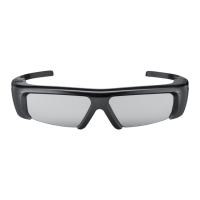
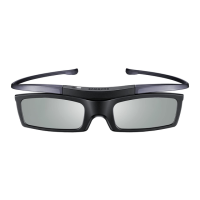
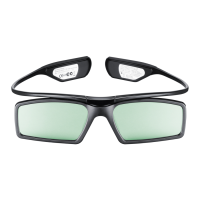
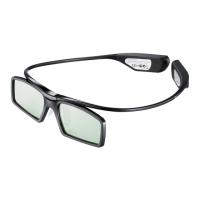
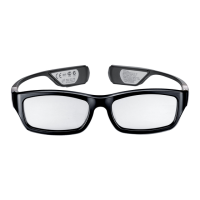
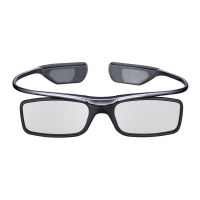
3D Active Glasses
I
User's Guide
Product Overview
The
SSG-P21
00
is
a device that enables
you
to view
3D
images.
When using the SSG-P21
00
with a Samsung
3D
TV that supports the
3D
function,
you
can
enjoy realistic, vivid
3D
images.
Parts and Components
. /
LED Indicator
Button
Battery
(CR2025)
D
Cleaning
Cloth
Glasses
Case
User's
Guide
BDTitie
Using 3D Glasses
On
Press
the
Power
button.
Red
LED
is
on
for
3
seconds
.
Off
Hold
down
the
Power
Button
for
more
than
1.5
seconds.
Red
LED
blinks
three
times.
Motion Range
4m
(13.12ft)
View
angle
Max.
Signal
Receiving
Distance
100'(base
on
2m(6.56ft)
distance)
6m(19.68ft)
(base
on
0')
~
The
signal
range
depends
on
the
TV's
size
and
viewing
angle.
~
Tum off
3D
glasses while not using. If
you
leave
3D
glasses
on,
battery lifespan
is
shortened.
English-1
3D Active Glasses
I
User's Guide
Product Overview
The
SSG-P21
00
is
a device that enables
you
to view
3D
images.
When using the SSG-P21
00
with a Samsung
3D
TV that supports the
3D
function,
you
can
enjoy realistic, vivid
3D
images.
Parts and Components
. /
LED Indicator
Button
Battery
(CR2025)
D
Cleaning
Cloth
Glasses
Case
User's
Guide
BDTitie
Using 3D Glasses
On
Press
the
Power
button.
Red
LED
is
on
for
3
seconds
.
Off
Hold
down
the
Power
Button
for
more
than
1.5
seconds.
Red
LED
blinks
three
times.
Motion Range
4m
(13.12ft)
View
angle
Max.
Signal
Receiving
Distance
100'(base
on
2m(6.56ft)
distance)
6m(19.68ft)
(base
on
0')
~
The
signal
range
depends
on
the
TV's
size
and
viewing
angle.
~
Tum off
3D
glasses while not using. If
you
leave
3D
glasses
on,
battery lifespan
is
shortened.
English-1
Question and Answer IconNeed help?

Do you have a question about the Samsung SSG-P2100 and is the answer not in the manual?

Samsung SSG-P2100 Specifications

General IconGeneral
BrandSamsung
ModelSSG-P2100
Category3D Glasses
LanguageEnglish

Related product manuals