_....___E___S_"_ s_"_ _,=_I_
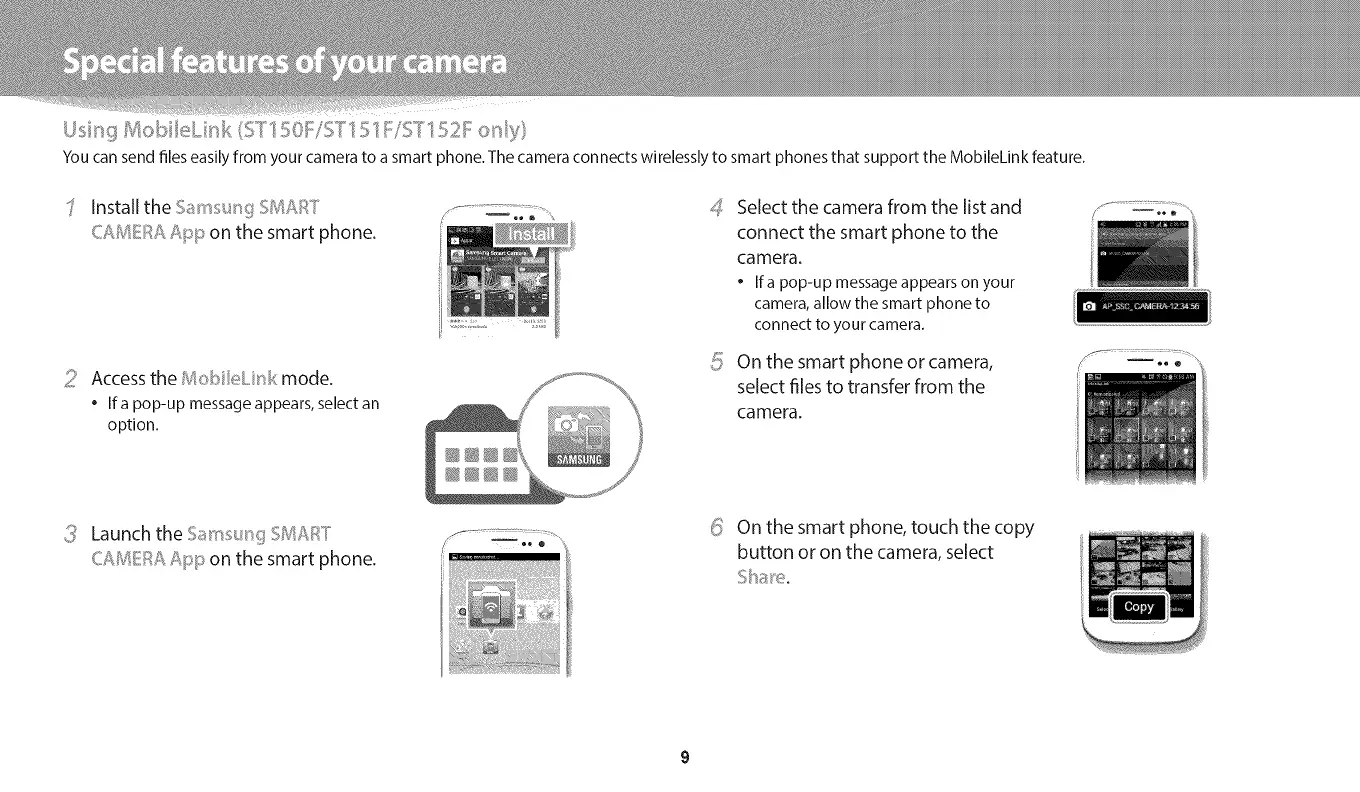
You can send files easily from your camera to a smart phone. The camera con nects wirelessly to smart phones that support the Moloilekin k feature.
Installthe ...... _'_I__J:T
CA/I4I!!i::_ARip on the smart phone.
i! Accessthe l_oNleLkl mode.
• If a pop-up message appears, select an
option.
4
%/
Select the camera from the list and
connect the smart phone to the
camera.
• Ifa pop-up messageappearson your
camera,allow the smart phone to
connect to your camera.
On the smart phone or camera,
select files to transfer from the
camera.
/ .........................:%...........
Launch the 5a 'r_s_.s"_g.::__/:_ T
CAIUSE_::_AApp on the smart phone.
_ On the smart phone, touch the copy
button or on the camera, select


 To Next Page
 Loading...