Wireless network (ST200F/ST201F/ST205F only)
112
Sending photos or videos via email
You can change settings in the email menu, and send photos or videos stored on the camera via email.
6
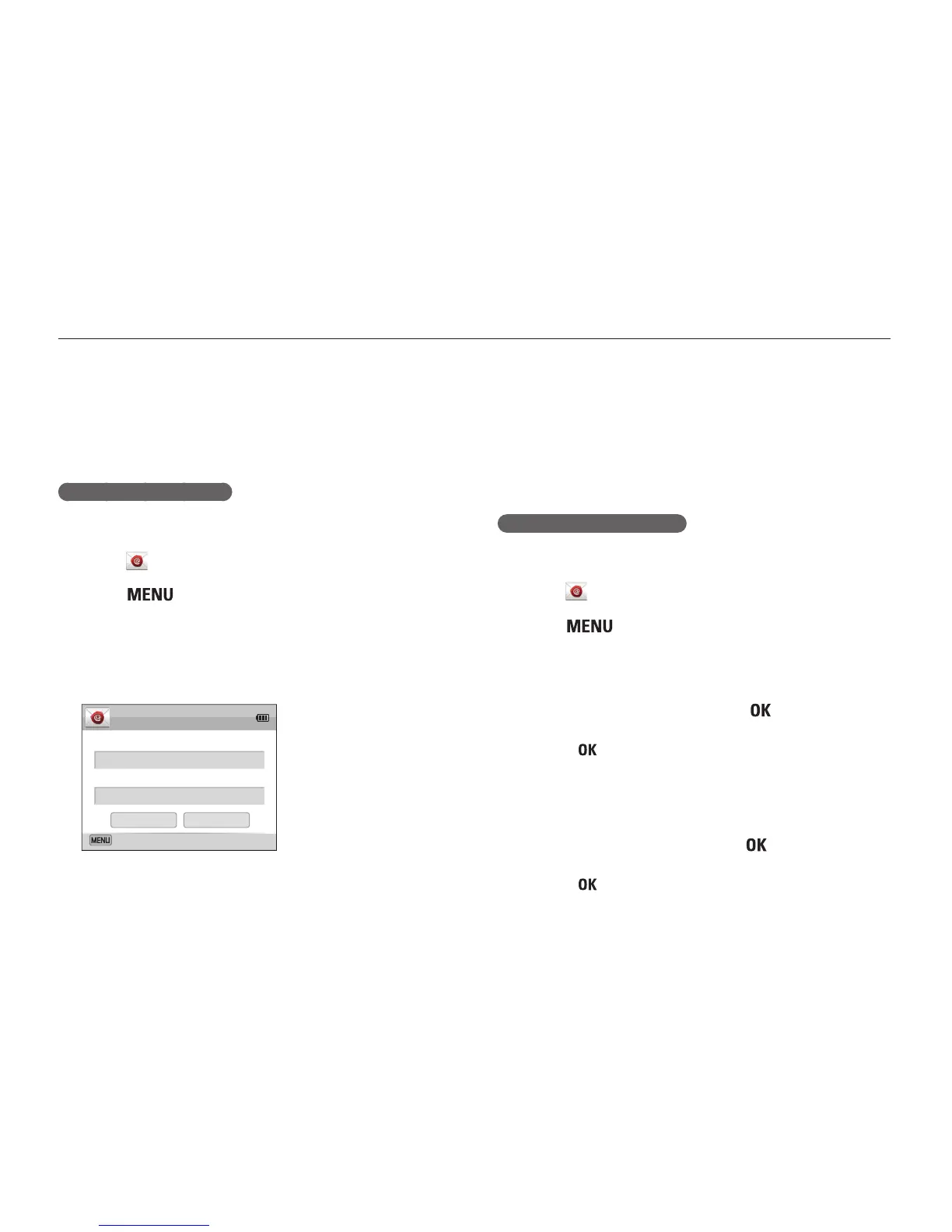
Select the Email box, enter your email address, and
then select Done.
7
Select OK to save your changes.
•
To delete your information, select Reset.
Setting an email password
1
On the Home screen, scroll to <Wi-Fi>.
2
Select .
3
Press [ ].
4
Select Setting Password → On.
•
To deactivate the password, select Off.
5
When the pop-up appears, press [ ].
•
The pop-up disappears automatically even if you do not
press [ ].
6
Enter a 4-digits password.
7
Enter the password again.
8
When the pop-up appears, press [ ].
•
The pop-up disappears automatically even if you do not
press [ ].
Changing email settings
In the email menu, you can change settings for storing your
information. You can also set or change the email password. For
information about entering text, refer to "Entering text". (p. 106)
Storing your information
1
On the Home screen, scroll to <Wi-Fi>.
2
Select .
3
Press [ ].
4
Select Sender Setting.
5
Select the Name box, enter your name, and then
select Done.
Name
Email
Back
OK
Reset
Sender Setting



 To Next Page