Basic functions
19
Performing the initial setup
7
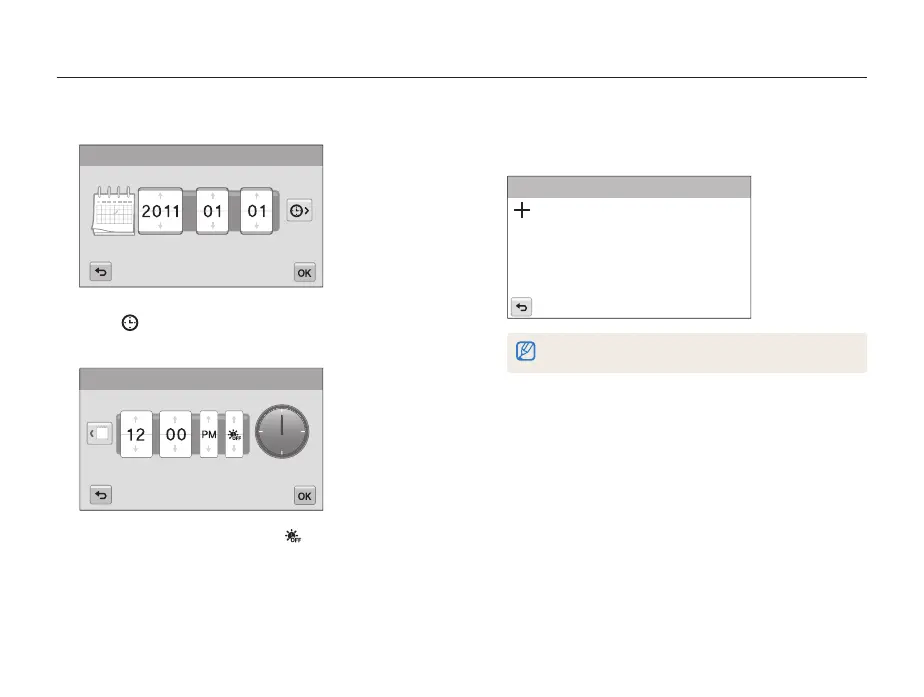
Touch the up or down arrows to set the date.
Date/Time Set
Year Month Day
8
Touch , and then touch the up or down arrows
to set the time.
Date/Time Set
Hr Min
•
To set daylight-saving time, touch .
9
Touch
o
to save.
10
Touch Touch Calibration.
11
Touch the target on the screen with your touch pen.
Touch Calibration
Touch directly in the center of the target for optimal performance.
12
Touch
o
to save settings.


 To Next Page