Playback/Editing
92
Viewing photos or videos in Playback mode
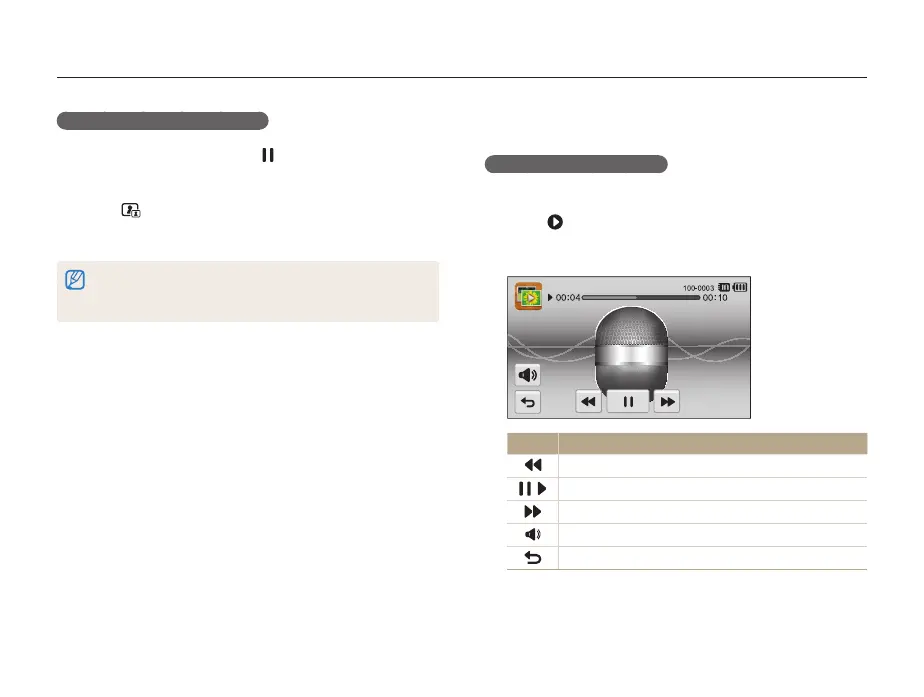
Playing a voice memo
Listening to a voice memo
1
In Playback mode, locate a voice memo file, and then
touch
.
2
Listen to the voice memo.
Icon Description
Scan backward.
/
Pause or resume playback.
Scan forward.
Adjust the volume or mute the sound.
Return to Playback mode.
Capturing an image from video
1
While viewing a video, touch at the point where you
want to capture an image.
2
Touch .
3
When the pop-up message appears, touch Yes.
•
The resolution of the captured image will be the same as the original
video.
•
The captured image is saved as a new file.



 To Next Page