Basic functions
25
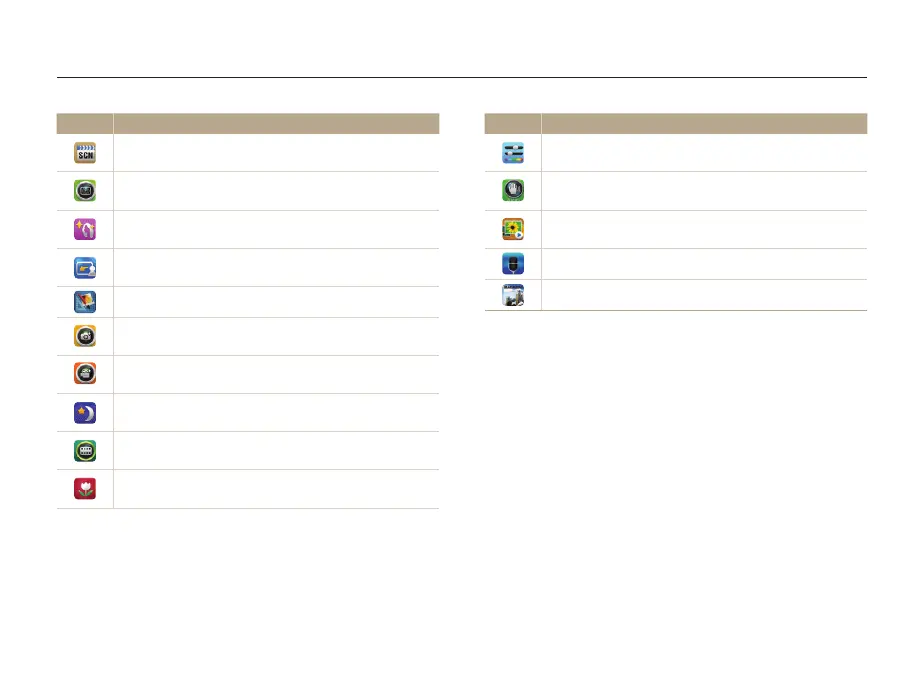
Using the Home screen
Icon Description
Simple Shot: Capture a photo with simple adjustments to
brightness and color. (p. 35)
DUAL IS: Reduce camera shake both optically and
digitally to prevent blurred photos. (p. 39)
Slide Show: View photos as a slide show with effects and
music. (p. 90)
Voice Recorder: Record and save a voice memo. (p. 52)
Magazine View: View files with page flip effect. (p. 86)
Icon Description
Scene: Capture a photo with options that are preset for a
specific scene. (p. 36)
Vignetting: Capture a photo or record a video with a
vignetting effect. (p. 50)
Beauty Shot: Capture a portrait with options to hide facial
imperfections. (p. 37)
Magic Frame shot: Capture a photo with various frame
effects. (p. 47)
Photo Editor: Edit photos with various effects. (p. 95)
Photo Filter: Capture a photo with various filter effects.
(p. 47)
Movie Filter: Record a video with various filter effects.
(p. 49)
Night Shot: Capture a night scene by adjusting shutter
speed and aperture value. (p. 37)
Palette Effect Shot: Record a video with palette effects.
(p. 51)
Close-up Shot: Capture close-up photos of subjects.
(p. 36)



 To Next Page