Extended functions
45
Capturing photos with the front display
2
Touch
m
Select Front Animation, and then select
an option.
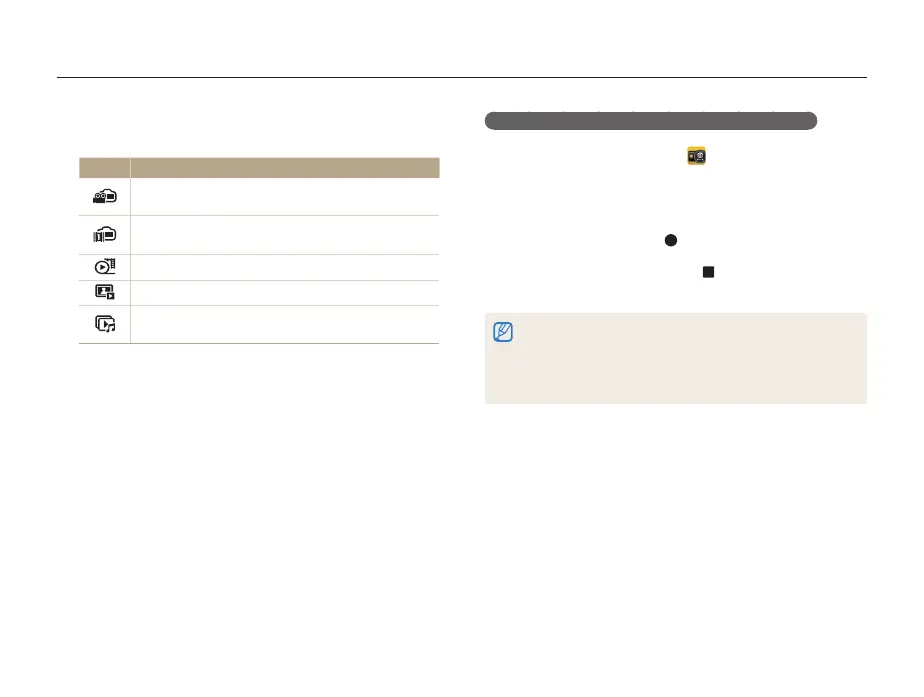
Icon Description
Movie Recording: Record a movie to display on the
front display.
Front Animation: Select an animation saved on your
camera.
Movie: Select a movie saved on your memory card.
Photo: Select a photo saved on your memory card.
Slide Show: Select photos for your slide show to play
on the front display.
3
Touch
m
Children Sound, and then select an
option.
4
Align your subject in the frame, and then half-press
[Shutter] to focus.
5
Press [Shutter] to capture the photo.
Recording a movie for playing on the front display
1
On the Home screen, touch .
2
Touch
m
Select Front Animation Movie
Recording
o
.
3
Press [Shutter] or touch to start recording.
4
Press [Shutter] again or touch , and then touch Yes to
play back the movie on the front display.
•
You can download animations from the Samsung website or transfer
them from Intelli-studio. (p. 102) Visit www.samsung.com for more
information.
•
You can record videos of up to 30 seconds in length for playback on
the front display.



 To Next Page