Playback/Editing
87
Viewing photos or videos in Playback mode
Protecting files
Protect your files to prevent accidental deletion.
1
In Playback mode, locate the file you want to protect,
and then touch
m
.
2
Touch the setting button next to Protect.
Delete
Start Slide Show
Protect
Resize
You cannot delete or rotate a protected file.
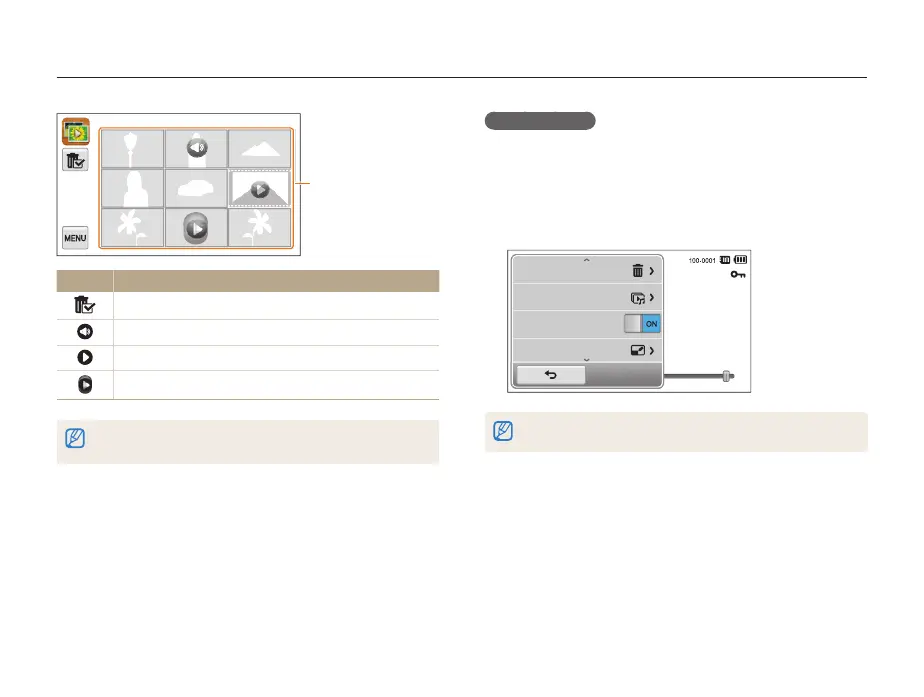
Touch a file to display
it in full screen view.
Icon Description
Delete files
Photo includes a voice memo
Video file
Voice memo file
Drag the screen up or down to move to the previous or next page of
thumbnails.


 To Next Page