Basic functions
25
Taking photos
Reducing camera shake (DIS)
Reduce camera shake digitally in Shooting mode.
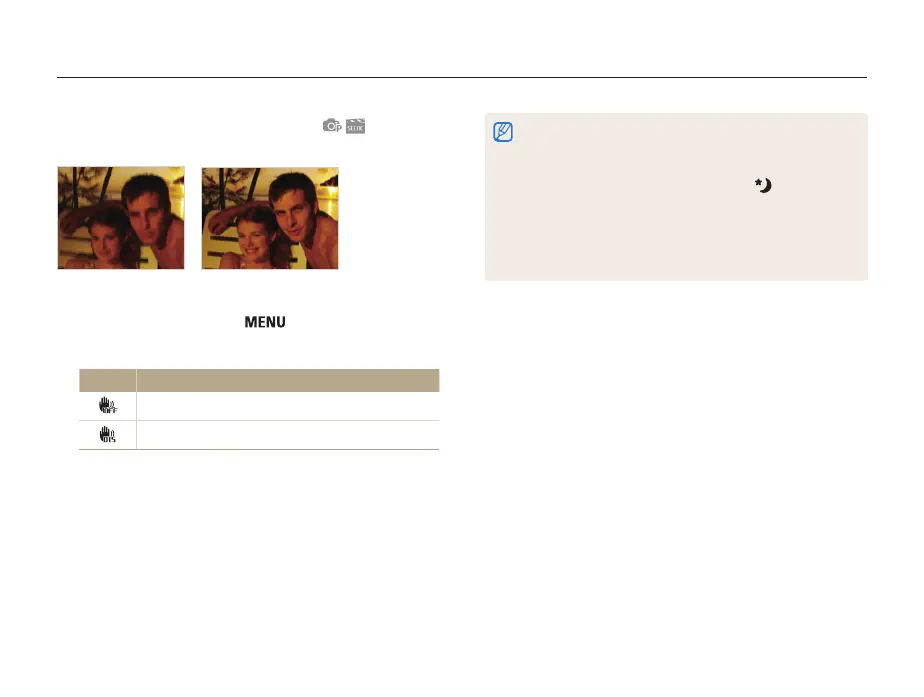
Before correction After correction
1
In Shooting mode, press [ ].
2
Select Shooting → DIS → an option.
Options Description
Off: Deactivate the DIS function.
On: Activate the DIS function.
• DIS may not function properly when:
- you move your camera to follow a moving subject
- you use digital zoom
- there is too much camera shake
- the shutter speed is slow (e.g., when in the mode)
- the battery is low
- you take a close-up shot
• In some scene modes, the DIS function is unavailable.
• If the camera is hit or dropped, the display will be blurry. If this occurs,
turn off the camera, and then turn it on again.


 To Next Page