EasyManua.ls Logo

Samsung SV-240X - User Manual

Samsung SV-240X
24 pages
Print Icon
To Next Page IconTo Next Page
Loading...
VIDEO
CASSETTE RECORDER
SV-640X
SV-445X
SV-245X
SV-240X
Instruction Manual
PAL
www.samsungvcr.com

Table of Contents

Question and Answer IconNeed help?

Do you have a question about the Samsung SV-240X and is the answer not in the manual?

Summary

Safety Instructions

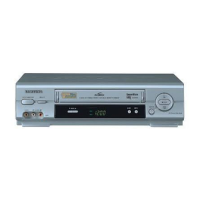
Front View of the VCR

Rear View of the VCR

Infrared Remote Control

Display Indicator

Model Indicators

Explains the indicators shown on the VCR display for different models.

Deciding How to Connect Your VCR

Accessories

Connecting Your VCR to the TV using the Coaxial Cable

Connecting Other Equipment to Your VCR

Connecting Your VCR to the TV using the RCA Cable

Plug & Auto Set Up

Tuning Your Television for the VCR

Inserting Batteries in the Remote Control

Setting the Date and Time

Displaying;Hiding On-Screen Information

Choosing Your Language

Setting the VCR Output Channel

Presetting the Stations Automatically

Presetting the Stations Manually

Clearing a Preset Station

Changing the Preset Station Table

Selecting the Cassette Type

Selecting the Recording Speed (SV-640 X;SV-445 X Only)

NICAM (SV-640 X Only)

Protecting a Recorded Cassette

Recording a Programme Immediately

Recording a Programme with Automatic Stop

Using the G-CODE Feature (SV-640 X;SV-245 X Only)

Modifying G-CODE Programming (SV-640 X;SV-245 X Only)

Using the Timer Programming Feature

Checking a Preset Recording

Cancelling a Preset Recording

Playing a Cassette

Adjusting Picture Alignment Automatically (SV-240 X Only)

Intelligent Picture Control

Model Specifics

Explains Intelligent Picture Control for SV-640X, SV-240X, and SV-445X/SV-245X/SV-240X models.

Selecting the Colour Mode

Selecting the Audio Output Mode (SV-640 X Only)

Playing a Cassette in Slow Motion

Selecting the Audio Mute Mode (SV-445 X;SV-245 X; SV-240 X Only)

Playing a Sequence Frame by Frame

Picture Search, Fast Forward;Rewind

Searching for a Specific Sequence

Auto Repeat Play

Interval Repeat Play

G-CODE EXTEND (SV-640 X;SV-245 X Only)

Using the Tape Counter

Connecting an RCA Audio;Video Input Cable (SV-640 X;SV-245 X Only)

Using the Assemble Edit Function

Recording from Another VCR or Camcorder

Audio Dubbing a Pre-recorded Cassette (SV-640 X Only)

Using the TV Buttons on the Remote Control (SV-640 X;SV-445 X;SV-245 X Only)

Auto Power Off

Child Door Lock System (SV-640 X;SV-245 X;SV-240 X Only)

ECO Mode-Reducing Standby power consumption

Technical Specifications

Problems and Solutions

Power, Insertion, and Recording Failures

Troubleshooting for no power, cassette insertion, and timer recording issues.

Playback and Broadcast Issues

Solutions for distorted pictures, no playback, and signal reception problems.

Visual Artifacts and Maintenance

Addressing noise bars, streaks, and video head cleaning.

Tuning and Interference Resolution

Steps to resolve interference by changing VCR output channel and re-tuning.

TV Frequency Table

Summary

Safety Instructions

Front View of the VCR

Rear View of the VCR

Infrared Remote Control

Display Indicator

Model Indicators

Explains the indicators shown on the VCR display for different models.

Deciding How to Connect Your VCR

Accessories

Connecting Your VCR to the TV using the Coaxial Cable

Connecting Other Equipment to Your VCR

Connecting Your VCR to the TV using the RCA Cable

Plug & Auto Set Up

Tuning Your Television for the VCR

Inserting Batteries in the Remote Control

Setting the Date and Time

Displaying;Hiding On-Screen Information

Choosing Your Language

Setting the VCR Output Channel

Presetting the Stations Automatically

Presetting the Stations Manually

Clearing a Preset Station

Changing the Preset Station Table

Selecting the Cassette Type

Selecting the Recording Speed (SV-640 X;SV-445 X Only)

NICAM (SV-640 X Only)

Protecting a Recorded Cassette

Recording a Programme Immediately

Recording a Programme with Automatic Stop

Using the G-CODE Feature (SV-640 X;SV-245 X Only)

Modifying G-CODE Programming (SV-640 X;SV-245 X Only)

Using the Timer Programming Feature

Checking a Preset Recording

Cancelling a Preset Recording

Playing a Cassette

Adjusting Picture Alignment Automatically (SV-240 X Only)

Intelligent Picture Control

Model Specifics

Explains Intelligent Picture Control for SV-640X, SV-240X, and SV-445X/SV-245X/SV-240X models.

Selecting the Colour Mode

Selecting the Audio Output Mode (SV-640 X Only)

Playing a Cassette in Slow Motion

Selecting the Audio Mute Mode (SV-445 X;SV-245 X; SV-240 X Only)

Playing a Sequence Frame by Frame

Picture Search, Fast Forward;Rewind

Searching for a Specific Sequence

Auto Repeat Play

Interval Repeat Play

G-CODE EXTEND (SV-640 X;SV-245 X Only)

Using the Tape Counter

Connecting an RCA Audio;Video Input Cable (SV-640 X;SV-245 X Only)

Using the Assemble Edit Function

Recording from Another VCR or Camcorder

Audio Dubbing a Pre-recorded Cassette (SV-640 X Only)

Using the TV Buttons on the Remote Control (SV-640 X;SV-445 X;SV-245 X Only)

Auto Power Off

Child Door Lock System (SV-640 X;SV-245 X;SV-240 X Only)

ECO Mode-Reducing Standby power consumption

Technical Specifications

Problems and Solutions

Power, Insertion, and Recording Failures

Troubleshooting for no power, cassette insertion, and timer recording issues.

Playback and Broadcast Issues

Solutions for distorted pictures, no playback, and signal reception problems.

Visual Artifacts and Maintenance

Addressing noise bars, streaks, and video head cleaning.

Tuning and Interference Resolution

Steps to resolve interference by changing VCR output channel and re-tuning.

TV Frequency Table

Samsung SV-240X Specifications

General IconGeneral
TypeVCR
BrandSamsung
ModelSV-240X
TunerYes
Remote ControlYes
Playback SpeedSP, LP

Related product manuals