EasyManua.ls Logo

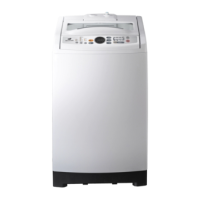
Samsung SW75V9W - User Manual

Samsung SW75V9W
24 pages
Print Icon
To Next Page IconTo Next Page
Loading...
Washing Machine
user manual
imagine the possibilities
Thank you for purchasing a Samsung
product.
To receive a more complete service,
please register your pr
oduct at
www.samsung.com/register
SW75V9W
SW65V9W
SW75V9WI-02604K-01_EN.indd 1 2010-10-08 ¿ÀÈÄ 1:59:14
This model is part of a Product Safety Recall.
Please contact our Product Safety Team on 1800 239 655
if you own one.

Questions and Answers

  • M
    Michael VasquezAug 11, 2025
    What to do if Samsung SW75V9W water is overflowed?
    • J
      Jacqueline ButlerAug 12, 2025
      If your Samsung Washer overflows, restart it after spinning. If the error persists, it's recommended to contact an agency for assistance.
  • N
    nguerreroAug 22, 2025
    How to clear child lock error on Samsung SW75V9W Washer?
    • J
      james81Aug 22, 2025
      If you see 'CL' displayed on your Samsung Washer, it indicates a Child Lock error. To clear it, ensure draining is complete, close the washer door, turn the power off, and then turn it back on.
  • K
    kellywilliamsAug 31, 2025
    How to troubleshoot Samsung SW75V9W Washer that won't work?
    • K
      Kelly LambertAug 31, 2025
      To troubleshoot why your Samsung Washer won’t work, check the following: Is the water tap open? Is the washer plugged in? Is there a power outage? Is there enough water?

Samsung SW75V9W Specifications

General IconGeneral
BrandSamsung
ModelSW75V9W
CategoryWasher
LanguageEnglish

Related product manuals