User’s Manual
Introduction
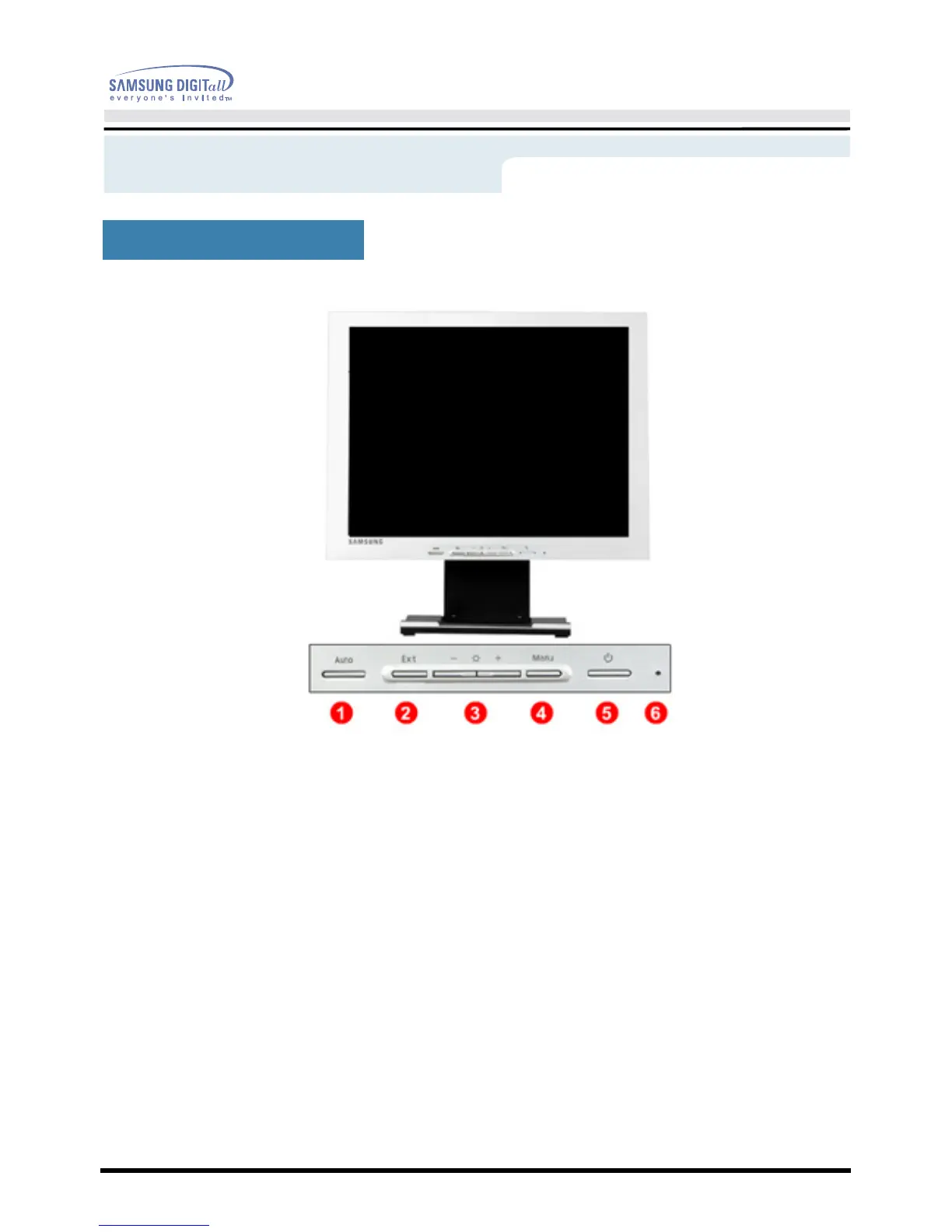
Front
1. Auto button
Use this button to auto adjustment direct access.
2. Exit button
Use this button to Exit the active menu or the OSD.
3. Adjust buttons
These buttons allow you to highlight and adjust items in the menu.
4. Menu button
Use this button to open the OSD and activate a highlighted menu item.
5. Power button
Use this button to turn the monitor on and off.
6. Power indicator
This light glows green during normal operation, and blinks green once as
the monitor saves your adjustments.
Note: See PowerSaver described in the manual for further information regarding power saving
functions. For energy conservation, turn your monitor OFF when it is not needed, or when leaving it
unattended for long periods.
(SyncMaster 172B)






 To Next Page