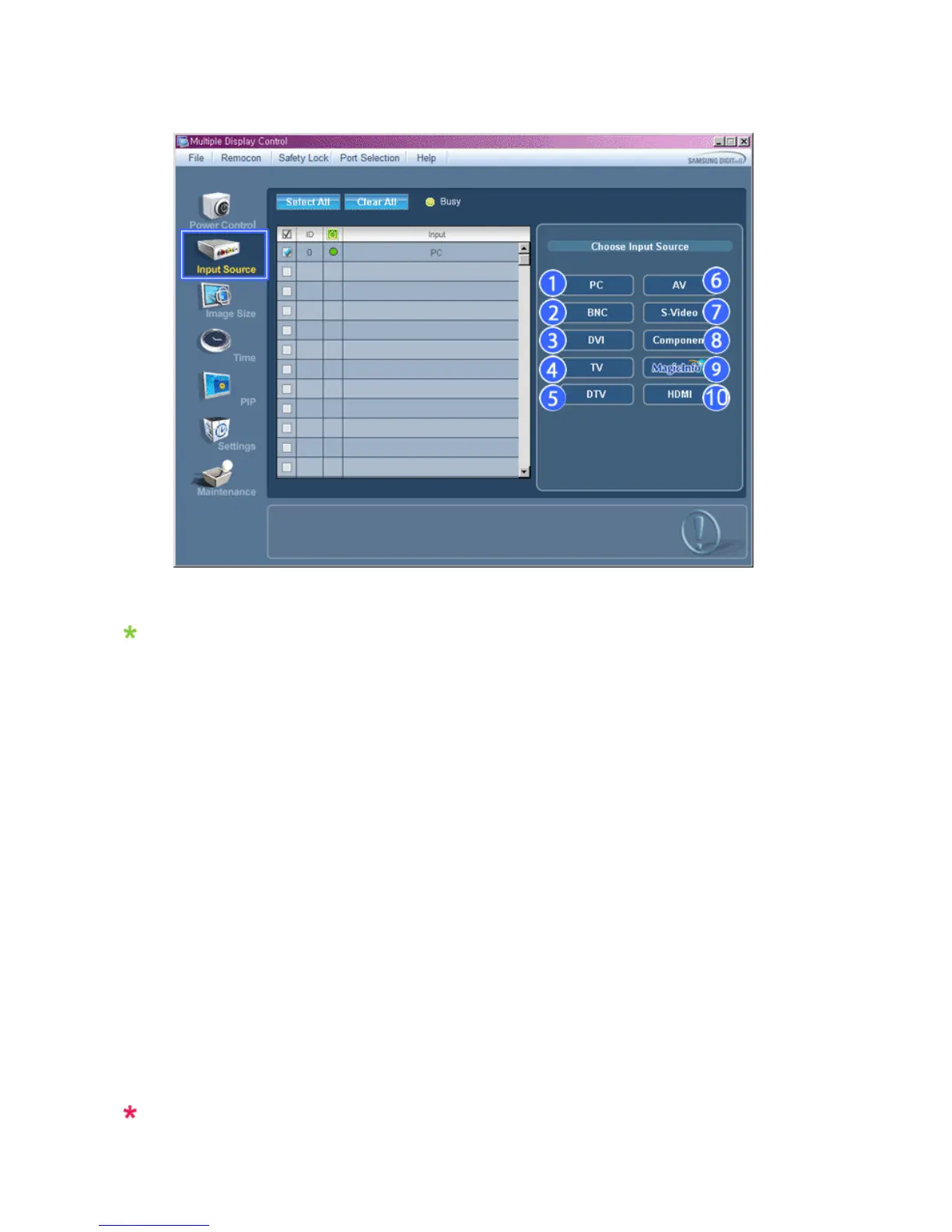
Info Grid shows some basic information necessary to Input Source Control.
1) PC
- Changes the Input Source of the selected display to PC.
2) BNC
- Changes the Input Source of the selected display to BNC.
3) DVI
- Changes the Input Source of the selected display to DVI.
4) TV
-Chan
es the Input Source of the selected display to TV.
5) DTV
-Chan
es the Input Source of the selected display to DTV.
6) AV
-Chan
es the Input Source of the selected display to AV.
7) S-Video
- Changes the Input Source of the selected display to S-Video.
8) Component
-Chan
es the Input Source of the selected display to Component.
9) MagicInfo
- The Input source of Ma
icInfo model.
10) HDMI
-Chan
es the Input Source of the selected display to HDMI.
11) Channel
- Channel arrow appears when the Input Source is TV.
TV Source can be selected only in products with TV and controlling channels is allowed only when
Input Source is TV.








 To Next Page