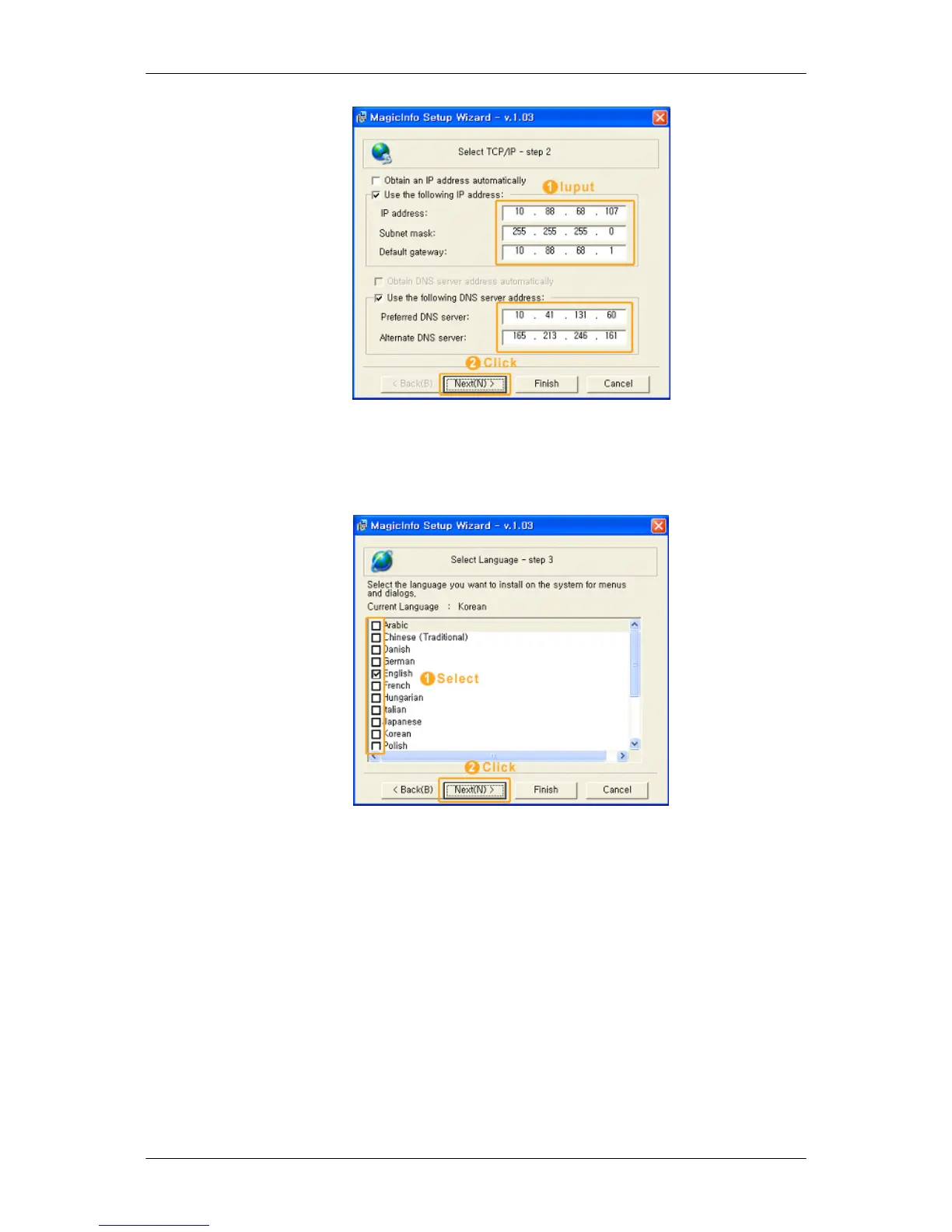
In step 2 of MagicInfo Setup Wizard, you don’t have to go to Network Setting on the desktop
to make your settings for TCP/IP. You just do that at step 2 of MagicInfo installation.
3. Select Language - step 3
When using multiple languages, you can choose and set a specific language among them.
4. Select Screen Type - step 4
Adjusting the LCD Display








 To Next Page